
Fictional family. Real software.
The Whitaker family
Two parents, two small children and one Companion Core in a yellow house.
17 Thistledown Row, Cobblesby
 Interactive 3D tour
- Companion OS, Companion Memory and Companion Agents are in beta.
Meet the family
Hannah keeps the books for small local businesses at the dining table. Callum is at home with Alfie, who is one, and Nell, seven, asks her questions upstairs. One Companion Core holds the invoices, the photos and the shopping list.
Hannah
OrganiserAge 35Dining room
Self-employed bookkeeper.
Biscotti is Hannah’s Hermes agent. Drafts payment reminders to Hannah's clients from the details she gives it. Drafts only. Hannah reads and sends every message herself.
Rented before, on the Core now
Rented before
- Adobe Acrobat
- LastPass
- QuickBooks
- Google Drive
- Microsoft Office
On the Core now
 Hermes
 Yuvomi
 Stirling-PDF
 VaultWarden
 Akaunting
 Nextcloud
 LibreOffice
-
The living room
Monday coffee settles the week
Over Monday coffee on the sofa, Hannah and Callum sort the week. Yuvomi gives the household one calendar and one task board, so both parents see the same plans.
Watch this momentYuvomi -
The living room
Hannah splits a year into months
While Alfie naps in the crib, Hannah splits a client's bank statements into months. Stirling-PDF cuts the file on the Core, so she can send just one month.
Watch this momentStirling-PDFreplaces Adobe Acrobat -
Callum in the kitchen
Hannah finds the dentist's password
Callum cannot remember the password for the dentist's website. Hannah finds it in the family's VaultWarden vault on the Core, through the Bitwarden apps on her phone.
Watch this momentVaultWardenreplaces LastPass -
Hannah invoices the bakery
Hannah keeps books for small shops. At the trestle table she raises her invoice to a bakery client, in Akaunting on the Core.
Watch this momentAkauntingreplaces QuickBooks -
Biscotti drafts three reminders
Three clients are late paying. Hannah gives Biscotti the amounts, and Biscotti drafts a reminder for each. Hannah reads them and sends each herself.
HermesScripted Biscotti: “The reminders are drafted. Please check each amount, then send them.”
Messages pass through the chat service you choose.
Watch this moment -
A client asks for a month
A client asks for last March's statements again. Hannah opens the client's Nextcloud folder. The split months sit in order on the Core, not in a rented drive.
Watch this momentNextcloudreplaces Google Drive -
Hannah writes while Nell colours
Nell colours at the trestle table while Hannah writes a client's quarterly summary in LibreOffice. The draft is a file on the Core until Hannah sends it.
Watch this momentLibreOfficereplaces Microsoft Office
Real screenshots of Hannah’s apps
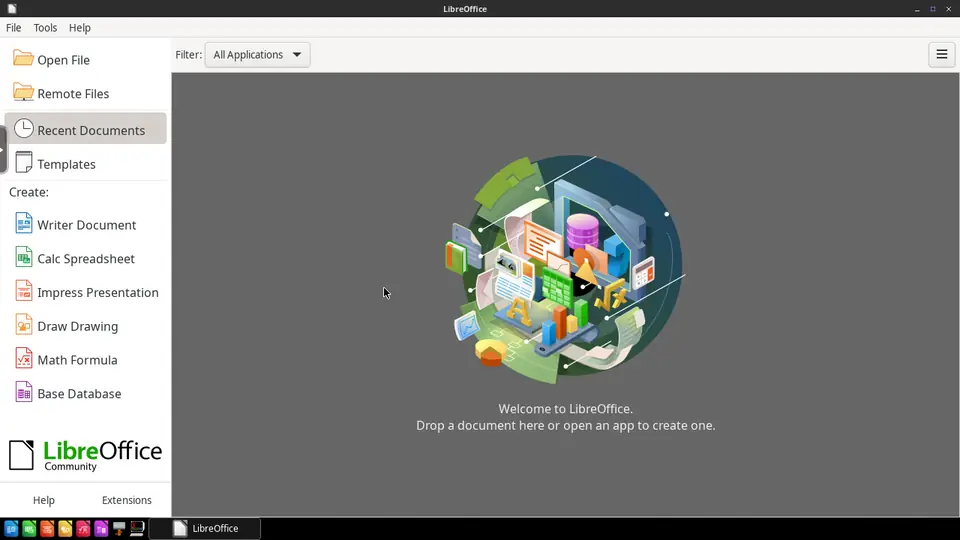
Real screenshot of LibreOffice from a Companion Hub QA run. Not a recording of this family.
Callum
HostAge 37Kitchen
At home with Alfie.
Mallow is Callum’s Hermes agent. Drafts the invitations and notes Callum sends to family and friends. Drafts only. Callum reads every message and sends it himself.
Rented before, on the Core now
Rented before
- Google Photos
- Evernote
- Google Home
On the Core now
 Immich
 KitchenOwl
- Hermes
 Paperless-ngx
 Home Assistant
-
The living room
Alfie walks to the loveseat
Alfie takes his first steps across the rug while Callum films. The clip backs up to Immich on the Core, not to a photo cloud.
Watch this momentImmichreplaces Google Photos -
Nell calls out bananas
At the breakfast bar, Nell calls out for bananas, and Callum adds them. Everyone at home adds to the same KitchenOwl list, kept on the Core.
Watch this momentKitchenOwl -
Mallow drafts, Callum sends
While the pasta water heats, Callum tells Mallow the plan for Sunday lunch. Mallow drafts the invitation to his parents, and Callum reads it and sends it himself.
HermesScripted Mallow: “Here is the invitation. Please read it before you send it.”
Watch this moment -
Alfie's first foods get a page
Callum saves a mashed carrot recipe for Alfie in KitchenOwl and adds it to the week's meals. Then he adds the carrots to the shared list for whoever shops next.
Watch this momentKitchenOwl -
Hannah at the dining table
The missing receipt turns up
Hannah needs a florist's receipt, and Callum finds it by searching the shop's name in Paperless-ngx. He scanned it on Tuesday, and the scans stay on the Core by default.
Watch this momentPaperless-ngxreplaces Evernote -
Out in the garden
Callum gives the greenhouse a rule
On warm mornings the greenhouse heats up, so Callum sets a rule: its fan starts at ten. Home Assistant runs the rule from the Core and needs no cloud account.
Watch this momentHome Assistantreplaces Google Home
Real screenshots of Callum’s apps
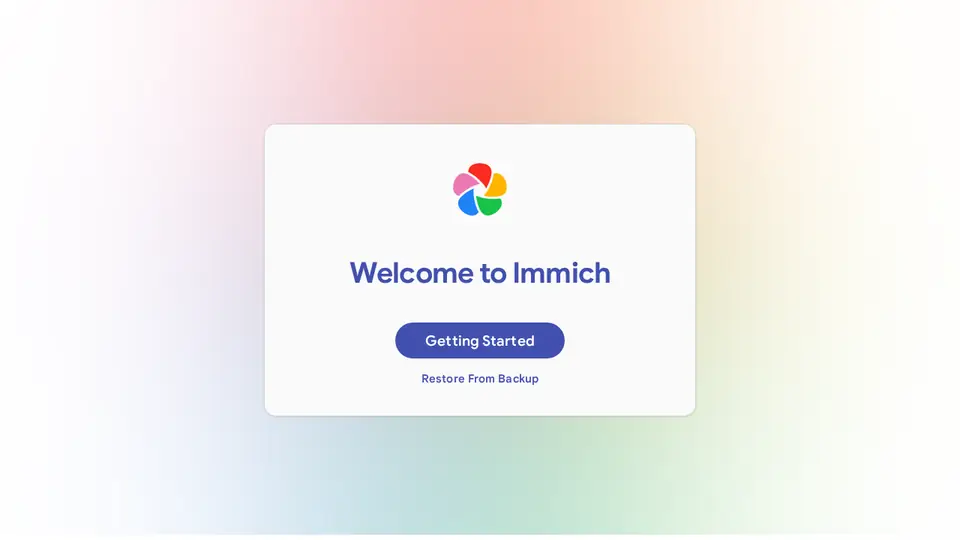
Real screenshot of Immich from a Companion Hub QA run. Not a recording of this family. 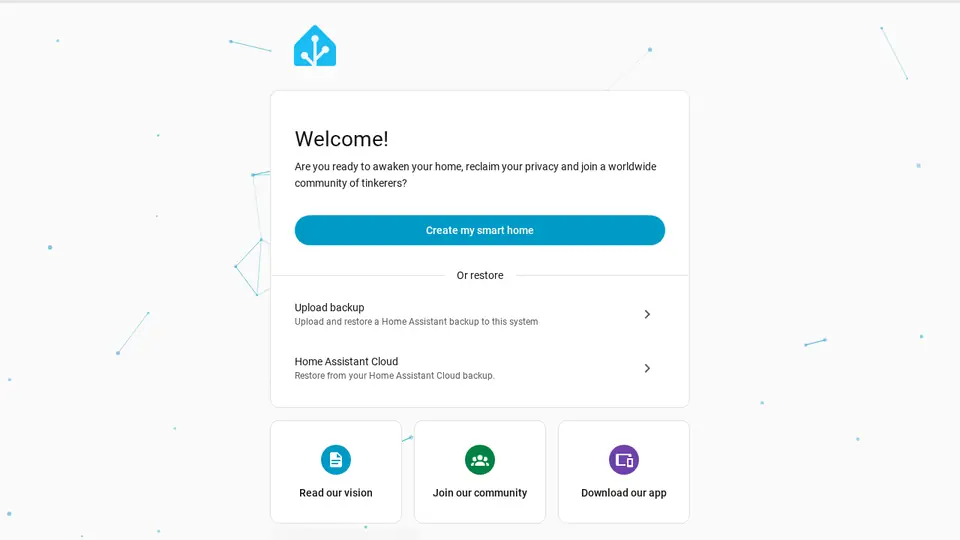
Real screenshot of Home Assistant from a Companion Hub QA run. Not a recording of this family.
Nell
LearnerAge 7Kids' bedroom
Primary school.
Rented before, on the Core now
Rented before
- Amazon Kindle
On the Core now
 HortusFox
- Kokoro
 Koodo Reader
-
Out in the garden
Nell finds the first strawberry
On Saturday, Nell finds the first strawberry in the raised bed. Callum photographs it and dates it in HortusFox, whose plant journal sits on the Core.
Watch this momentHortusFox -
Nell hears her spelling words
Nell has a card of spelling words for Friday. Callum types each into Kokoro, which makes the speech on the Core, and Nell says every word back.
Kokoro
Watch this moment -
Nell reads to her teddy bear
On Sunday morning, Nell reads a chapter to her teddy bear. Koodo Reader keeps the family's ebooks on the Core, and it saves her place in the chapter.
Watch this momentKoodo Readerreplaces Amazon Kindle
Real screenshots of Nell’s apps
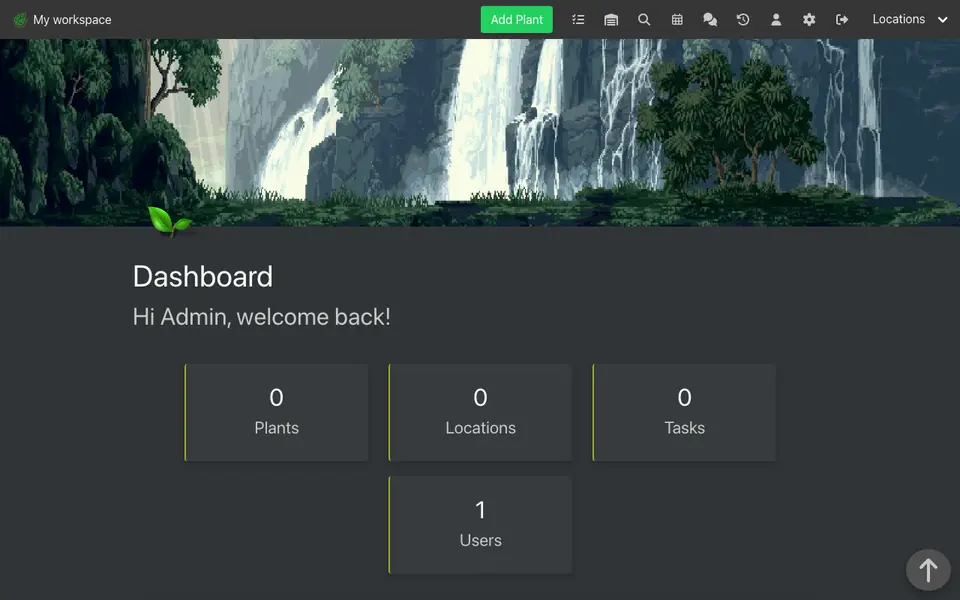
Real screenshot of HortusFox from a Companion Hub QA run. Not a recording of this family.
Alfie
BabyAge 1Nursery
Rented before, on the Core now
Rented before
- Spotify
On the Core now
 Navidrome
-
Nell picks Alfie's nap song
Before Alfie's nap, Nell picks a song and Callum plays it beside the crib. Navidrome sends the family's own music from the Core to Callum's phone.
Watch this momentNavidromereplaces Spotify
The home
- 2 storeys
- 177 m²
- 17 rooms
Scroll the plan sideways to see all of it.
Scroll the plan sideways to see all of it.
A diagram of the rooms, drawn from the home’s layout. It leaves out walls, doors and stairs. The pins show the room each person uses, and the small box marks the Companion Core.
What runs on the Core
One Companion Core in the house runs these apps. Each is in the Companion Hub store. Other software is named in text, for what it replaces.
- HermesFrom Nous Research
- Yuvomi
- ImmichReplaces Google Photos
- Stirling-PDFReplaces Adobe Acrobat
- KitchenOwl
- VaultWardenReplaces LastPass
- AkauntingReplaces QuickBooks
- Paperless-ngxReplaces Evernote
- NextcloudReplaces Google Drive
- LibreOfficeReplaces Microsoft Office
- HortusFox
- Home AssistantReplaces Google Home
- Kokoro
- Koodo ReaderReplaces Amazon Kindle
- NavidromeReplaces Spotify
The other apps in these stories are made by other people, most of them open-source projects. Companion Intelligence did not make them. A logo belongs to its project. It shows which app is named beside it.
How it runs
Two pieces do the work. One runs on the Core. The other keeps track of your devices.
Companion Hub
Companion Hub is where you install apps on the Core. Pick one in the Companion Hub store and Hub sets it up. Installing apps uses the internet.
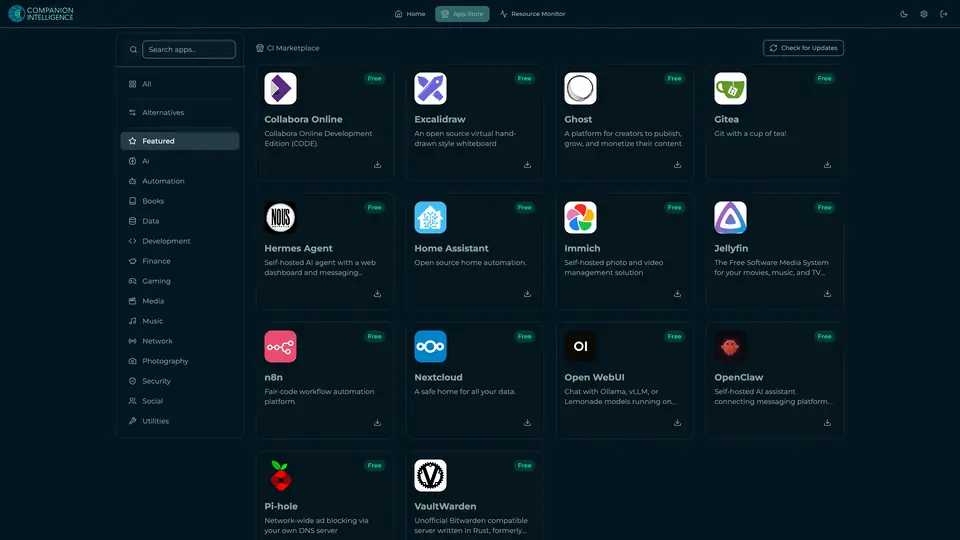
Real screenshot of Companion Hub from a product tutorial capture. Not a recording of this family. 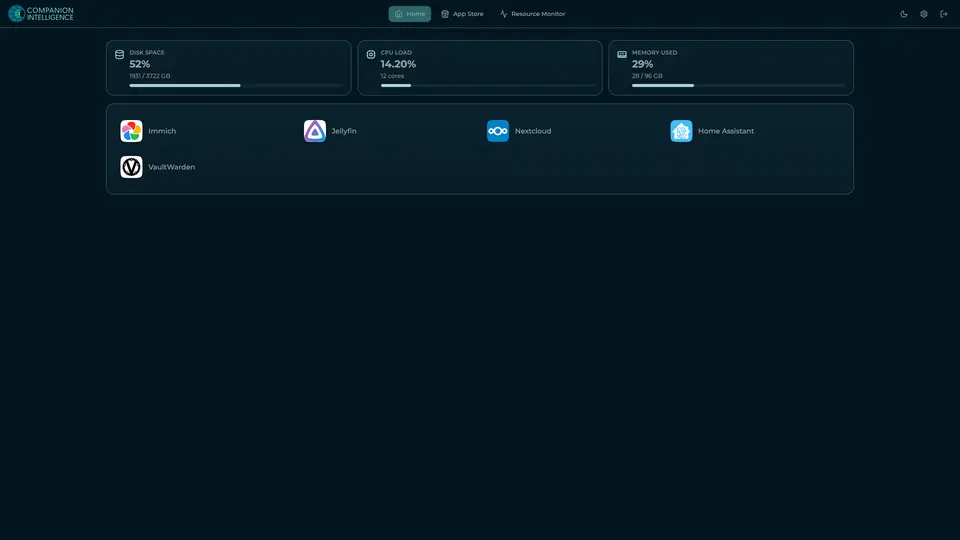
Real screenshot of Companion Hub from a product tutorial capture, with sample data. The disk, CPU and memory figures are the capture machine's, not a Companion Core spec. Not a recording of this family.
Companion account
Your Companion account pairs your devices with the Hub and lists them. The apps and their files stay on the Core.
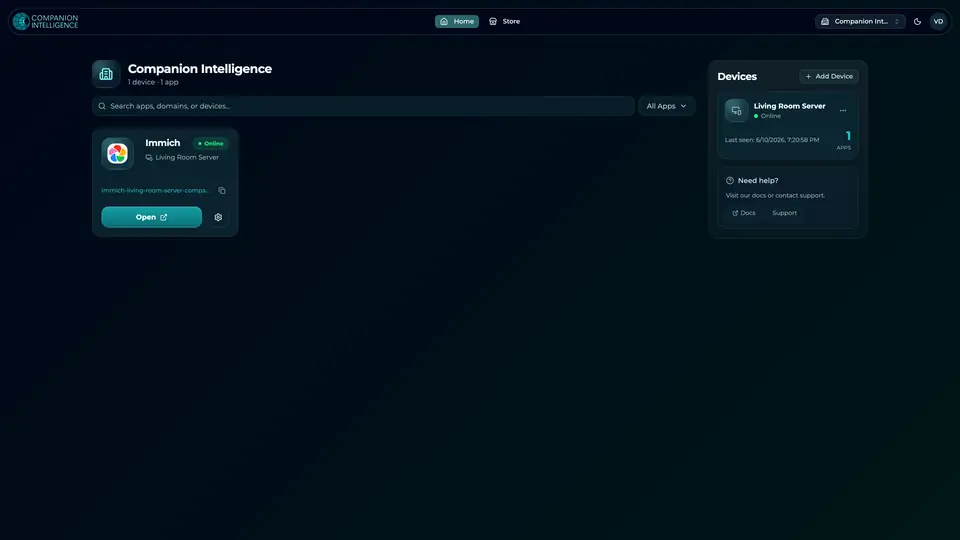
Real screenshot of the Companion account page from a product tutorial capture, with sample data. Not a recording of this family. 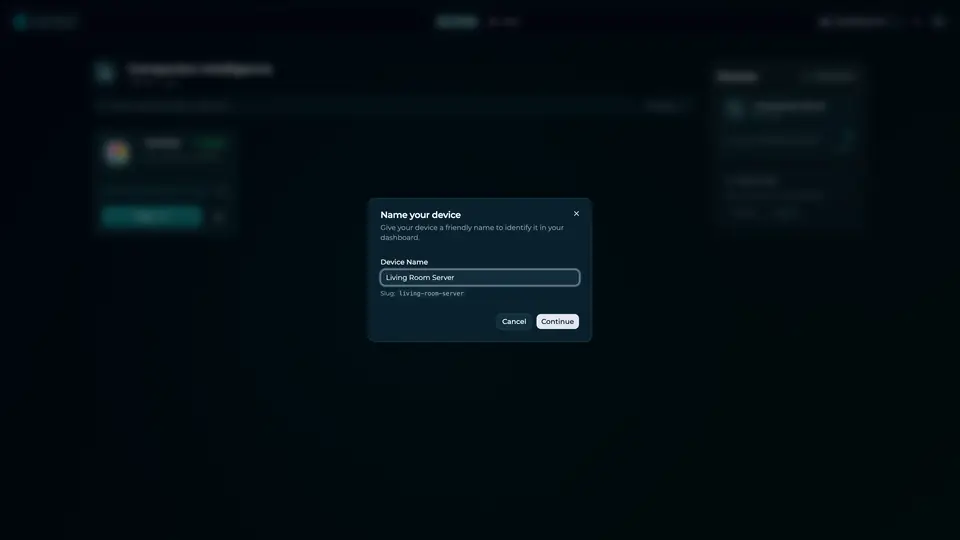
Real screenshot of the Companion account page from a product tutorial capture, with sample data. Not a recording of this family.
How the Core starts
-
Plug it in.
The parcel holds the Companion Core, a power cable, a quick-start guide and a recovery USB drive. Companion OS is already on its drive. Plug it in and press the button.
-
Join its Wi-Fi.
The Core opens its own Wi-Fi network. Join it from a phone, choose your home network from the list and enter its password.
-
Pick your apps and run.
In the Companion Hub store, pick your first agents and apps. Then walk away. Installing apps uses the internet.
Some steps use the internet: installing apps from the Companion Hub store, and any website or messaging service your agent talks to.
UnCloud your life.
Your invoices, photos, shopping lists and family books can sit on a Companion Core at home. Browse the Companion Hub store and pick your first apps.