
Fictional family. Real software.
The Hovsepian family
Two grandparents, one grandchild and a Companion Core in the study.
14 Marlpit Lane, Alderwick
 Interactive 3D tour
- Companion OS, Companion Memory and Companion Agents are in beta.
Meet the family
Araxi, a retired teacher, writes the parish newsletter from the study. Hagop, a retired developer, still keeps two consulting clients. Nare, eleven, studies in the small guest bedroom, and one Companion Core in the study serves the household.
Araxi
OrganiserAge 67Study
Retired teacher, runs the parish newsletter.
Saffron is Araxi’s Hermes agent. Drafts the parish newsletter from the notices Araxi messages to it. Drafts only. Araxi reads every line and sends the newsletter herself.
Rented before, on the Core now
Rented before
- Evernote
- Google Drive
- Microsoft Office
On the Core now
 Hermes
 Joplin Server
 Paperless-ngx
 LibreOffice
 Yuvomi
 Open WebUI
-
A choir notice joins the notebook
A call from the choir leader moves Thursday’s practice to the afternoon. Araxi adds it to the parish notebook in Joplin Server, which syncs her devices through the Core.
Watch this momentJoplin Serverreplaces Evernote -
Araxi reads the draft first
On Friday morning Araxi messages Saffron the week’s notices. Saffron drafts the newsletter on the Core’s local model, and Araxi reads it and sends it herself.
HermesScripted Saffron: “Your five notices are in, in order. Please read them before you send the newsletter.”
Companion Agents are in beta.
Watch this moment -
Araxi calls the renewal date down
Hagop calls up the stairs for a client’s renewal date. Araxi types one word into Paperless-ngx, which read the scanned pages on the Core, and calls it down.
Watch this momentPaperless-ngxreplaces Google Drive -
The month’s hours become an invoice
At month’s end Araxi takes the hours from Kimai and writes the invoice in LibreOffice, in her browser. The finished invoice is saved on the Core.
Watch this momentLibreOfficereplaces Microsoft Office -
Beside the bread bin
Dinners fit around Hagop’s calls
At the kitchen island, Araxi plans the week’s dinners around Hagop’s client calls. Yuvomi keeps the calendar and the meal plan in one database on the Core.
Watch this momentYuvomi -
Nare’s room
Araxi reads the ice answer
Nare asks Open WebUI why ice floats, and the model runs on the Core. Araxi reads the answer with her, and Nare writes it up in Obsidian.
Watch this momentOpen WebUI
Real screenshots of Araxi’s apps
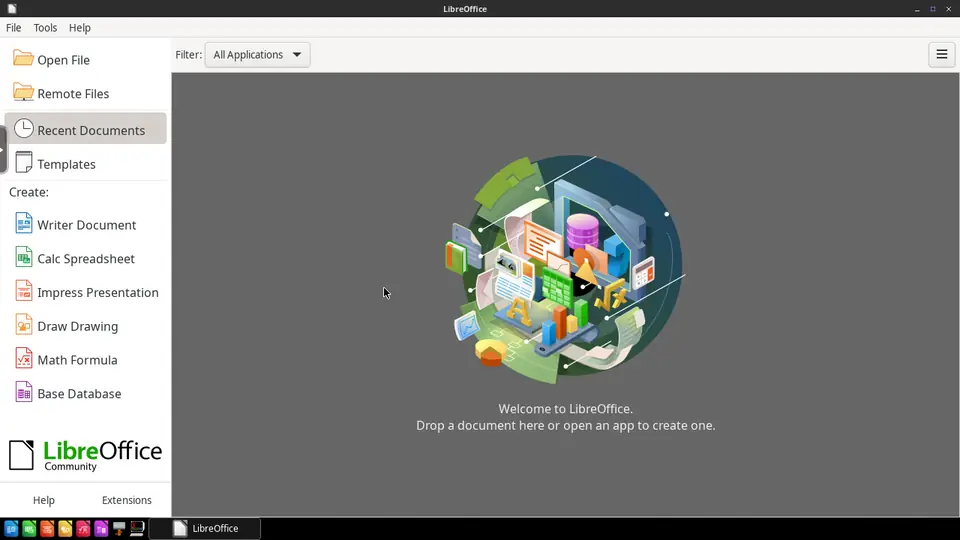
Real screenshot of LibreOffice from a Companion Hub QA run. Not a recording of this family.
Hagop
BuilderAge 70Family room
Retired developer, two consulting clients.
Walnut is Hagop’s Hermes agent. Drafts progress notes for Hagop’s two clients from the points he sends. Drafts only. Hagop reads each note and sends it himself.
Rented before, on the Core now
Rented before
- GitHub
- Ring
On the Core now
 Forgejo
 Kimai
- Hermes
 Frigate
-
The loveseat doubles as a desk
By noon a client wants Hagop’s reporting scripts. He pushes them to Forgejo from the loveseat. The repository sits on the Core, not on a rented code host.
Watch this momentForgejoreplaces GitHub -
Hagop counts an hour before lunch
When a call with his smaller client ends, Hagop adds the hour to Kimai. A hosted timer would hold his client list. Here it stays on the Core.
Watch this momentKimai -
Walnut leaves one date for Hagop
Hagop messages Walnut three points for a client. Walnut drafts the note on the Core’s local model and leaves one date blank. Hagop fills it in and sends it himself.
HermesScripted Walnut: “Three points, three paragraphs. One date is blank, so please fill it in before sending.”
Watch this moment -
Out by the drive
Hagop checks whether the lorry came
Araxi and Hagop disagree about whether the recycling lorry came on Tuesday. Hagop checks the drive camera’s clip in Frigate, which keeps it on the Core.
Watch this momentFrigatereplaces Ring
Real screenshots of Hagop’s apps
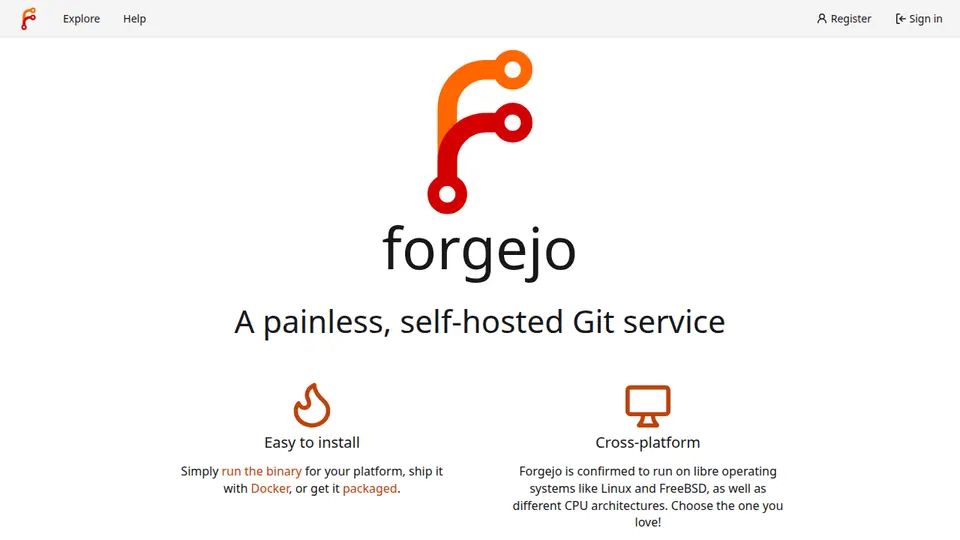
Real screenshot of Forgejo from a Companion Hub QA run. Not a recording of this family.
Nare
LearnerAge 11Guest bedroom
Primary school.
Rented before, on the Core now
Rented before
- Kindle
- Plex
- Google Translate
On the Core now
- Yuvomi
 BookLore
 Jellyfin
- Razzia
 LibreTranslate
-
Beside the bread bin
A pudding sends Hagop shopping
Friday’s pudding needs apricots, so Nare adds them to the household list in Yuvomi. Hagop picks the list up on his way out to the shop.
Watch this momentYuvomi -
Nare reads beside Hagop
After school Nare reads her class novel in BookLore on the loveseat, while Hagop reads his own book beside her. The family’s shelf of books is served from the Core.
Watch this momentBookLorereplaces Kindle -
Nare picks the next clip
On Saturday morning Nare picks a clip from Hagop’s digitised holiday tapes. Jellyfin plays it from the Core to the family room TV.
Watch this momentJellyfinreplaces Plex -
Nare’s room
Nare quizzes her grandparents
On her bed, Nare writes a lighthouse quiz in Razzia. The Core runs the game, and Araxi and Hagop answer from their own devices.
Razzia
Watch this moment -
Nare’s room
Nare writes first and checks after
Nare writes her Spanish pen-pal letter herself, then checks a few sentences in LibreTranslate. The Core does the translating, not a translation website.
LibreTranslatereplaces Google TranslateLanguage models are downloaded once.
Watch this moment
The home
- 2 storeys
- 225 m²
- 14 rooms
Scroll the plan sideways to see all of it.
Scroll the plan sideways to see all of it.
A diagram of the rooms, drawn from the home’s layout. It leaves out walls, doors and stairs. The pins show the room each person uses, and the small box marks the Companion Core.
What runs on the Core
One Companion Core in the house runs these apps. Each is in the Companion Hub store. Other software is named in text, for what it replaces.
- HermesFrom Nous Research
- Joplin ServerReplaces Evernote
- Paperless-ngxReplaces Google Drive
- LibreOfficeReplaces Microsoft Office
- Yuvomi
- ForgejoReplaces GitHub
- Kimai
- BookLoreReplaces Kindle
- JellyfinReplaces Plex
- Razzia
- Open WebUI
- LibreTranslateReplaces Google Translate
- FrigateReplaces Ring
The other apps in these stories are made by other people, most of them open-source projects. Companion Intelligence did not make them. A logo belongs to its project. It shows which app is named beside it.
How it runs
Two pieces do the work. One runs on the Core. The other keeps track of your devices.
Companion Hub
Companion Hub is where you install apps on the Core. Pick one in the Companion Hub store and Hub sets it up. Installing apps uses the internet.
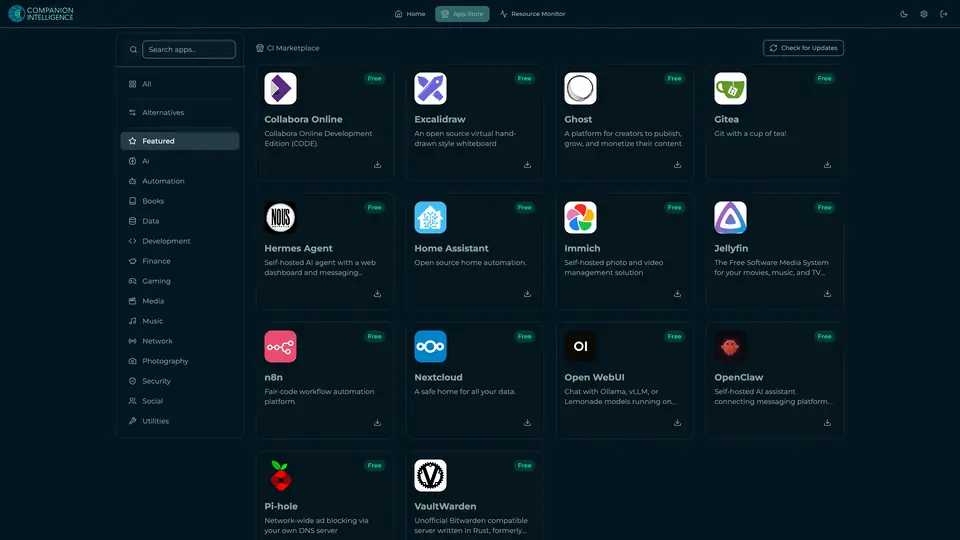
Real screenshot of Companion Hub from a product tutorial capture. Not a recording of this family. 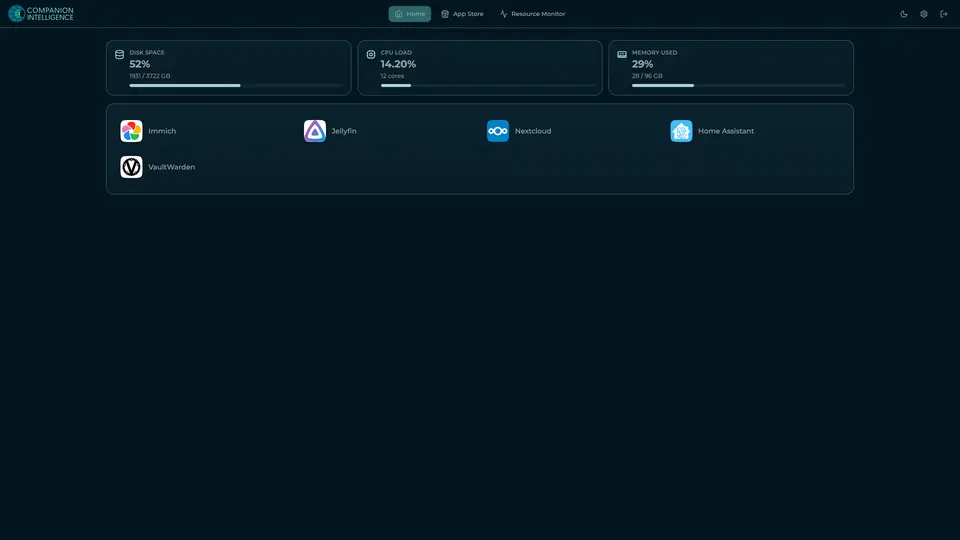
Real screenshot of Companion Hub from a product tutorial capture, with sample data. The disk, CPU and memory figures are the capture machine's, not a Companion Core spec. Not a recording of this family.
Companion account
Your Companion account pairs your devices with the Hub and lists them. The apps and their files stay on the Core.
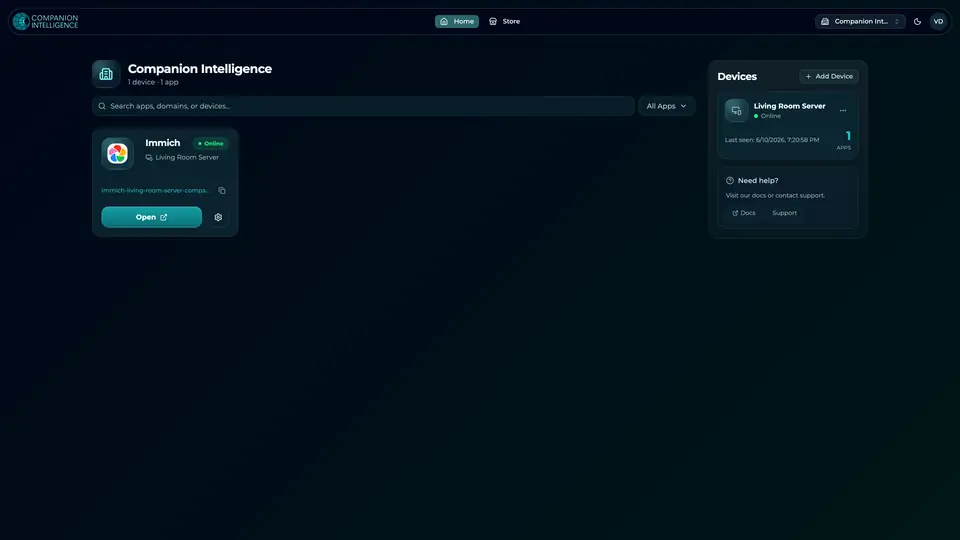
Real screenshot of the Companion account page from a product tutorial capture, with sample data. Not a recording of this family. 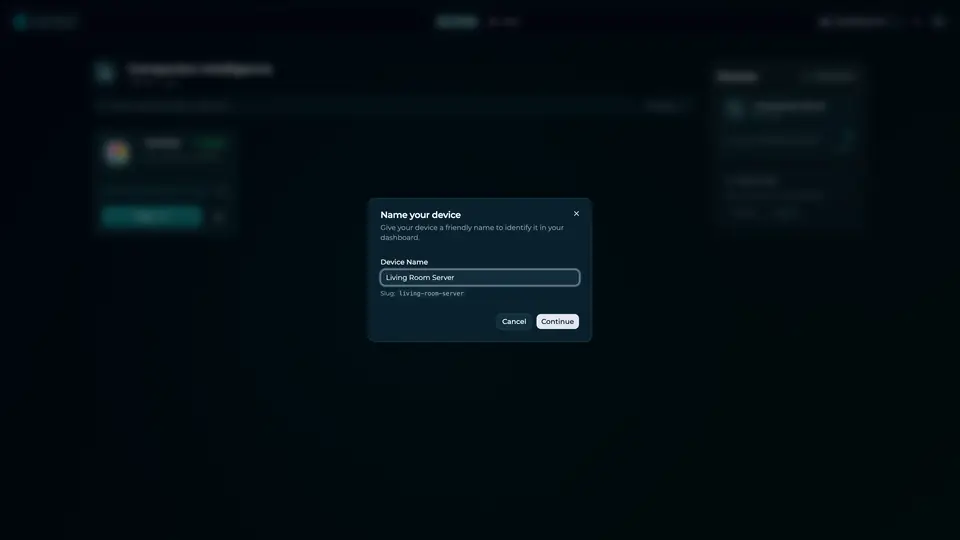
Real screenshot of the Companion account page from a product tutorial capture, with sample data. Not a recording of this family.
How the Core starts
-
Plug it in.
The parcel holds the Companion Core, a power cable, a quick-start guide and a recovery USB drive. Companion OS is already on its drive. Plug it in and press the button.
-
Join its Wi-Fi.
The Core opens its own Wi-Fi network. Join it from a phone, choose your home network from the list and enter its password.
-
Pick your apps and run.
In the Companion Hub store, pick your first agents and apps. Then walk away. Installing apps uses the internet.
Some steps use the internet: installing apps from the Companion Hub store, and any website or messaging service your agent talks to.
UnCloud your life.
Your newsletter, client files, old films and homework can sit on a Companion Core at home. Browse the Companion Hub store and pick your first apps.