
Fictional family. Real software.
The Watanabe family
Three generations, one Companion Core and a river behind the house.
18 Sedgewater Lane, Ellsworth Green
 Interactive 3D tour
- Companion OS, Companion Memory and Companion Agents are in beta.
Meet the family
Yoshiko cooks for the whole house, and Haruo, a retired surveyor, keeps his record collection and his photographs. Their daughter Emi writes software upstairs, nine-year-old Kenji studies down the hall, and baby Sora sleeps in the nursery. One Companion Core sits on a credenza in the Family Room.
Yoshiko
HostAge 67Kitchen
Cooks for the whole house.
Cinnamon is Yoshiko’s Hermes agent. Drafts recipe cards from the steps Yoshiko messages to it. Drafts only. Yoshiko reads every card and saves it herself.
Rented before, on the Core now
Rented before
- Google Home
- Cozi
- Ring
On the Core now
 Hermes
 Home Assistant
 HomeHub
 Frigate
-
The nursery
Yoshiko sets the morning lamp
Yoshiko sets the nursery globe lamp to come up warm at seven each morning. Home Assistant runs the rule from the Core, and the app needs no cloud account.
Watch this momentHome Assistantreplaces Google Home -
Yoshiko writes down her mother’s pickles
Stirring brine at the range, Yoshiko messages Cinnamon the steps as she remembers them. Cinnamon drafts a recipe card, and Yoshiko corrects the salt and saves it herself.
HermesScripted Cinnamon: “Here is the card. Please check the salt and the steps.”
Messages pass through the chat service you choose.
Watch this moment -
Yoshiko enters the market bill
The week’s market receipt lands on the counter. Yoshiko enters it in the HomeHub expense tracker, and Emi reads the spending on the Core.
Watch this momentHomeHubreplaces Cozi -
Haruo finds the boiler steps
The boiler stops one cold morning, and Haruo finds the reset steps in the HomeHub notes. Yoshiko typed them from the curling paper note by the fridge.
Watch this momentHomeHubreplaces Cozi -
Out by the pond
Yoshiko checks when the geese came
On Wednesday morning, Yoshiko scrolls the lawn camera’s Frigate clips to see when the geese came back. The camera is the family’s own, and the clips sit on the Core.
Watch this momentFrigatereplaces Ring
Real screenshots of Yoshiko’s apps
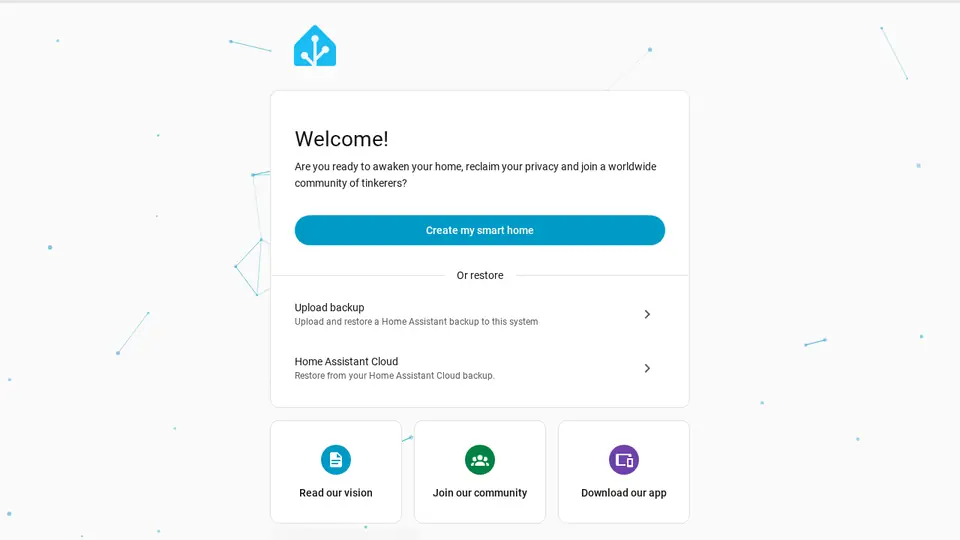
Real screenshot of Home Assistant from a Companion Hub QA run. Not a recording of this family.
Haruo
MakerAge 70Family room
Retired surveyor, keeps a record collection.
Sesame is Haruo’s Hermes agent. Drafts captions for Haruo’s photographs from the notes he sends. Drafts only. Haruo reads every caption and adds it himself.
Rented before, on the Core now
Rented before
- Spotify
- Notion
- Google Photos
On the Core now
 Navidrome
 BookStack
- Hermes
 Immich
-
Haruo plays the clean copy
Side two of his favourite record skips. Haruo plays the copy he digitised himself, served by Navidrome from his own collection on the Core.
Watch this momentNavidromereplaces Spotify -
Haruo types up the field books
Old survey field books fill the low shelf. Haruo types them into BookStack, one book for each survey, and the wiki sits on the Core, with search.
Watch this momentBookStackreplaces Notion -
Haruo corrects Sesame’s caption
The willow photograph has no caption yet. Haruo messages Sesame the date and light, and Sesame drafts one on the Core. Haruo corrects the lens and adds it himself.
HermesScripted Sesame: “Here is the caption. Please read it and correct what is wrong.”
Messages pass through the chat service you choose.
Watch this moment -
Out by the pond
Haruo photographs the willow again
Each month Haruo photographs the same willow from the same spot, like a survey. Immich keeps each month’s picture in one timeline, from a library on the Core.
Immichreplaces Google PhotosImmich sorts the pictures, so its first start takes a while.
Watch this moment
Real screenshots of Haruo’s apps

Real screenshot of Immich from a Companion Hub QA run. Not a recording of this family.
Emi
BuilderAge 38Bedroom two
Backend developer, works from home.
Chestnut is Emi’s Hermes agent. Drafts issue write-ups from the errors and notes Emi sends. Drafts only. Emi reads each write-up and files it herself.
Rented before, on the Core now
Rented before
- GitHub
On the Core now
 Companion Planning
 Gitea
- Hermes
-
Emi plans around the nap
Between calls, Emi blocks Tuesday’s quiet work hours around Sora’s nap. Companion Planning stores the week as a local file on the Core.
Watch this momentCompanion Planning -
Emi commits Kenji’s first quiz
Emi and Kenji code a river quiz on her bed, and she commits it to Gitea. The history sits on the Core, not on a rented code host.
Watch this momentGiteareplaces GitHub -
Emi files the issue herself
At her writing desk, Emi sends Chestnut an error and her notes. Chestnut drafts the write-up on the Core’s local model. Emi reads it, then files it herself.
HermesScripted Chestnut: “Here is the issue. Please read it before you file it.”
Messages pass through the chat service you choose.
Watch this moment
Real screenshots of Emi’s apps
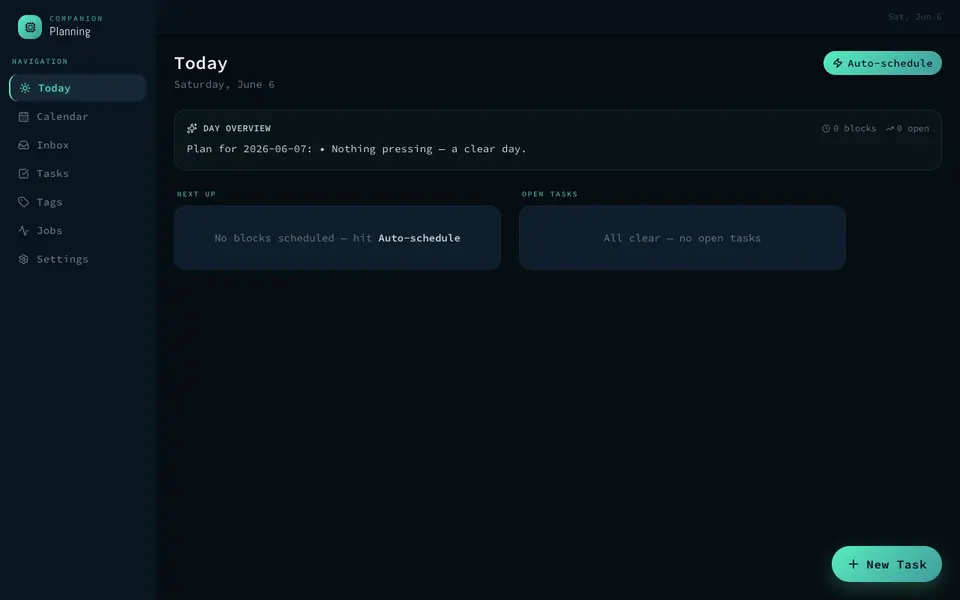
Real screenshot of Companion Planning from a Companion Hub QA run. Not a recording of this family.
Kenji
LearnerAge 9Bedroom three
Primary school.
Rented before, on the Core now
Rented before
- Audible
- Miro
On the Core now
 Audiobookshelf
- Kokoro
 Excalidraw
-
The Family Room
Kenji picks up where he stopped
After school Kenji settles on the sofa and presses play. The family’s own audiobooks come from the Core, and Audiobookshelf keeps his place.
Watch this momentAudiobookshelfreplaces Audible -
Kenji hears his river line
Haruo says rivers meander, so Kenji writes a line about one. He types it into Kokoro, hears the Core turn it into speech, then reads it to Haruo.
Kokoro
Watch this moment -
Kenji sketches a water wheel
Beside the toy box, Kenji sketches a school water wheel in Excalidraw. Haruo, a retired surveyor, adds the measurements, and the board is served from the Core.
Watch this momentExcalidrawreplaces Miro
Real screenshots of Kenji’s apps
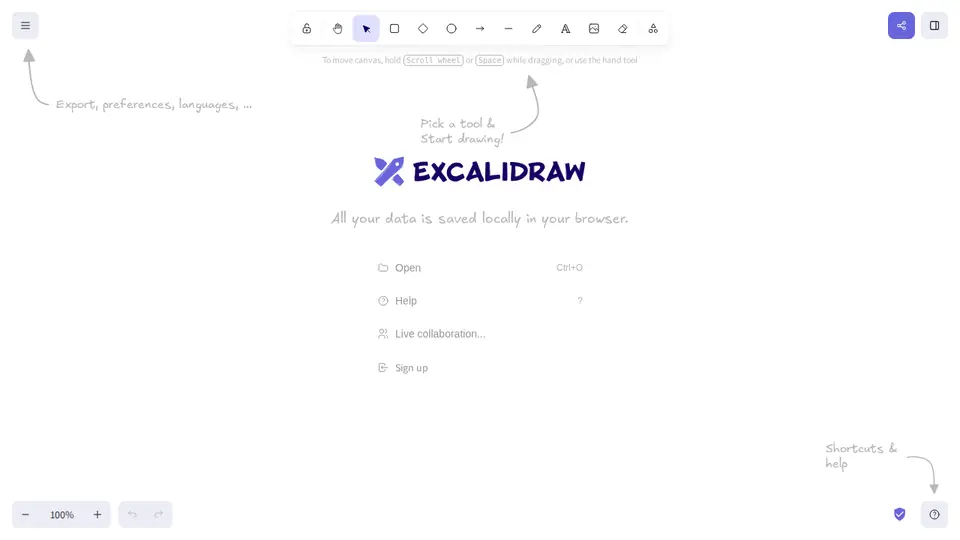
Real screenshot of Excalidraw from a Companion Hub QA run. Not a recording of this family.
Sora
BabyAge 0Nursery
Rented before, on the Core now
Rented before
- Cozi
On the Core now
- HomeHub
-
Emi adds nappies to the list
Nappies run low on the changing table. Emi adds them to the HomeHub shopping list, and Yoshiko sees the line before her market run.
Watch this momentHomeHubreplaces Cozi
The home
- 2 storeys
- 494 m²
- 17 rooms
Scroll the plan sideways to see all of it.
Scroll the plan sideways to see all of it.
A diagram of the rooms, drawn from the home’s layout. It leaves out walls, doors and stairs. The pins show the room each person uses, and the small box marks the Companion Core.
What runs on the Core
One Companion Core in the house runs these apps. Each is in the Companion Hub store. Other software is named in text, for what it replaces.
- HermesFrom Nous Research
- NavidromeReplaces Spotify
- AudiobookshelfReplaces Audible
- BookStackReplaces Notion
- Kokoro
- ExcalidrawReplaces Miro
- Home AssistantReplaces Google Home
- HomeHubReplaces Cozi
- Companion PlanningFirst party
- GiteaReplaces GitHub
- ImmichReplaces Google Photos
- FrigateReplaces Ring
The other apps in these stories are made by other people, most of them open-source projects. Companion Intelligence did not make them. A logo belongs to its project. It shows which app is named beside it.
How it runs
Two pieces do the work. One runs on the Core. The other keeps track of your devices.
Companion Hub
Companion Hub is where you install apps on the Core. Pick one in the Companion Hub store and Hub sets it up. Installing apps uses the internet.
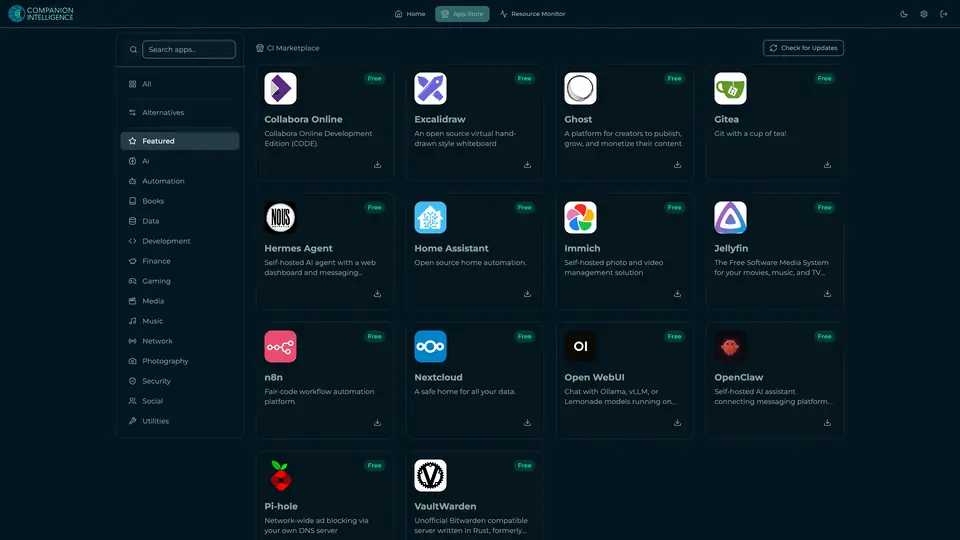
Real screenshot of Companion Hub from a product tutorial capture. Not a recording of this family. 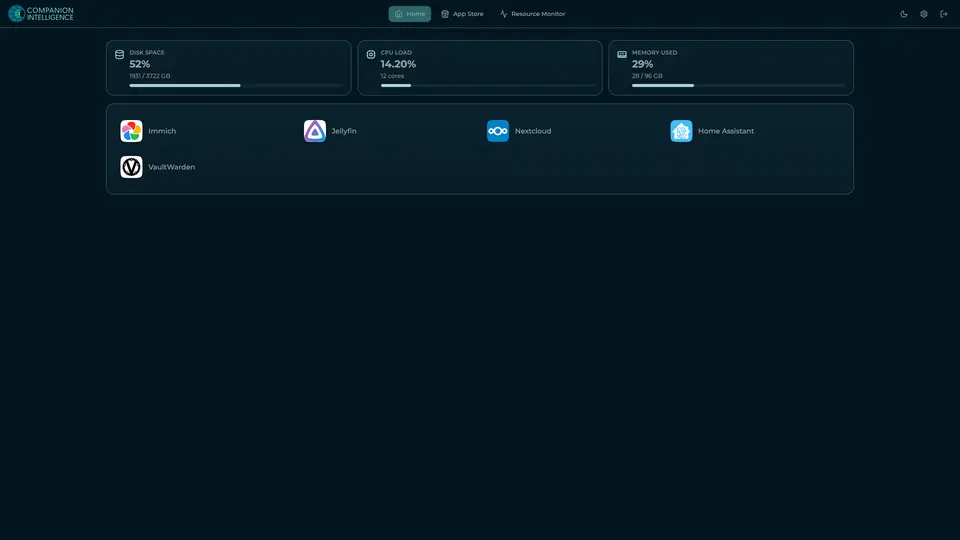
Real screenshot of Companion Hub from a product tutorial capture, with sample data. The disk, CPU and memory figures are the capture machine's, not a Companion Core spec. Not a recording of this family.
Companion account
Your Companion account pairs your devices with the Hub and lists them. The apps and their files stay on the Core.
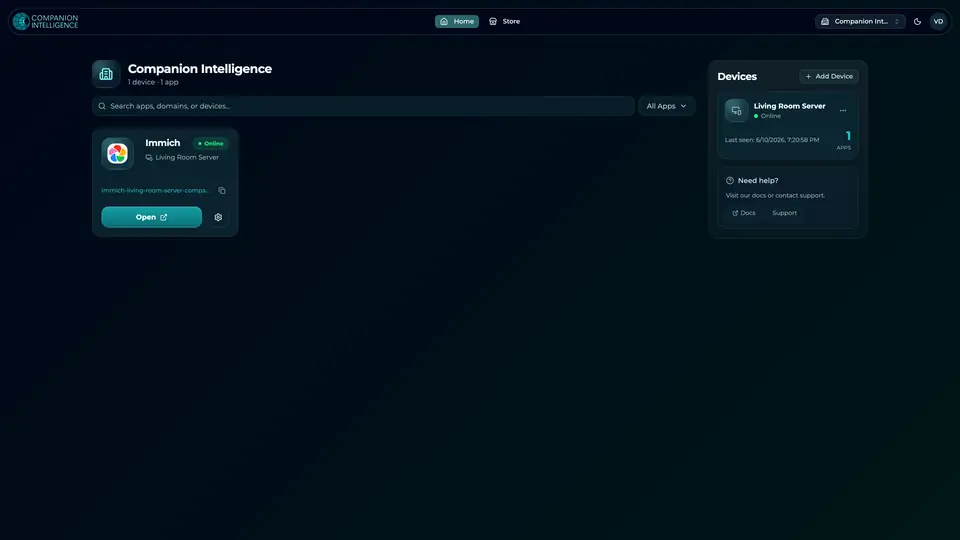
Real screenshot of the Companion account page from a product tutorial capture, with sample data. Not a recording of this family. 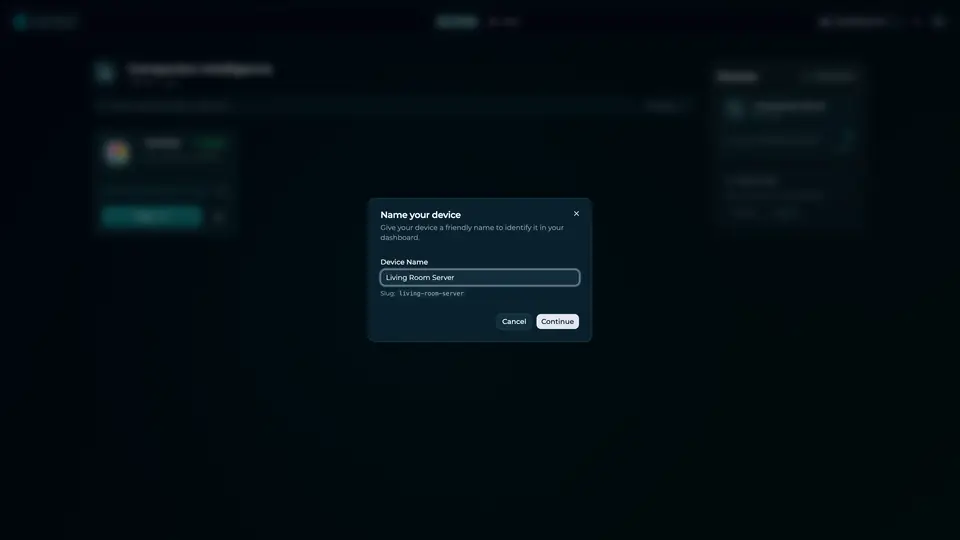
Real screenshot of the Companion account page from a product tutorial capture, with sample data. Not a recording of this family.
How the Core starts
-
Plug it in.
The parcel holds the Companion Core, a power cable, a quick-start guide and a recovery USB drive. Companion OS is already on its drive. Plug it in and press the button.
-
Join its Wi-Fi.
The Core opens its own Wi-Fi network. Join it from a phone, choose your home network from the list and enter its password.
-
Pick your apps and run.
In the Companion Hub store, pick your first agents and apps. Then walk away. Installing apps uses the internet.
Some steps use the internet: installing apps from the Companion Hub store, and any website or messaging service your agent talks to.
UnCloud your life.
Your records, recipes, photographs and code can sit on a Companion Core at home. Browse the Companion Hub store and pick your first apps.