
Fictional family. Real software.
The Dekker family
Two grandparents, a grandson and one Companion Core on a living-room shelf.
11 Tansy Hollow, Verrin Park
 Interactive 3D tour
- Companion OS, Companion Memory and Companion Agents are in beta.
Meet the family
Willem, a retired accountant, keeps the household paperwork at the dining table, and Greet cooks and tends the garden. Their grandson Joris, ten, studies in the guest room. One Companion Core stands on the shelf in the living room.
Willem
OrganiserAge 71Dining room
Retired accountant.
Marmalade is Willem’s Hermes agent. Looks up the papers Willem connects and drafts short messages for him. Looks up and drafts only. Willem reads and sends every message.
Rented before, on the Core now
Rented before
- Audible
- Google Drive
- YNAB
On the Core now
 Hermes
 Audiobookshelf
 Paperless-ngx
 Companion Memory
 monetr
-
The living room
Willem's audiobook resumes mid-chapter
On the loveseat in the nook, Willem presses play, and his audiobook resumes where he left it in the garden. Audiobookshelf serves the book from the Core.
Watch this momentAudiobookshelfreplaces Audible -
Willem tips out the biscuit tin
A biscuit tin of receipts comes out onto the table. Willem scans them into Paperless-ngx on the Core, not a rented drive, and one search finds the boiler bill.
Watch this momentPaperless-ngxreplaces Google Drive -
Marmalade finds the service date
Willem asks Marmalade when the oven was last serviced. Marmalade answers from the service letters Willem connected to Companion Memory (beta); Willem checks the date himself.
Companion MemoryMessages pass through the chat service you choose.
Watch this moment -
Willem saves for spring's bill
The house insurance falls due in spring, so Willem sets money aside each month in monetr. He types the figures himself, and no bank is linked.
Watch this momentmonetrreplaces YNAB -
Out in the garden
Willem sends the pool note himself
By the pool, Willem asks Marmalade to draft a note to the pool service about the autumn cover. Willem reads it and sends it himself.
HermesMessages pass through the chat service you choose.
Watch this moment
Greet
HostAge 69Kitchen
Cooks, keeps the garden.
Parsley is Greet’s OpenClaw agent. Opens web pages in its own browser and fills in the forms Greet lists. Fills in forms only. Greet checks each one and pays for it herself.
Rented before, on the Core now
Rented before
- Google Photos
- iCloud
- LastPass
On the Core now
 Immich
 Nextcloud
 KitchenOwl
 ntfy
 Yuvomi
 VaultWarden
 OpenClaw WebCLI
-
The living room
Greet finds the first summer
Beside Joris on the sofa, Greet looks back at his first summer. Immich took a while to sort those pictures on the Core, not in a photo cloud.
Watch this momentImmichreplaces Google Photos -
The living room
A new neighbour joins the contacts
On the sofa, Greet types a new neighbour's number into the address book. Nextcloud serves it from the Core to Willem's phone as well as her own.
Watch this momentNextcloudreplaces iCloud -
Greet plans an apple cake
A bowl of windfall apples sits by the sink. At the breakfast bar, Greet adds apple cake to the week's plan in KitchenOwl, and the flour joins the list.
Watch this momentKitchenOwl -
The loaf calls Greet indoors
With the loaf in the oven, Greet heads out to the beds. A timer Willem set on the Core sends her phone a ntfy note when the loaf is done.
Watch this momentntfy -
Greet adds the harvest assembly
Beside the fridge, Greet adds Friday's harvest assembly to Yuvomi, the house's one calendar. Willem sees it too, since Yuvomi keeps one shared calendar in a database on the Core.
Watch this momentYuvomi -
Willem at the dining table
Greet finds the Wi-Fi password
A visiting aunt asks for the Wi-Fi password, and Greet finds it in VaultWarden. The vault runs on the Core and works with the Bitwarden apps.
Watch this momentVaultWardenreplaces LastPass -
Out in the garden
Sweet peas go in the basket
On the deck, Greet lists the sweet peas and beans she wants. Parsley fills a seed basket in its own browser; Greet checks it and pays for it herself.
OpenClaw
OpenClaw reaches websites over your home internet.
Watch this moment
Real screenshots of Greet’s apps

Real screenshot of Immich from a Companion Hub QA run. Not a recording of this family.
Joris
LearnerAge 10Guest bedroom
Primary school.
Rented before, on the Core now
Rented before
- Audible
- Google Translate
- Notion
On the Core now
- Audiobookshelf
 LibreTranslate
 Obsidian
 HortusFox
-
Joris starts a windmill story
On the guest bed, Joris starts the windmill adventure Greet chose for him. Audiobookshelf keeps the book on the Core and saves his place for next time.
Watch this momentAudiobookshelfreplaces Audible -
Joris decodes a honey label
The honey jar a neighbour brought back from her trip has a label Joris cannot read. He types it into LibreTranslate, which translates on the Core with models downloaded once.
Watch this momentLibreTranslatereplaces Google Translate -
Joris types up his bee project
Under the wall hanging, Joris types his bee project into Obsidian, one fact to a line. The notes are plain Markdown files on the Core.
Watch this momentObsidianreplaces Notion -
Out in the garden
Joris pots a rosemary cutting
On Saturday morning, Joris pots a rosemary cutting in the deck planter and photographs it for HortusFox. Greet adds a care note, and the journal sits on the Core.
Watch this momentHortusFox
Real screenshots of Joris’s apps
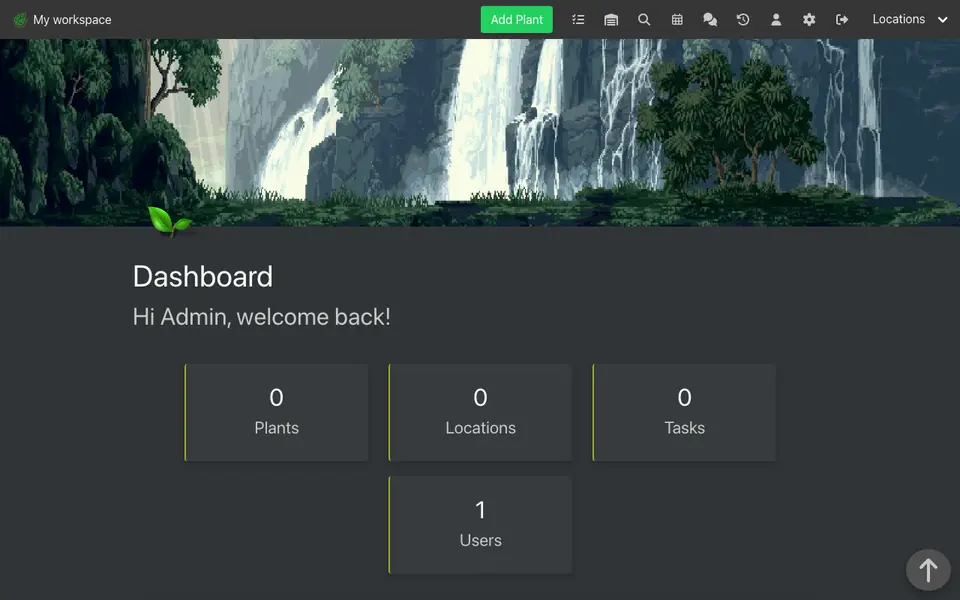
Real screenshot of HortusFox from a Companion Hub QA run. Not a recording of this family.
The home
- 1 storey
- 149 m²
- 11 rooms
Scroll the plan sideways to see all of it.
A diagram of the rooms, drawn from the home’s layout. It leaves out walls, doors and stairs. The pins show the room each person uses, and the small box marks the Companion Core.
What runs on the Core
One Companion Core in the house runs these apps. Each is in the Companion Hub store. Other software is named in text, for what it replaces.
- HermesFrom Nous Research
- ImmichReplaces Google Photos
- NextcloudReplaces iCloud
- AudiobookshelfReplaces Audible
- LibreTranslateReplaces Google Translate
- ObsidianReplaces Notion
- KitchenOwl
- ntfy
- Yuvomi
- Paperless-ngxReplaces Google Drive
- VaultWardenReplaces LastPass
- Companion MemoryFirst party
- monetrReplaces YNAB
- OpenClaw WebCLIFrom the OpenClaw Foundation
- HortusFox
The other apps in these stories are made by other people, most of them open-source projects. Companion Intelligence did not make them. A logo belongs to its project. It shows which app is named beside it.
How it runs
Two pieces do the work. One runs on the Core. The other keeps track of your devices.
Companion Hub
Companion Hub is where you install apps on the Core. Pick one in the Companion Hub store and Hub sets it up. Installing apps uses the internet.
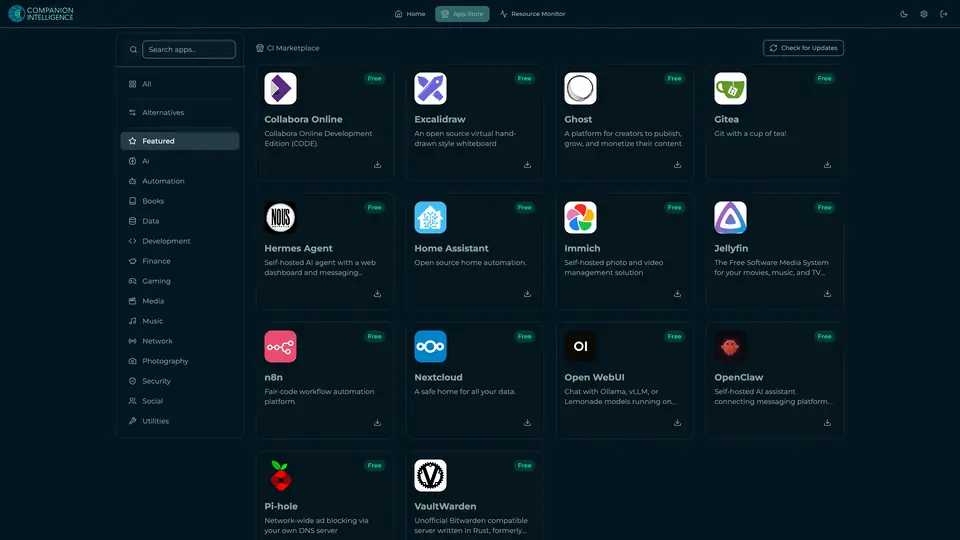
Real screenshot of Companion Hub from a product tutorial capture. Not a recording of this family. 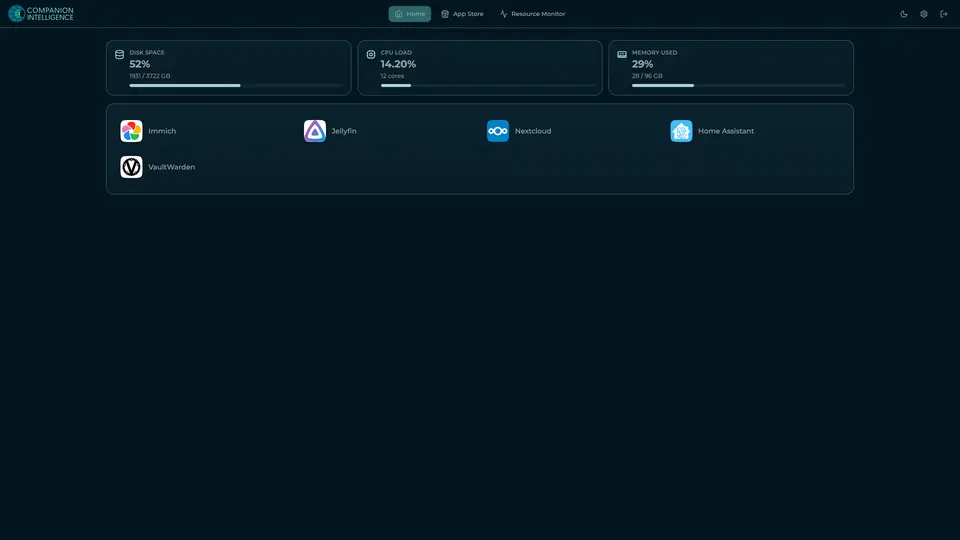
Real screenshot of Companion Hub from a product tutorial capture, with sample data. The disk, CPU and memory figures are the capture machine's, not a Companion Core spec. Not a recording of this family.
Companion account
Your Companion account pairs your devices with the Hub and lists them. The apps and their files stay on the Core.
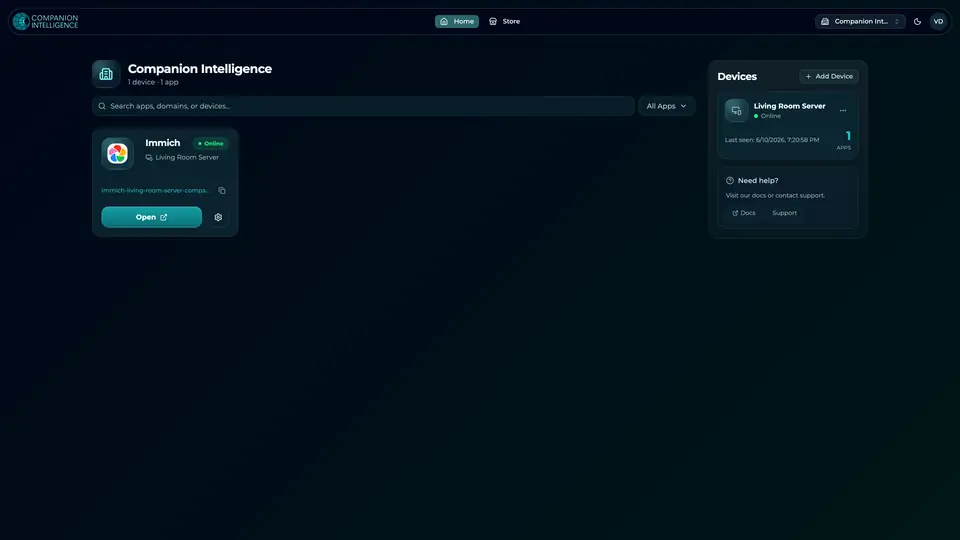
Real screenshot of the Companion account page from a product tutorial capture, with sample data. Not a recording of this family. 
Real screenshot of the Companion account page from a product tutorial capture, with sample data. Not a recording of this family.
How the Core starts
-
Plug it in.
The parcel holds the Companion Core, a power cable, a quick-start guide and a recovery USB drive. Companion OS is already on its drive. Plug it in and press the button.
-
Join its Wi-Fi.
The Core opens its own Wi-Fi network. Join it from a phone, choose your home network from the list and enter its password.
-
Pick your apps and run.
In the Companion Hub store, pick your first agents and apps. Then walk away. Installing apps uses the internet.
Some steps use the internet: installing apps from the Companion Hub store, and any website or messaging service your agent talks to.
UnCloud your life.
Your paperwork, pictures and recipes can live on a Companion Core at home. Browse the Companion Hub store and pick your first apps.