
Fictional family. Real software.
The Tesfaye family
A lake house, four people, and one Companion Core in the kitchen.
12 Teasel Bank, Quillhaven
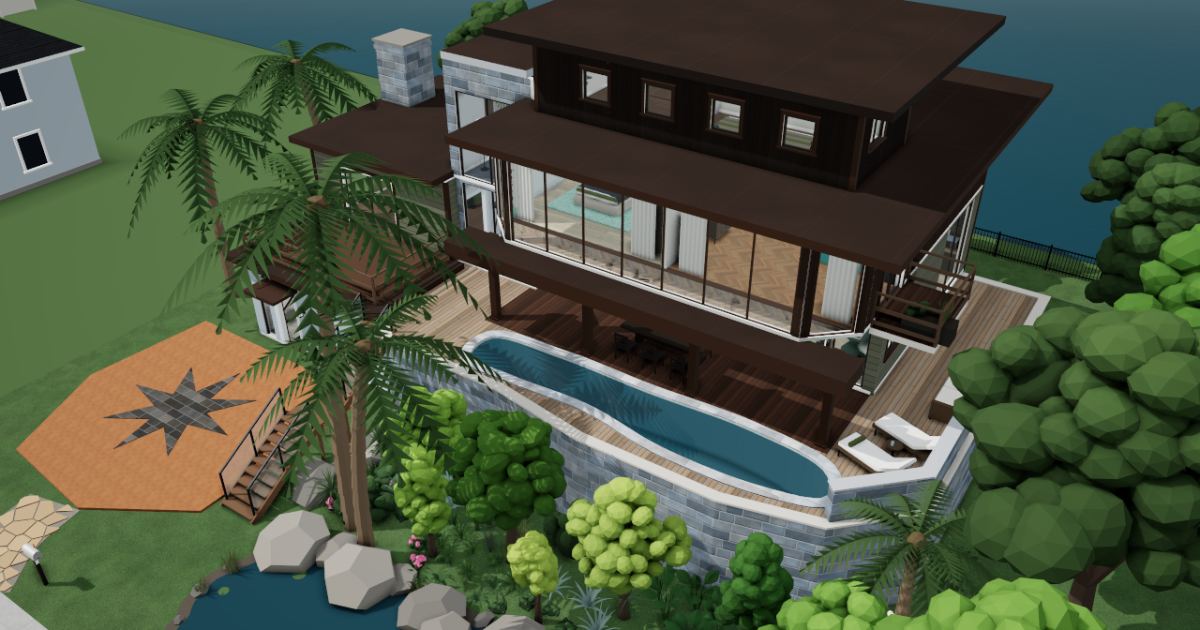 Interactive 3D tour
- Companion OS, Companion Memory and Companion Agents are in beta.
Meet the family
Hana keeps the household running from the den, and Dawit writes code at the kitchen table. Selam, fifteen, reads in the loft at the top of the house. Bruk, nineteen, photographs and plays piano in the living salon.
Hana
OrganiserAge 49Den
Hospital operations manager.
Fennel is Hana’s Hermes agent. Finds saved notes and drafts replies from what Hana chose to save. Finds and drafts. Hana reads and sends every message.
Rented before, on the Core now
Rented before
- Google Drive
- Todoist
On the Core now
 Hermes
 Paperless-ngx
 KitchenOwl
 Vikunja
 Companion Memory
-
The kitchen
One word finds the boiler letter
A boiler service letter and a school trip form go through Paperless-ngx on the Core. Every page is read and tagged, so either turns up by a word on it.
Watch this momentPaperless-ngxreplaces Google Drive -
The loggia table
Teff flour joins the list
At the long loggia table on Saturday morning, Hana plans the week's dinners in KitchenOwl. Dawit adds teff flour and lentils to the one list, which sits on the Core.
Watch this momentKitchenOwl -
The airport run changes hands
On the den sofa, Hana gives Dawit the airport run for her mother's flight. Vikunja holds the board on the Core, so nothing needs chasing.
Watch this momentVikunjareplaces Todoist -
Fennel finds the regatta date
Hana cannot recall the regatta date, so she asks Fennel. Fennel finds it in notes Hana saved to Companion Memory (beta) on the Core. Hana reads the note herself.
Companion MemoryScripted Fennel: “Here is the regatta date. Please check the note.”
Messages pass through the chat service you choose.
Watch this moment
Dawit
BuilderAge 51Kitchen
Systems engineer.
Bramble is Dawit’s OpenClaw agent. Opens a web page in its own browser and fills in the form Dawit names. Fills in forms only. Dawit reads and sends every one.
Rented before, on the Core now
Rented before
- GitHub
- Todoist
- Google Home
On the Core now
 Gitea
 OpenClaw WebCLI
- Vikunja
 Home Assistant
-
Dawit gives the rota a history
Dawit pushes the lake club's boat rota to Gitea from the round table. The repository sits on the Core, not on a rented code host.
Watch this momentGiteareplaces GitHub -
Bramble fills in the slot form
In its own browser, Bramble opens the lake club's booking page and fills in Saturday's boat slot. Dawit reads every field and sends the form himself.
OpenClaw WebCLIScripted Bramble: “The form is filled in. Please read each field before you send it.”
OpenClaw reaches websites over your home internet.
Watch this moment -
The rota slips by a week
The rota script slips a week at new year. Dawit asks a model on the Core through Open WebUI, where the chat stays by default. The fix goes into Gitea.
Watch this momentGiteareplaces GitHub -
Out on the balcony
Dawit sows the balcony herbs
On the balcony off the primary bedroom, Dawit sows herbs in the planter. He sets a fortnightly watering job in Vikunja, and it comes back on the family board.
Watch this momentVikunjareplaces Todoist -
Bruk's living salon
A scene for Bruk's practice hour
Before Bruk's practice, Dawit saves the pendant lamp and the floor lamp as one scene in Home Assistant. Home Assistant runs on the Core and needs no cloud account.
Watch this momentHome Assistantreplaces Google Home
Real screenshots of Dawit’s apps
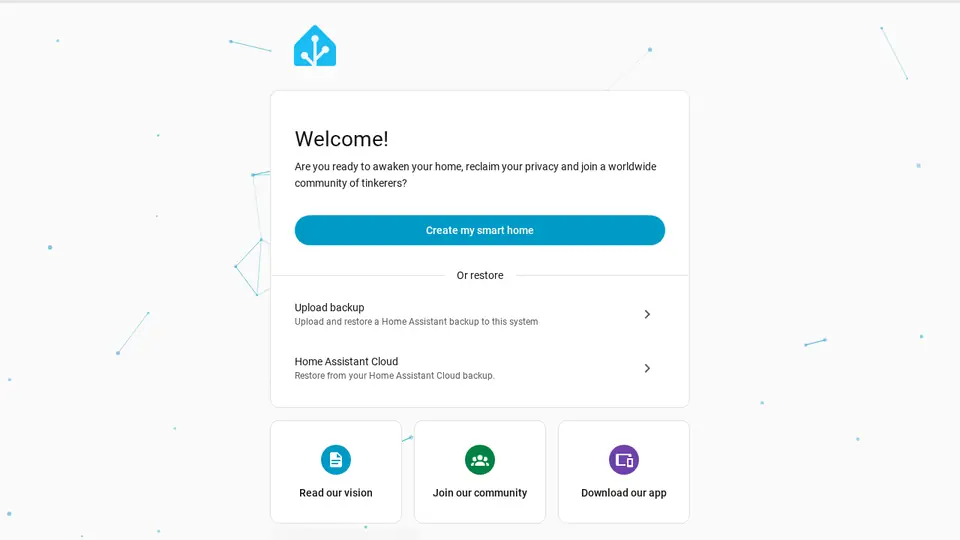
Real screenshot of Home Assistant from a Companion Hub QA run. Not a recording of this family.
Selam
LearnerAge 15Reading loft
Secondary school.
Rented before, on the Core now
Rented before
- Kindle
- Google Translate
On the Core now
 JupyterLab
 BookLore
 LibreTranslate
-
Selam tallies coots from the loft
On a holiday morning, Selam trains the telescope on the pond and tallies the coots for biology. Each tally goes into a JupyterLab notebook that runs on the Core.
Watch this momentJupyterLab -
Selam opens her poetry book
Selam's Spanish poem is due on Friday. She opens the poetry collection in BookLore and turns to the poem's page. BookLore keeps the books on the Core.
BookLorereplaces KindleBookLore fetches covers and details from outside.
Watch this moment -
A line of poetry stumps Selam
A line of the Spanish poem still stumps Selam. LibreTranslate translates it on the Core, its language models downloaded once, and she writes her own version.
Watch this momentLibreTranslatereplaces Google Translate
Bruk
MakerAge 19Living salon
Photography student.
Rented before, on the Core now
Rented before
- Google Photos
- Spotify
- Notion
- Microsoft Office
On the Core now
 PhotoPrism
 Navidrome
 Obsidian
 CryptPad
-
Bruk picks his best frame
Contact sheets cover the coffee table as Bruk picks his best frame. PhotoPrism tags and sorts the originals on the Core, without uploading them anywhere.
Watch this momentPhotoPrismreplaces Google Photos -
Bruk saves a rough take
After Thursday's practice at the upright piano, Bruk saves the takes to the music folder, and Navidrome lists them. Hana plays one back from the kitchen.
Watch this momentNavidromereplaces Spotify -
Bruk writes down the critique
After critique day, Bruk types his tutor's comments on the portfolio into Obsidian. It runs in a browser session, and the notes are Markdown files on the Core.
Watch this momentObsidianreplaces Notion -
Hana's den
Two people, one paragraph
Hana and Bruk edit one paragraph of his exhibition statement together. The CryptPad pad lives on the Core, so there is only one copy and nothing to send.
Watch this momentCryptPadreplaces Microsoft Office
The home
- 4 storeys
- 412 m²
- 18 rooms
Scroll the plan sideways to see all of it.
Scroll the plan sideways to see all of it.
Scroll the plan sideways to see all of it.
Scroll the plan sideways to see all of it.
A diagram of the rooms, drawn from the home’s layout. It leaves out walls, doors and stairs. The pins show the room each person uses, and the small box marks the Companion Core.
What runs on the Core
One Companion Core in the house runs these apps. Each is in the Companion Hub store. Other software is named in text, for what it replaces.
- HermesFrom Nous Research
- GiteaReplaces GitHub
- Paperless-ngxReplaces Google Drive
- OpenClaw WebCLIFrom the OpenClaw Foundation
- KitchenOwl
- VikunjaReplaces Todoist
- PhotoPrismReplaces Google Photos
- Home AssistantReplaces Google Home
- NavidromeReplaces Spotify
- ObsidianReplaces Notion
- CryptPadReplaces Microsoft Office
- Companion MemoryFirst party
- JupyterLab
- BookLoreReplaces Kindle
- LibreTranslateReplaces Google Translate
The other apps in these stories are made by other people, most of them open-source projects. Companion Intelligence did not make them. A logo belongs to its project. It shows which app is named beside it.
How it runs
Two pieces do the work. One runs on the Core. The other keeps track of your devices.
Companion Hub
Companion Hub is where you install apps on the Core. Pick one in the Companion Hub store and Hub sets it up. Installing apps uses the internet.
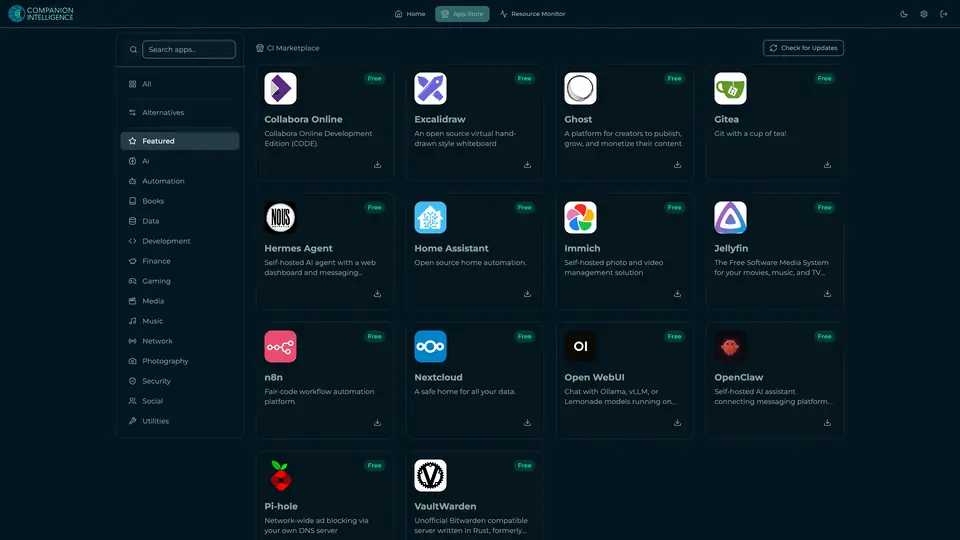
Real screenshot of Companion Hub from a product tutorial capture. Not a recording of this family. 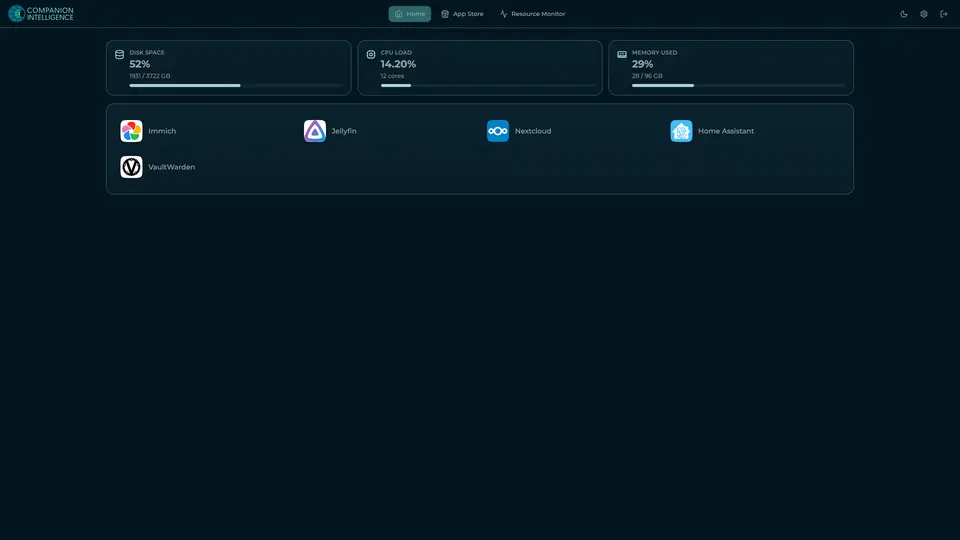
Real screenshot of Companion Hub from a product tutorial capture, with sample data. The disk, CPU and memory figures are the capture machine's, not a Companion Core spec. Not a recording of this family.
Companion account
Your Companion account pairs your devices with the Hub and lists them. The apps and their files stay on the Core.
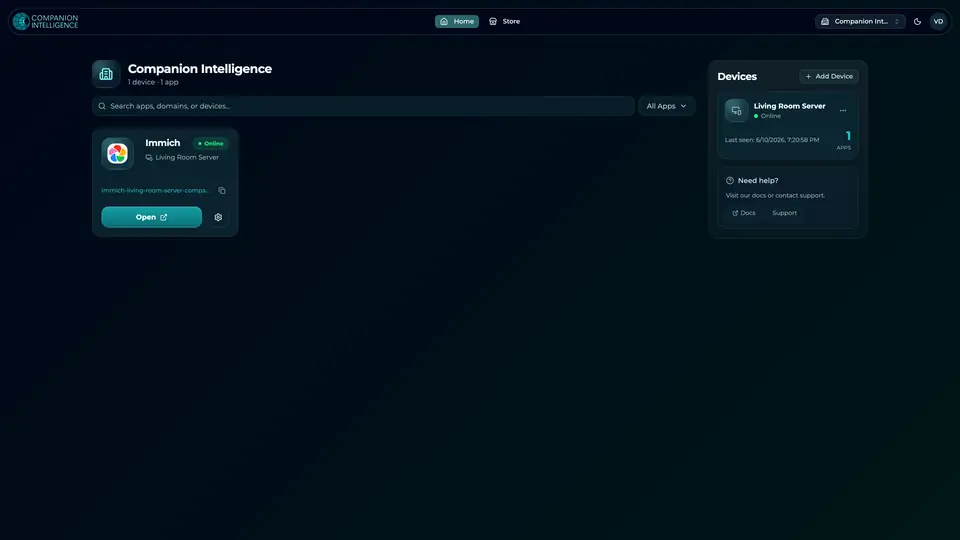
Real screenshot of the Companion account page from a product tutorial capture, with sample data. Not a recording of this family. 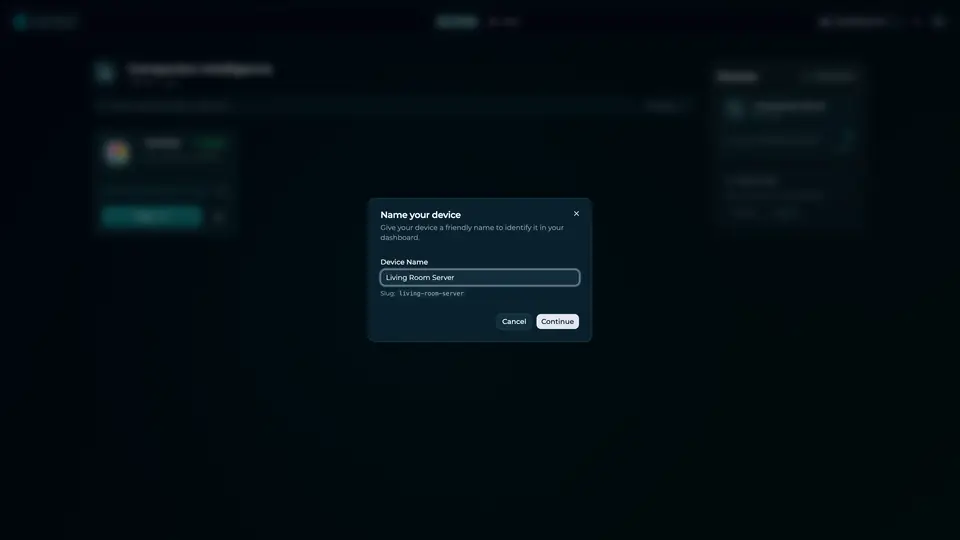
Real screenshot of the Companion account page from a product tutorial capture, with sample data. Not a recording of this family.
How the Core starts
-
Plug it in.
The parcel holds the Companion Core, a power cable, a quick-start guide and a recovery USB drive. Companion OS is already on its drive. Plug it in and press the button.
-
Join its Wi-Fi.
The Core opens its own Wi-Fi network. Join it from a phone, choose your home network from the list and enter its password.
-
Pick your apps and run.
In the Companion Hub store, pick your first agents and apps. Then walk away. Installing apps uses the internet.
Some steps use the internet: installing apps from the Companion Hub store, and any website or messaging service your agent talks to.
UnCloud your life.
Your tasks, photos, code and questions can live on a Companion Core at home. Browse the Companion Hub store and pick your first apps.