
Fictional family. Real software.
The Rahimi family
Two teachers, one guitar and a Companion Core in the hall.
8 Kingcup Row, Sandover
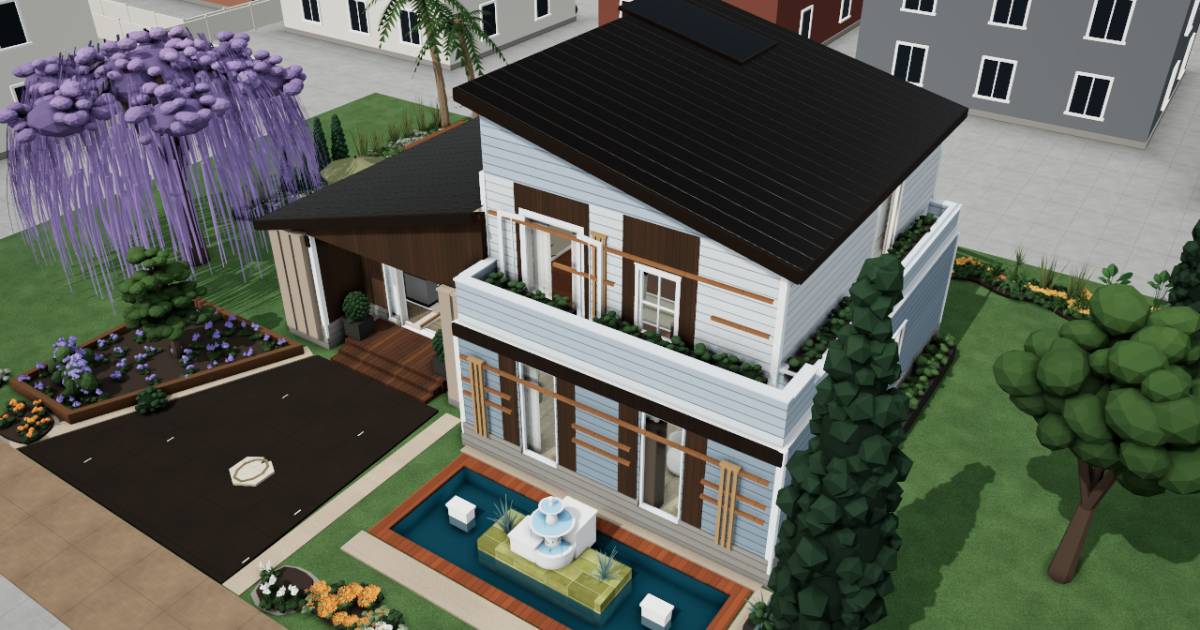 Interactive 3D tour
- Companion OS, Companion Memory and Companion Agents are in beta.
Meet the family
Parisa runs an online music school from a desk in the hall. Her partner Kian teaches guitar in the room upstairs. Their timetable, forms and music library sit on one Companion Core.
Parisa
OrganiserAge 41Desk hall
Runs an online music school.
Quince is Parisa’s Hermes agent. Drafts lesson notices and reschedule messages from what Parisa sends it. Drafts only. Parisa reads and sends every message.
Rented before, on the Core now
Rented before
- Google Calendar
- LastPass
- Google Photos
- Typeform
- Google Drive
- Cozi
On the Core now
 Hermes
 Baikal
 VaultWarden
 Immich
 OpnForm
 Paperless-ngx
 HomeHub
 ntfy
 Companion Planning
-
Parisa moves two lessons
Two students swap their Thursday slots, and Parisa moves both lessons in her calendar app. Baikal serves the timetable and contacts from the Core.
Watch this momentBaikalreplaces Google Calendar -
Quince drafts the holiday notices
Three lessons move for a holiday. Parisa messages Quince the new times, and Quince drafts a note for each student. Parisa reads each one and sends it herself.
HermesScripted Quince: “Three drafts, one for each student. Each is yours to read and send.”
Messages pass through the chat service you choose.
Watch this moment -
Sign-ins leave the paper notebook
While Kian reads the sign-ins aloud from a paper notebook, Parisa saves each one in VaultWarden. The vault runs on the Core and works with the Bitwarden apps.
Watch this momentVaultWardenreplaces LastPass -
The living room
Parisa searches for the sea
On the couch after lunch, Parisa searches Immich for the sea, and the holiday appears. Immich sorted the pictures on the Core, where both their phones back them up.
Immichreplaces Google PhotosThe first start takes a while, because Immich sorts the photos.
Watch this moment -
The kitchen
Parisa builds the trial lesson form
At the kitchen counter, Parisa builds a trial lesson form in OpnForm, with a question for each instrument. The answers are collected on the Core.
OpnFormreplaces TypeformA form shared with the public needs outside access to the Core.
Watch this moment -
The kitchen
Parisa files the insurer's letter
At the round table, Parisa scans the insurer's letter and a repair receipt into Paperless-ngx. The Core reads and tags both, so next year one word finds them.
Watch this momentPaperless-ngxreplaces Google Drive -
The kitchen
Parisa plans meals around spinach
Spinach and two tubs of yoghurt are nearly out of date. Parisa spots them on the HomeHub expiry list, kept on the Core, and plans the week's meals around them.
Watch this momentHomeHubreplaces Cozi -
Out by the pool
A note arrives before the lesson
Coffee in hand on the deck, Parisa feels her phone buzz with a ntfy note. A small script on the Core sends one ahead of each lesson.
ntfyOn an iPhone, ntfy relays the push through an upstream server.
Watch this moment -
Kian and the guitar stand
Parisa gives admin its own blocks
Seated on the cushioned bench, Parisa blocks out the term's admin hours in Companion Planning. It is one local file on the Core. Reports and enrolment each get a slot.
Companion PlanningCrash reports go to Companion Intelligence unless switched off.
Watch this moment
Real screenshots of Parisa’s apps
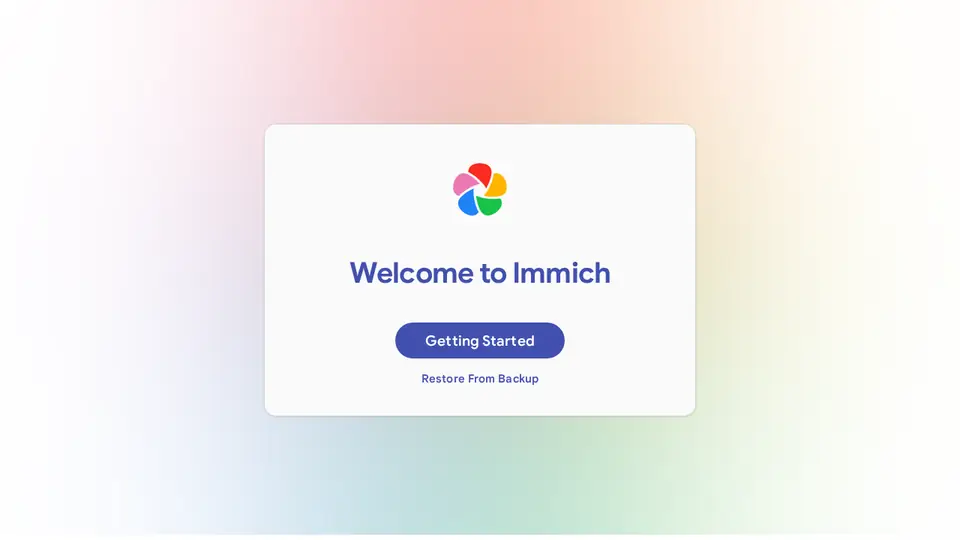
Real screenshot of Immich from a Companion Hub QA run. Not a recording of this family. 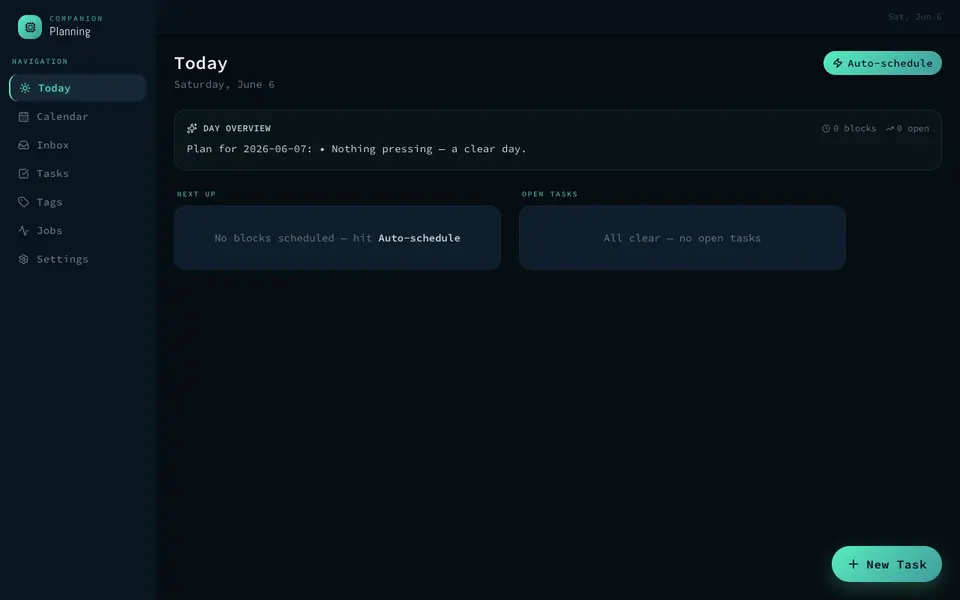
Real screenshot of Companion Planning from a Companion Hub QA run. Not a recording of this family.
Kian
MakerAge 43Primary bedroom
Guitarist and teacher.
Plum is Kian’s OpenClaw agent. Opens websites in its own browser and fills in the forms Kian asks for. Fills in forms only. Kian checks and sends every one.
Rented before, on the Core now
Rented before
- Plex
- Cozi
- Adobe Audition
- Notion
- Spotify
On the Core now
 Jellyfin
- HomeHub
 HortusFox
 AudioMass
 Obsidian
 Navidrome
 OpenClaw WebCLI
-
The living room
Kian picks a concert film
On a slow Sunday afternoon, Kian picks a concert film from their own collection. Jellyfin plays it from the Core to the living-room TV.
Watch this momentJellyfinreplaces Plex -
The kitchen
Kian writes down his aunt's stew
His aunt never wrote the herb stew down. Kian types it into the HomeHub recipe book. The Core keeps it beside the shopping list.
Watch this momentHomeHubreplaces Cozi -
Out by the pool
Kian keeps a flower journal
Between two Saturday lessons, Kian waters the orange flowers by the back deck and notes it in HortusFox. Each watering goes into a journal on the Core.
Watch this momentHortusFox -
Kian trims the chord change
Morning light reaches the guitar stand. Kian records a chord change for Friday's lesson. He trims it in AudioMass, served from the Core in a browser tab.
Watch this momentAudioMassreplaces Adobe Audition -
Kian plans a week of lessons
From the lounge chair, Kian writes next week's lesson plan in Obsidian. It runs in a browser session, and the notes are plain Markdown files on the Core.
Watch this momentObsidianreplaces Notion -
Kian warms up on the bed
Before the first student, Kian sits on the bed and plays along to a backing track. Navidrome streams his own music folder from the Core to his phone.
Watch this momentNavidromereplaces Spotify -
Plum fills in the string order
The old strings have gone dull. Kian asks Plum to open the supplier's website and fill in the order form. He checks every field and sends it himself.
OpenClaw
Scripted Plum: “The order form is filled in. The address is the field to check.”
OpenClaw reaches websites over your home internet.
Watch this moment
Real screenshots of Kian’s apps
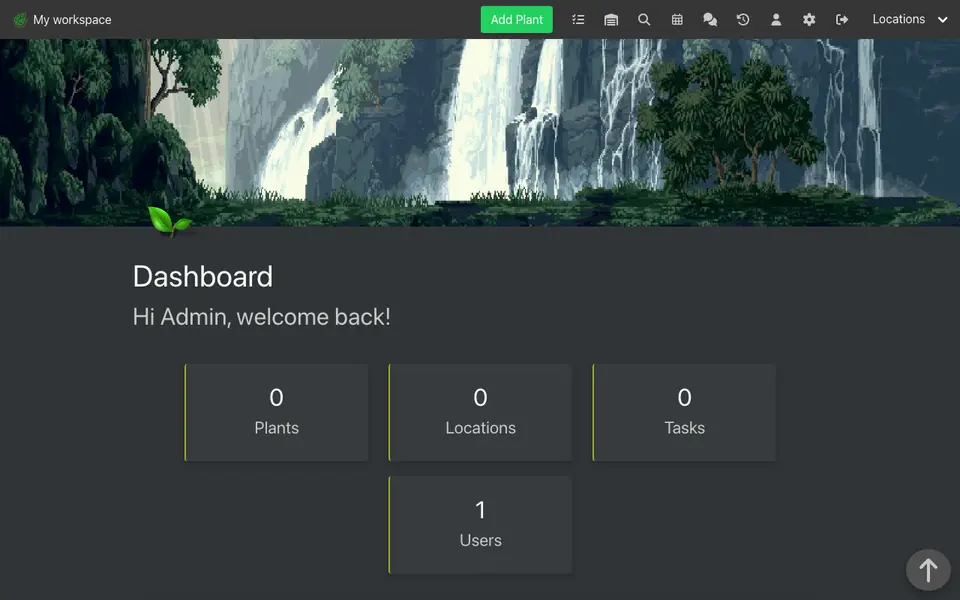
Real screenshot of HortusFox from a Companion Hub QA run. Not a recording of this family.
The home
- 2 storeys
- 190 m²
- 16 rooms
Scroll the plan sideways to see all of it.
Scroll the plan sideways to see all of it.
A diagram of the rooms, drawn from the home’s layout. It leaves out walls, doors and stairs. The pins show the room each person uses, and the small box marks the Companion Core.
What runs on the Core
One Companion Core in the house runs these apps. Each is in the Companion Hub store. Other software is named in text, for what it replaces.
- HermesFrom Nous Research
- BaikalReplaces Google Calendar
- VaultWardenReplaces LastPass
- ImmichReplaces Google Photos
- JellyfinReplaces Plex
- OpnFormReplaces Typeform
- HomeHubReplaces Cozi
- Paperless-ngxReplaces Google Drive
- ntfy
- HortusFox
- AudioMassReplaces Adobe Audition
- ObsidianReplaces Notion
- Companion PlanningFirst party
- NavidromeReplaces Spotify
- OpenClaw WebCLIFrom the OpenClaw Foundation
The other apps in these stories are made by other people, most of them open-source projects. Companion Intelligence did not make them. A logo belongs to its project. It shows which app is named beside it.
How it runs
Two pieces do the work. One runs on the Core. The other keeps track of your devices.
Companion Hub
Companion Hub is where you install apps on the Core. Pick one in the Companion Hub store and Hub sets it up. Installing apps uses the internet.
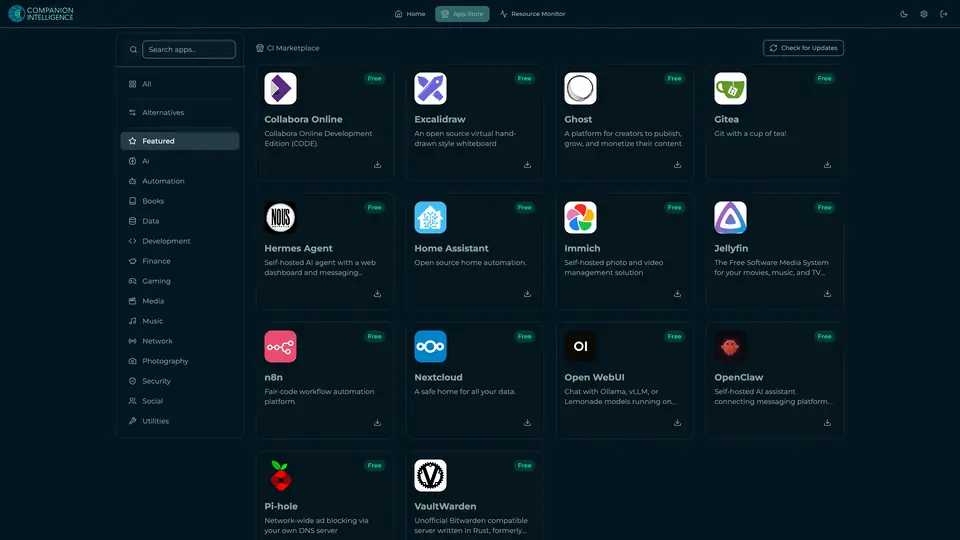
Real screenshot of Companion Hub from a product tutorial capture. Not a recording of this family. 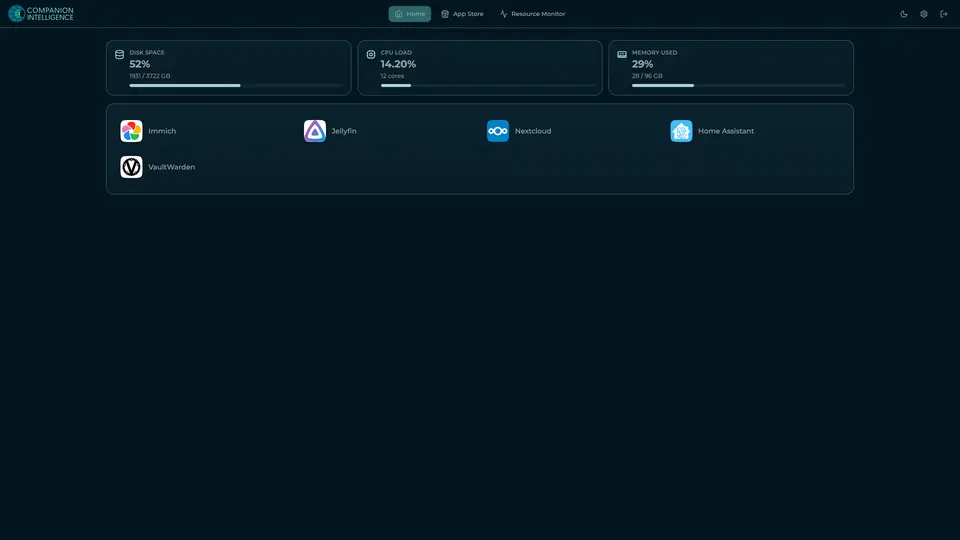
Real screenshot of Companion Hub from a product tutorial capture, with sample data. The disk, CPU and memory figures are the capture machine's, not a Companion Core spec. Not a recording of this family.
Companion account
Your Companion account pairs your devices with the Hub and lists them. The apps and their files stay on the Core.
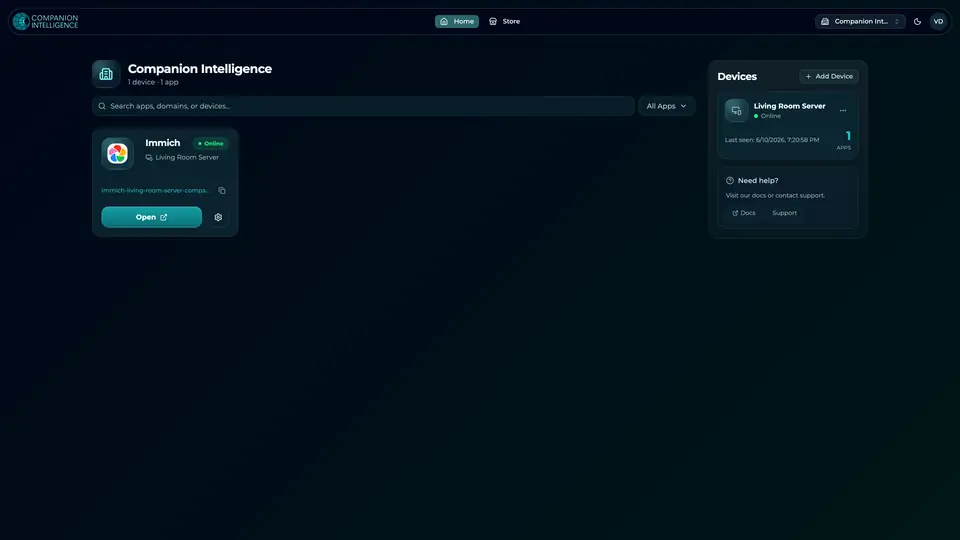
Real screenshot of the Companion account page from a product tutorial capture, with sample data. Not a recording of this family. 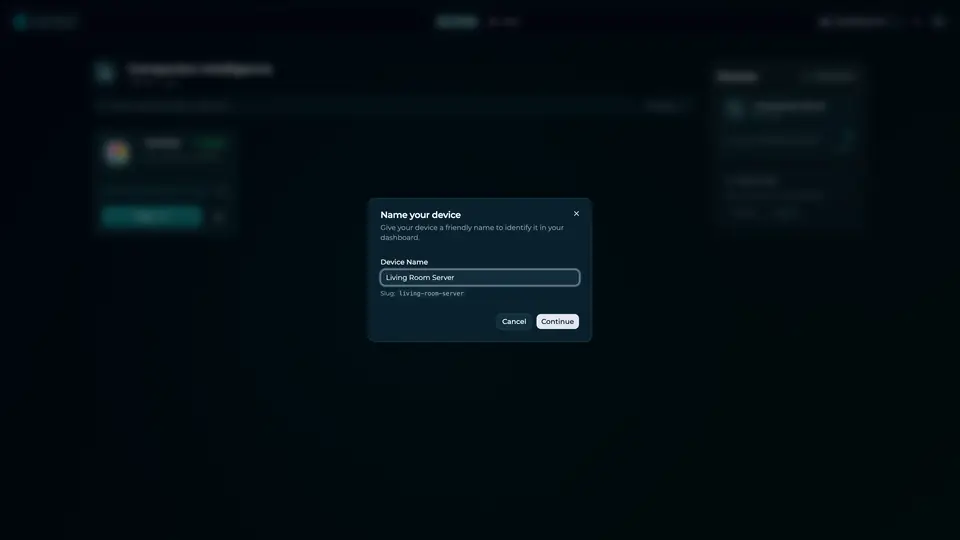
Real screenshot of the Companion account page from a product tutorial capture, with sample data. Not a recording of this family.
How the Core starts
-
Plug it in.
The parcel holds the Companion Core, a power cable, a quick-start guide and a recovery USB drive. Companion OS is already on its drive. Plug it in and press the button.
-
Join its Wi-Fi.
The Core opens its own Wi-Fi network. Join it from a phone, choose your home network from the list and enter its password.
-
Pick your apps and run.
In the Companion Hub store, pick your first agents and apps. Then walk away. Installing apps uses the internet.
Some steps use the internet: installing apps from the Companion Hub store, and any website or messaging service your agent talks to.
UnCloud your life.
Your lesson calendar, forms and music can run on a Companion Core at home. Browse the Companion Hub store and pick your first apps.