
Fictional family. Real software.
The Quintero family
Two parents, two children and one Companion Core on the living room mantel.
27 Marram Lane, Corran Hill
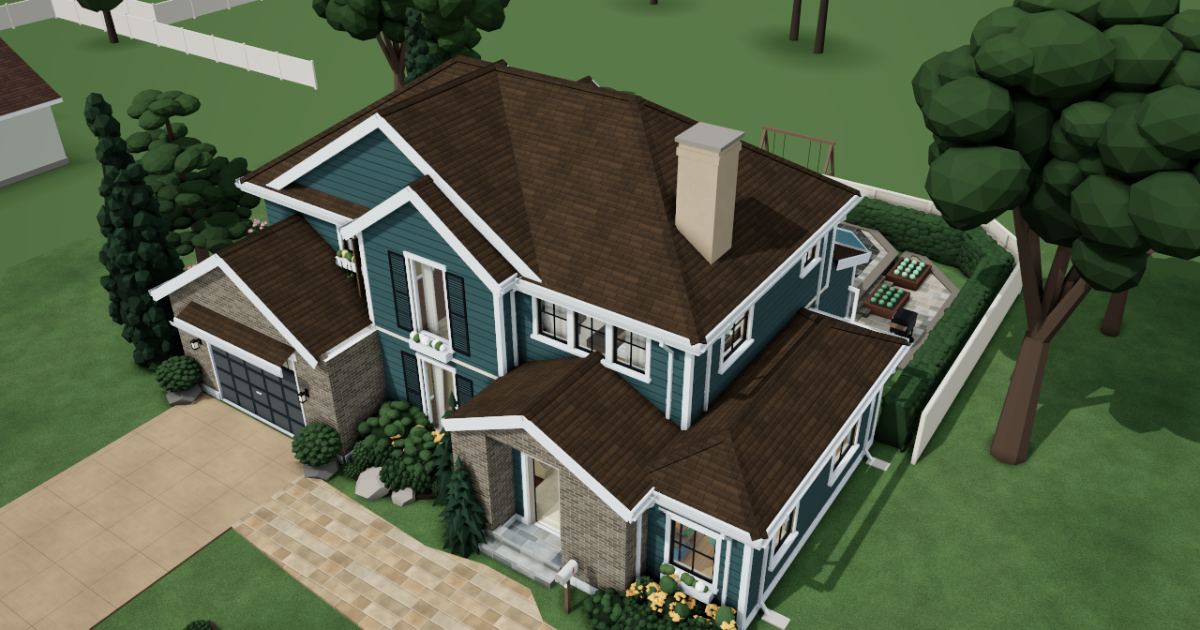 Interactive 3D tour
- Companion OS, Companion Memory and Companion Agents are in beta.
Meet the family
Marisol manages a clinic office and Andres works in devops. Camila, ten, and Mateo, seven, each have a room upstairs. One Companion Core on the living room mantel serves all four.
Marisol
OrganiserAge 38Dining room
Clinic office manager.
Willow is Marisol’s Hermes agent. Drafts Marisol’s replies to the school and the swim club from her notes. Drafts only. Marisol reads every message and sends it herself.
Rented before, on the Core now
Rented before
- Evernote
- LastPass
On the Core now
 Hermes
 Companion Planning
 Yuvomi
 Paperless-ngx
 VaultWarden
-
Living and family rooms
Marisol blocks out her shifts
On Saturday morning, from the chesterfield, Marisol blocks out her clinic shifts. Companion Planning keeps the time blocks in one local file on the Core.
Watch this momentCompanion Planning -
The kitchen
The fee moves off the fridge
A recorder-lesson fee is due on Friday, pinned to the fridge by a magnet. Marisol enters it in the budget in Yuvomi, and the figures sit on the Core.
Watch this momentYuvomi -
Marisol clears the table of forms
School forms and bills crowd the farmhouse table. Marisol scans each one into Paperless-ngx on the Core, where every page is read and tagged.
Watch this momentPaperless-ngxreplaces Evernote -
Where the library password lives
A password service would have held the school, library and swim club passwords. Marisol keeps them in one VaultWarden vault on the Core. VaultWarden works with the Bitwarden apps.
Watch this momentVaultWardenreplaces LastPass -
A missed swim lesson, explained
Marisol messages Willow about a missed swim lesson. Willow drafts the note to the coach on the Core’s local model. Marisol reads it and sends it herself.
HermesScripted Willow: “Draft is ready, Marisol. Read it and change what you like.”
Messages pass through the chat service you choose.
Watch this moment
Real screenshots of Marisol’s apps
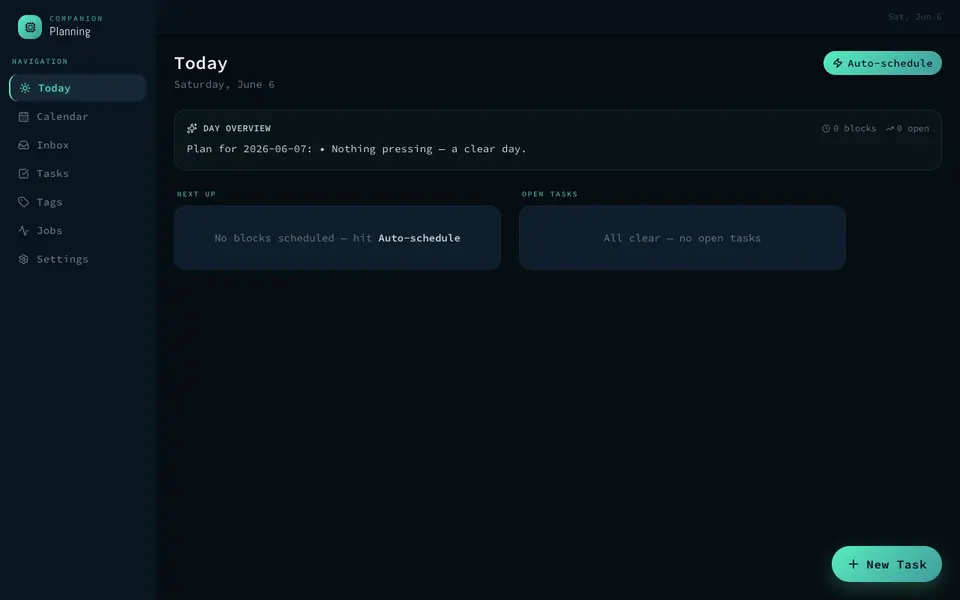
Real screenshot of Companion Planning from a Companion Hub QA run. Not a recording of this family.
Andres
BuilderAge 40Den
Devops engineer.
Thimble is Andres’s Hermes agent. Drafts Andres’s weekly change notes for the family from his short messages. Drafts only. Andres reads each note and sends it himself.
Rented before, on the Core now
Rented before
- GitHub
- Datadog
- NextDNS
On the Core now
- Yuvomi
- Hermes
 Forgejo
 Uptime Kuma
 Pi-hole
-
The kitchen
Basil goes on the shopping list
The herb pots by the window need basil, so Andres adds it to the shopping list in Yuvomi. The family shares that list, and its data sits on the Core.
Watch this momentYuvomi -
At the dining table
Three lines become a family note
Andres types three scrappy lines to Thimble about what changed on the Core. Thimble turns them into a note Marisol can read, and Andres edits it and sends it himself.
HermesScripted Thimble: “Plain version is here. Cut whatever reads like a pipeline.”
Messages pass through the chat service you choose.
Watch this moment -
The house scripts get a repository
A devops engineer, Andres gives the house scripts a repository of their own. Forgejo keeps it, with its issues, on the Core, not on a rented code host.
Watch this momentForgejoreplaces GitHub -
Andres watches the house’s apps
On Sunday afternoon, Andres points Uptime Kuma at the family’s apps, and the checks run on the Core. When one stops answering, he gets an alert.
Watch this momentUptime Kumareplaces Datadog -
Andres changes who the TV asks
In the den, Andres sets the TV to ask the Core for DNS. Pi-hole then blocks ad and tracker domains for it, and for any device that uses it.
Watch this momentPi-holereplaces NextDNS
Real screenshots of Andres’s apps
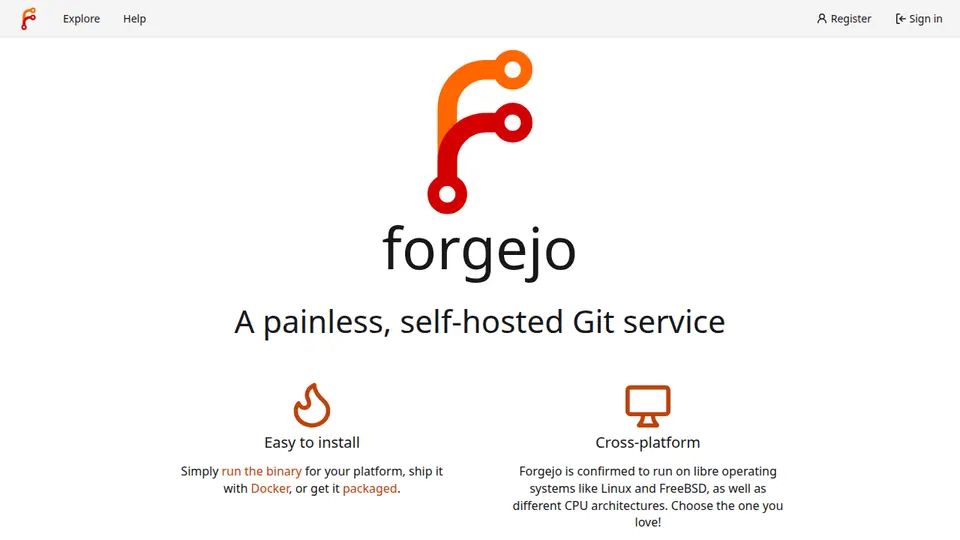
Real screenshot of Forgejo from a Companion Hub QA run. Not a recording of this family. 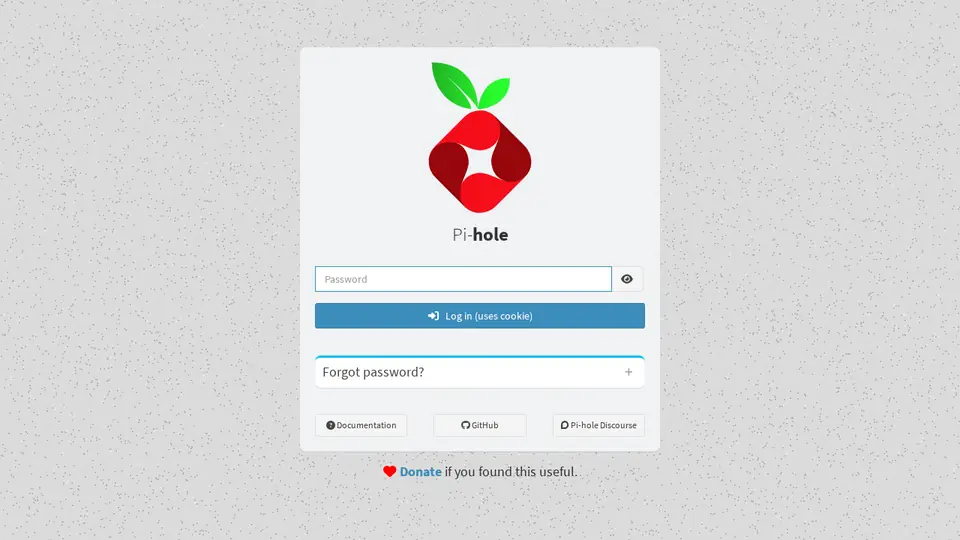
Real screenshot of Pi-hole from a Companion Hub QA run. Not a recording of this family.
Camila
LearnerAge 10Kids room
Primary school.
Rented before, on the Core now
Rented before
- Raindrop.io
- Google Translate
- Notion
On the Core now
- Linkwarden
 LibreTranslate
 Obsidian
 HortusFox
-
Camila tags her bee pages
For her bee project, Camila saves pages into a Linkwarden collection, tagged hive, queen or flowers. Linkwarden keeps each page on the Core, with a PDF copy beside it.
Linkwardenreplaces Raindrop.io
Watch this moment -
Camila reads the newsletter aloud
Grandmother reads Spanish, and the school newsletter is in English. Camila pastes one paragraph into LibreTranslate, which translates on the Core, and reads it out. Its models were downloaded once.
Watch this momentLibreTranslatereplaces Google Translate -
Camila maps the moon’s phases
After school, Camila draws the moon’s phases in her Obsidian notes and labels each one. The notes are plain Markdown files on the Core.
Watch this momentObsidianreplaces Notion -
Out in the garden
Whose row of beans is winning?
Each child planted a row of beans in the garden beds. Camila logs the sprouts in HortusFox, a journal on the Core, while Mateo insists his row is winning.
Watch this momentHortusFox
Real screenshots of Camila’s apps
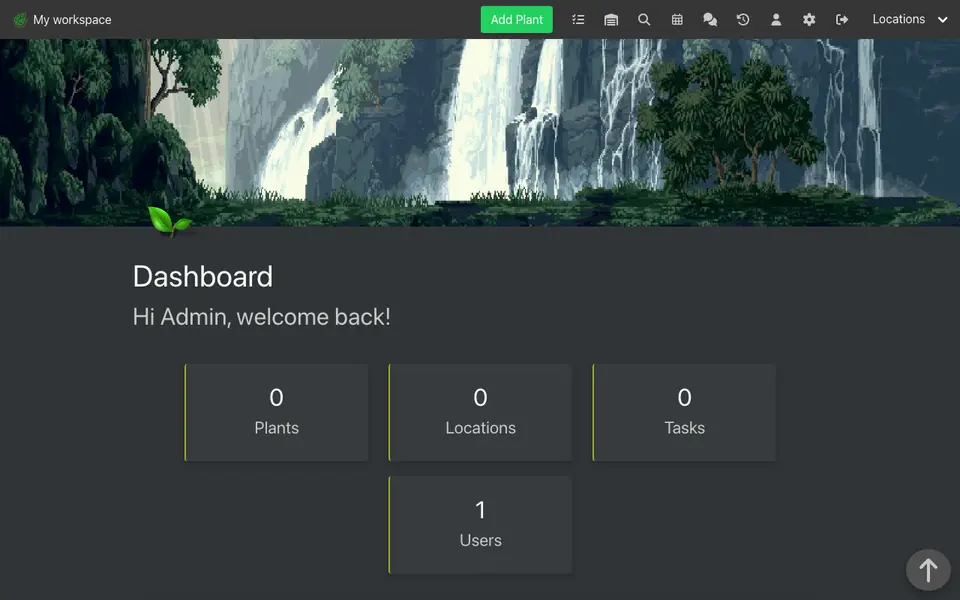
Real screenshot of HortusFox from a Companion Hub QA run. Not a recording of this family.
Mateo
MakerAge 7Kids bedroom
Primary school.
Rented before, on the Core now
Rented before
- Plex
- Google Photos
- MagicaVoxel
On the Core now
 Jellyfin
 LibrePhotos
 Blockbench
-
Living and family rooms
Hers before lunch, his after
Camila and Mateo take turns choosing: hers before lunch, his after. Jellyfin plays both from the family’s own files on the Core to the family room TV.
Watch this momentJellyfinreplaces Plex -
Mateo finishes a dragon
At his easel, Mateo finishes a dragon, and Marisol photographs it. LibrePhotos builds albums by date on the Core, not in a photo cloud.
Watch this momentLibrePhotosreplaces Google Photos -
One dragon, built twice
On the floor cushion by the toy box, Mateo rebuilds the dragon in Blockbench, block by block. The Core serves the editor, and he saves the model himself.
Watch this momentBlockbenchreplaces MagicaVoxel
The home
- 2 storeys
- 263 m²
- 17 rooms
Scroll the plan sideways to see all of it.
Scroll the plan sideways to see all of it.
A diagram of the rooms, drawn from the home’s layout. It leaves out walls, doors and stairs. The pins show the room each person uses, and the small box marks the Companion Core.
What runs on the Core
One Companion Core in the house runs these apps. Each is in the Companion Hub store. Other software is named in text, for what it replaces.
- HermesFrom Nous Research
- Companion PlanningFirst party
- JellyfinReplaces Plex
- Yuvomi
- Paperless-ngxReplaces Evernote
- VaultWardenReplaces LastPass
- LinkwardenReplaces Raindrop.io
- LibreTranslateReplaces Google Translate
- ObsidianReplaces Notion
- LibrePhotosReplaces Google Photos
- BlockbenchReplaces MagicaVoxel
- ForgejoReplaces GitHub
- Uptime KumaReplaces Datadog
- Pi-holeReplaces NextDNS
- HortusFox
The other apps in these stories are made by other people, most of them open-source projects. Companion Intelligence did not make them. A logo belongs to its project. It shows which app is named beside it.
How it runs
Two pieces do the work. One runs on the Core. The other keeps track of your devices.
Companion Hub
Companion Hub is where you install apps on the Core. Pick one in the Companion Hub store and Hub sets it up. Installing apps uses the internet.
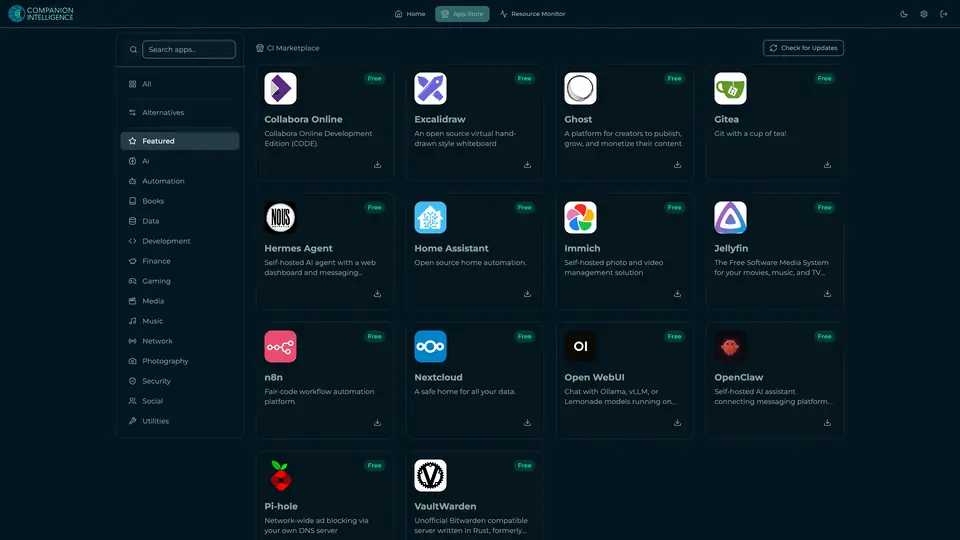
Real screenshot of Companion Hub from a product tutorial capture. Not a recording of this family. 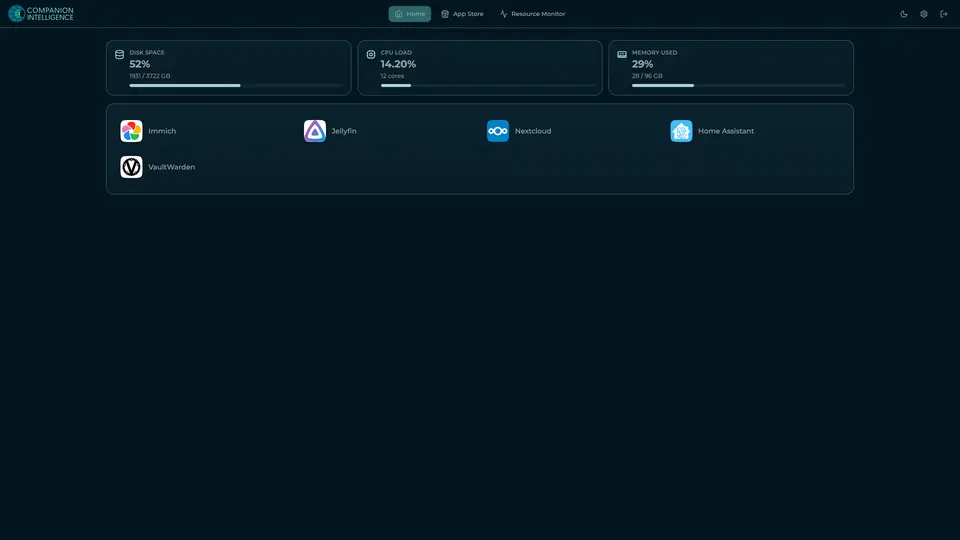
Real screenshot of Companion Hub from a product tutorial capture, with sample data. The disk, CPU and memory figures are the capture machine's, not a Companion Core spec. Not a recording of this family.
Companion account
Your Companion account pairs your devices with the Hub and lists them. The apps and their files stay on the Core.
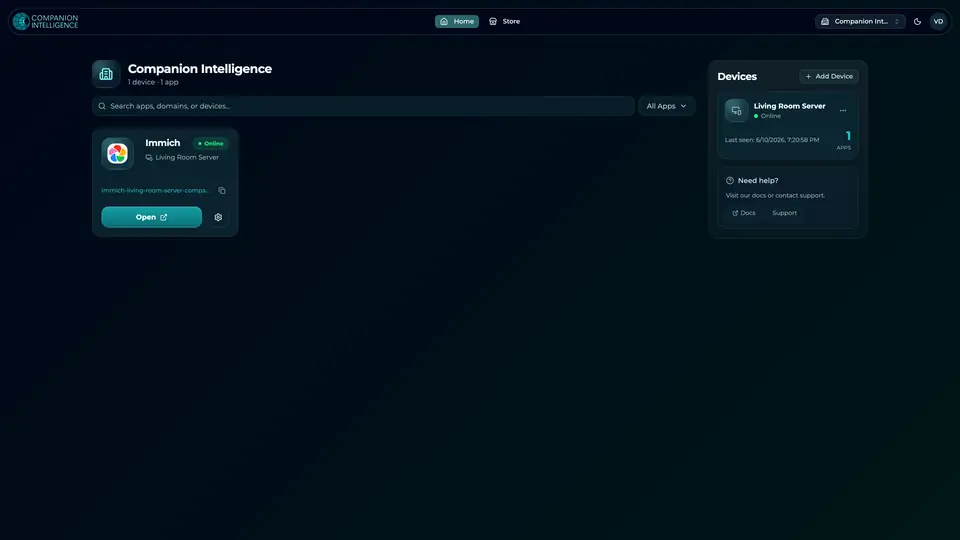
Real screenshot of the Companion account page from a product tutorial capture, with sample data. Not a recording of this family. 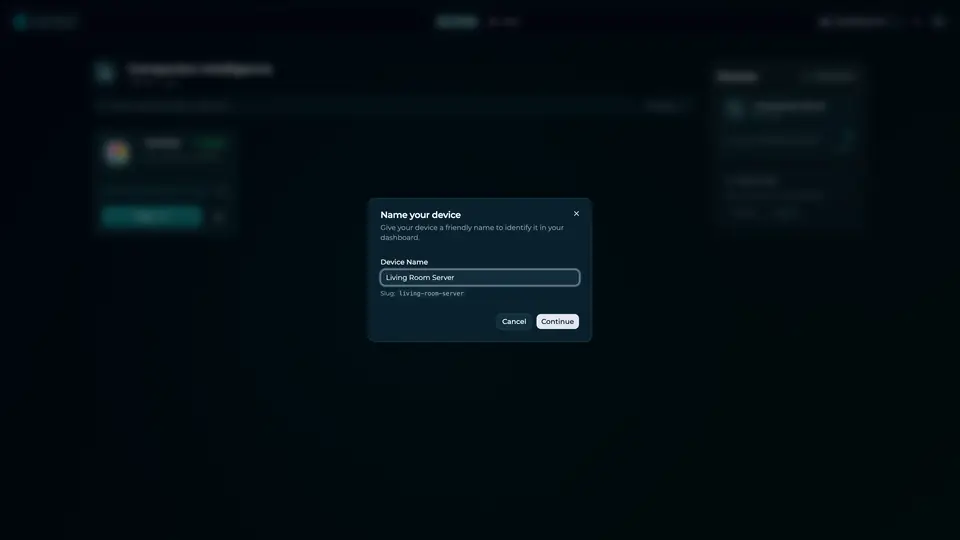
Real screenshot of the Companion account page from a product tutorial capture, with sample data. Not a recording of this family.
How the Core starts
-
Plug it in.
The parcel holds the Companion Core, a power cable, a quick-start guide and a recovery USB drive. Companion OS is already on its drive. Plug it in and press the button.
-
Join its Wi-Fi.
The Core opens its own Wi-Fi network. Join it from a phone, choose your home network from the list and enter its password.
-
Pick your apps and run.
In the Companion Hub store, pick your first agents and apps. Then walk away. Installing apps uses the internet.
Some steps use the internet: installing apps from the Companion Hub store, and any website or messaging service your agent talks to.
UnCloud your life.
Your family’s forms, photos, repositories and homework can live on a Companion Core at home. Browse the Companion Hub store and choose your first apps.