
Fictional family. Real software.
The Petrov family
A loft desk, a busy kitchen and a nursery, run from one Companion Core.
6 Quillfield Terrace, Highmoor Cross
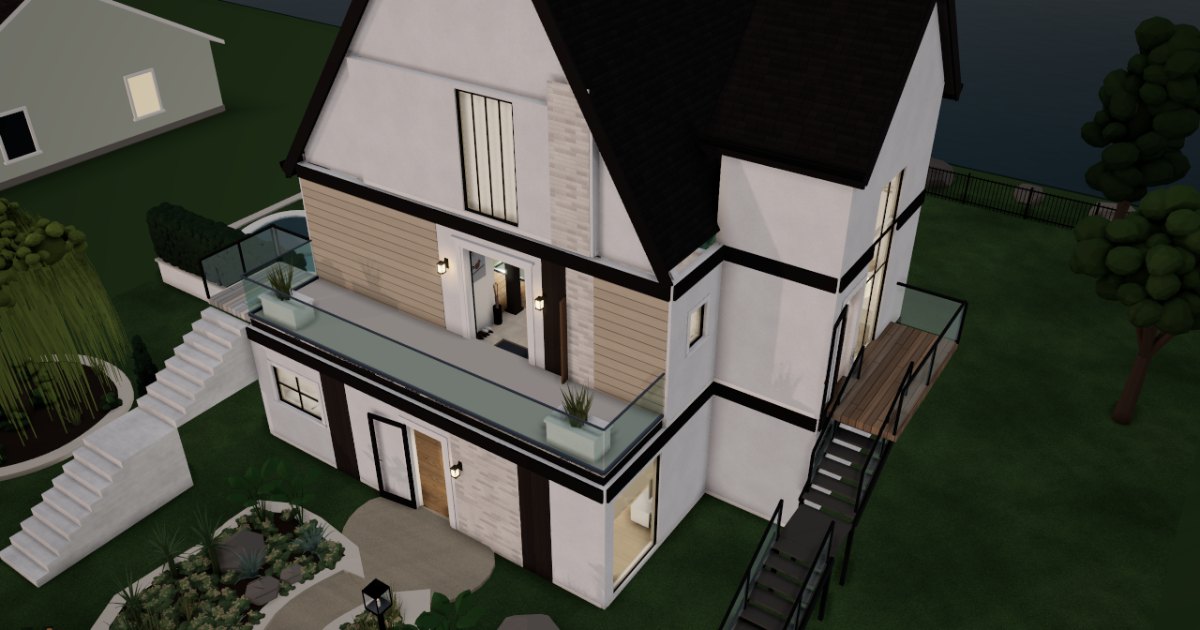 Interactive 3D tour
- Companion OS, Companion Memory and Companion Agents are in beta.
Meet the family
Elena manages projects from a writing desk in the loft. Nikolai is home with one-year-old Mila, and the days run through the kitchen. One Companion Core sits on a shelf there.
Elena
OrganiserAge 34Loft
Project manager.
Nettle is Elena’s Hermes agent. Drafts Elena’s weekly status note from the points she types. Drafts only. Elena reads and sends every note herself.
Rented before, on the Core now
Rented before
- Google Drive
- Dropbox
- LastPass
- Rocket Money
- Plex
- Evernote
On the Core now
 Hermes
 Companion Planning
 Paperless-ngx
 Nextcloud
 VaultWarden
 Wallos
 Jellyfin
 Joplin Server
-
The plan follows a moved review
The review moves a day earlier. From the loft sofa, Elena shifts the launch tasks, and Companion Planning keeps the plan as one local file.
Watch this momentCompanion Planning -
Nikolai asks for a gas bill
The permit form wants a utility bill, so Nikolai calls upstairs. Elena types one word, and Paperless-ngx finds last winter’s gas bill, read and tagged on the Core.
Watch this momentPaperless-ngxreplaces Google Drive -
Five points become the weekly note
Friday morning, Elena types five points. With Companion Memory (beta) connected, Nettle drafts the weekly note, and Elena reads it and sends it herself.
HermesMessages pass through the chat service you choose.
Watch this moment -
Elena stops emailing herself
After the engineer’s visit, Elena saves the new boiler warranty in Nextcloud. She stops emailing copies to herself, because the folder is on the Core.
Watch this momentNextcloudreplaces Dropbox -
The living room
Elena swaps a weak password
At the living-room writing desk, Elena swaps the childcare portal’s weak password for a new one. VaultWarden keeps it in a vault the family hosts.
Watch this momentVaultWardenreplaces LastPass -
The living room
Elena catches a trial before renewal
A streaming trial is about to renew, and Wallos on the Core has already reminded Elena. By the fireplace, she and Nikolai decide to cancel it.
Watch this momentWallosreplaces Rocket Money -
The living room
Elena chooses the afternoon film
On her afternoon off, Elena picks the film in the family room downstairs. Jellyfin plays it from the family’s own collection on the Core to the TV.
Watch this momentJellyfinreplaces Plex -
Out in the garden
Elena takes the call outside
Elena takes the committee call on the side deck and types notes as she listens. Joplin Server syncs them to her laptop before she is back at her desk.
Watch this momentJoplin Serverreplaces Evernote
Real screenshots of Elena’s apps
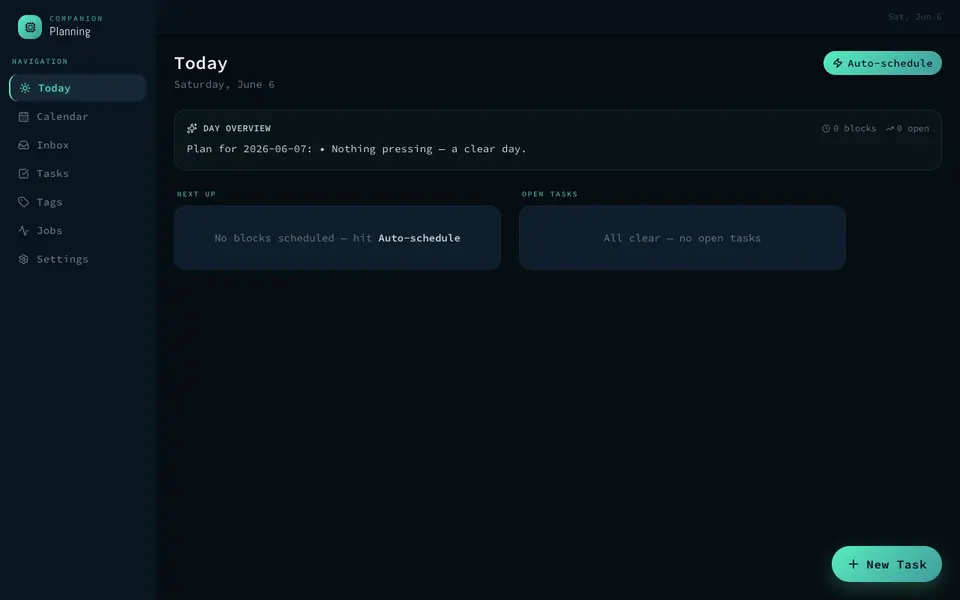
Real screenshot of Companion Planning from a Companion Hub QA run. Not a recording of this family.
Nikolai
HostAge 36Kitchen
At home with the baby.
Barley is Nikolai’s Hermes agent. Drafts Nikolai’s shopping list from the week’s meal plan. Drafts the list only. Nikolai reads it and does the shopping.
Rented before, on the Core now
Rented before
- Google Photos
- iCloud
- Google Home
On the Core now
 Immich
 KitchenOwl
- Hermes
- Nextcloud
 Home Assistant
 HortusFox
-
Nikolai backs up the playground week
Back home, Nikolai’s phone backs a week of playground photos up to Immich on the Core, not a photo cloud.
Immichreplaces Google PhotosImmich’s first start takes a while.
Watch this moment -
Lemons arrive from the loft
From the loft, Elena adds lemons to the family list. At the island, Nikolai sees the new line, because KitchenOwl keeps one shared list on the Core.
Watch this momentKitchenOwl -
Nikolai checks the list Barley drafted
While Mila’s porridge cools, Nikolai types the week’s meals to Barley. Barley drafts the list on the Core’s local model, and Nikolai reads it, then adds it to KitchenOwl.
HermesScripted Barley: “Here is the list from this week’s meals. Please check it.”
Messages pass through the chat service you choose.
Watch this moment -
The dumpling card can retire
A dumpling recipe from his mother has lived on a stained card for years. Nikolai types it into KitchenOwl, and Elena can now cook from it too.
Watch this momentKitchenOwl -
The living room
Story hour reaches Elena’s phone
Beside Mila on the sofa, Nikolai puts Saturday’s story hour into the family calendar. Nextcloud serves it from the Core, so Elena’s phone shows it too.
Watch this momentNextcloudreplaces iCloud -
Mila’s nursery
Nikolai dims the nursery for naptime
As Mila settles, Nikolai taps once and the nursery lamp turns low and warm. Home Assistant runs it from the Core, needing no cloud account of its own.
Watch this momentHome Assistantreplaces Google Home -
Out in the garden
Nikolai waters, then writes it down
Tuesday morning, Nikolai waters the bed under the willow. He logs it in HortusFox with a picture of the new leaves, and the journal keeps the date.
Watch this momentHortusFox
Real screenshots of Nikolai’s apps

Real screenshot of Immich from a Companion Hub QA run. Not a recording of this family. 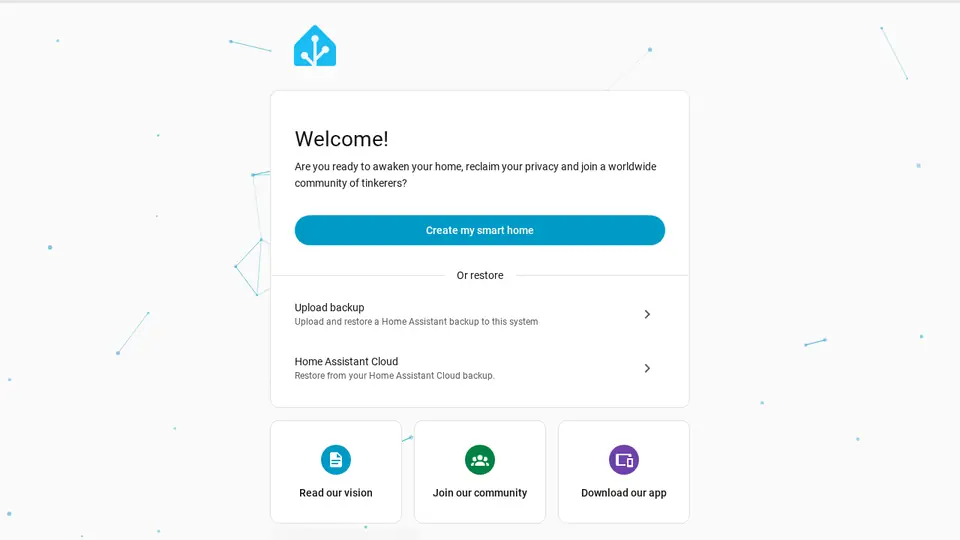
Real screenshot of Home Assistant from a Companion Hub QA run. Not a recording of this family. 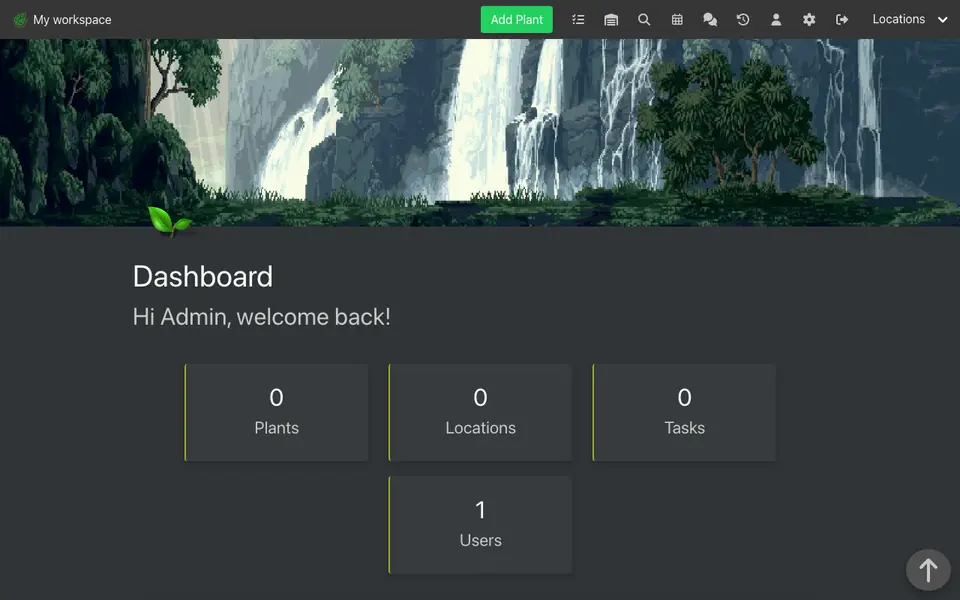
Real screenshot of HortusFox from a Companion Hub QA run. Not a recording of this family.
Mila
BabyAge 1Nursery
Rented before, on the Core now
Rented before
- Plex
On the Core now
- Jellyfin
-
Mila drums along to old songs
Mila drums on the toy box while Nikolai plays the folder of songs Elena’s grandmother sang, copied from old tapes. Jellyfin plays them from the Core.
Watch this momentJellyfinreplaces Plex
The home
- 3 storeys
- 331 m²
- 16 rooms
Scroll the plan sideways to see all of it.
Scroll the plan sideways to see all of it.
Scroll the plan sideways to see all of it.
A diagram of the rooms, drawn from the home’s layout. It leaves out walls, doors and stairs. The pins show the room each person uses, and the small box marks the Companion Core.
What runs on the Core
One Companion Core in the house runs these apps. Each is in the Companion Hub store. Other software is named in text, for what it replaces.
- HermesFrom Nous Research
- ImmichReplaces Google Photos
- KitchenOwl
- Companion PlanningFirst party
- Paperless-ngxReplaces Google Drive
- NextcloudReplaces Dropbox
- VaultWardenReplaces LastPass
- WallosReplaces Rocket Money
- JellyfinReplaces Plex
- Home AssistantReplaces Google Home
- HortusFox
- Joplin ServerReplaces Evernote
The other apps in these stories are made by other people, most of them open-source projects. Companion Intelligence did not make them. A logo belongs to its project. It shows which app is named beside it.
How it runs
Two pieces do the work. One runs on the Core. The other keeps track of your devices.
Companion Hub
Companion Hub is where you install apps on the Core. Pick one in the Companion Hub store and Hub sets it up. Installing apps uses the internet.
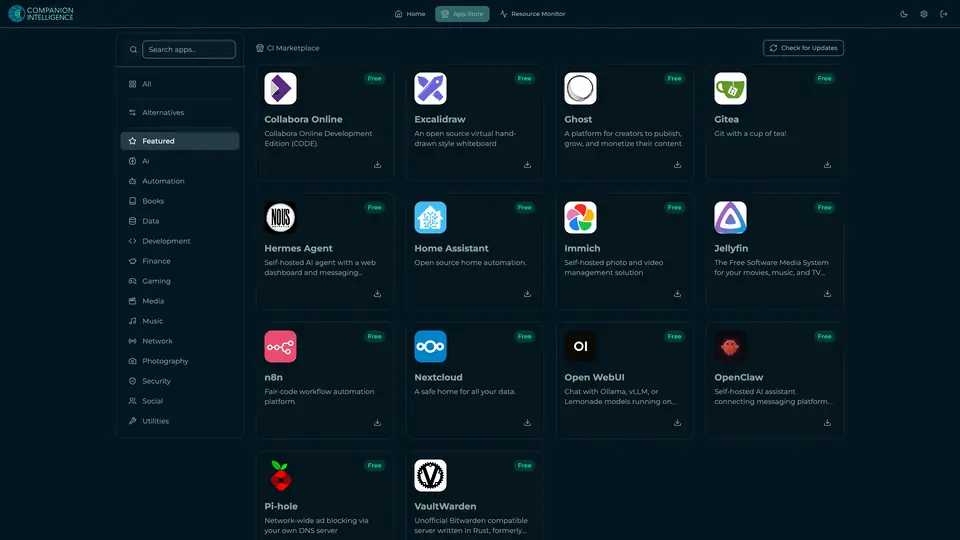
Real screenshot of Companion Hub from a product tutorial capture. Not a recording of this family. 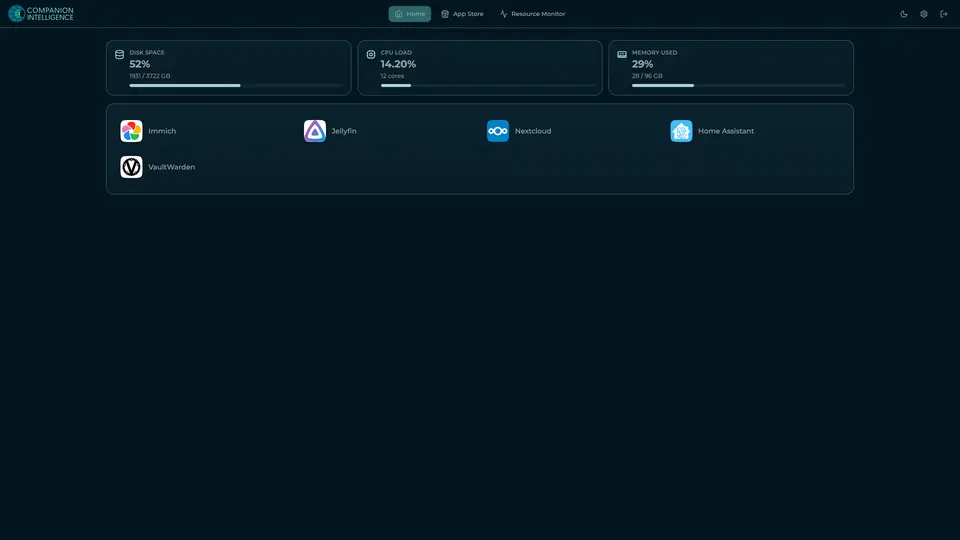
Real screenshot of Companion Hub from a product tutorial capture, with sample data. The disk, CPU and memory figures are the capture machine's, not a Companion Core spec. Not a recording of this family.
Companion account
Your Companion account pairs your devices with the Hub and lists them. The apps and their files stay on the Core.
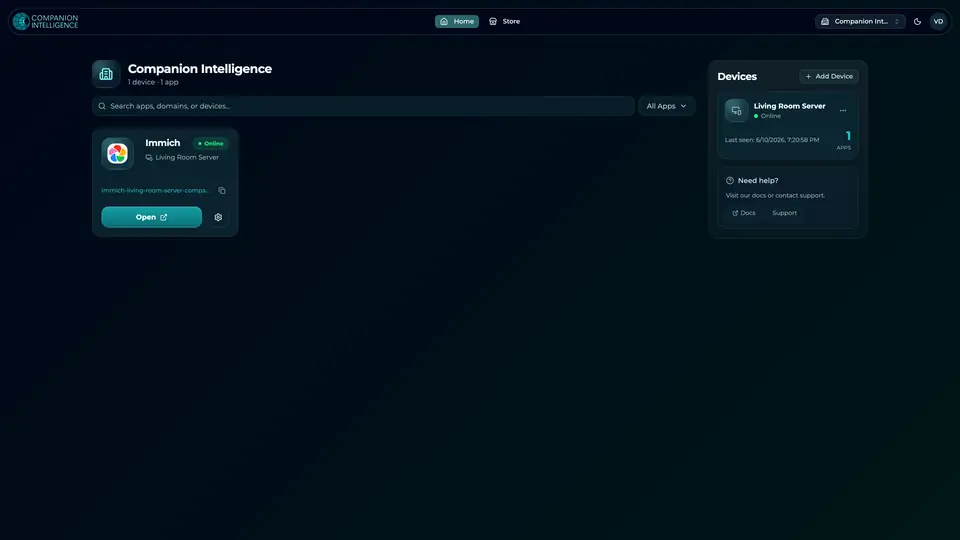
Real screenshot of the Companion account page from a product tutorial capture, with sample data. Not a recording of this family. 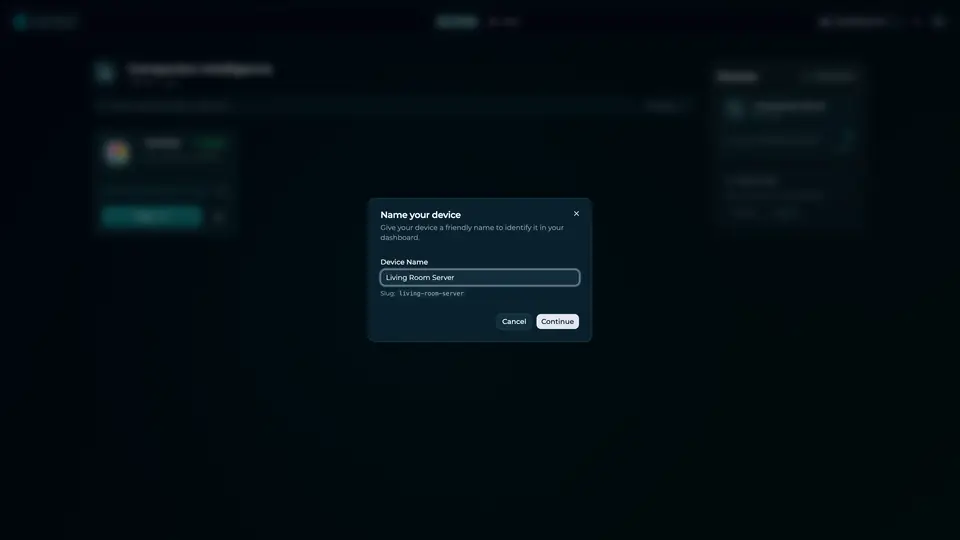
Real screenshot of the Companion account page from a product tutorial capture, with sample data. Not a recording of this family.
How the Core starts
-
Plug it in.
The parcel holds the Companion Core, a power cable, a quick-start guide and a recovery USB drive. Companion OS is already on its drive. Plug it in and press the button.
-
Join its Wi-Fi.
The Core opens its own Wi-Fi network. Join it from a phone, choose your home network from the list and enter its password.
-
Pick your apps and run.
In the Companion Hub store, pick your first agents and apps. Then walk away. Installing apps uses the internet.
Some steps use the internet: installing apps from the Companion Hub store, and any website or messaging service your agent talks to.
UnCloud your life.
Your lists, photos and paperwork can sit on a Companion Core at home. Pick your first apps in the Companion Hub store.