
Fictional family. Real software.
The Chaudhry family
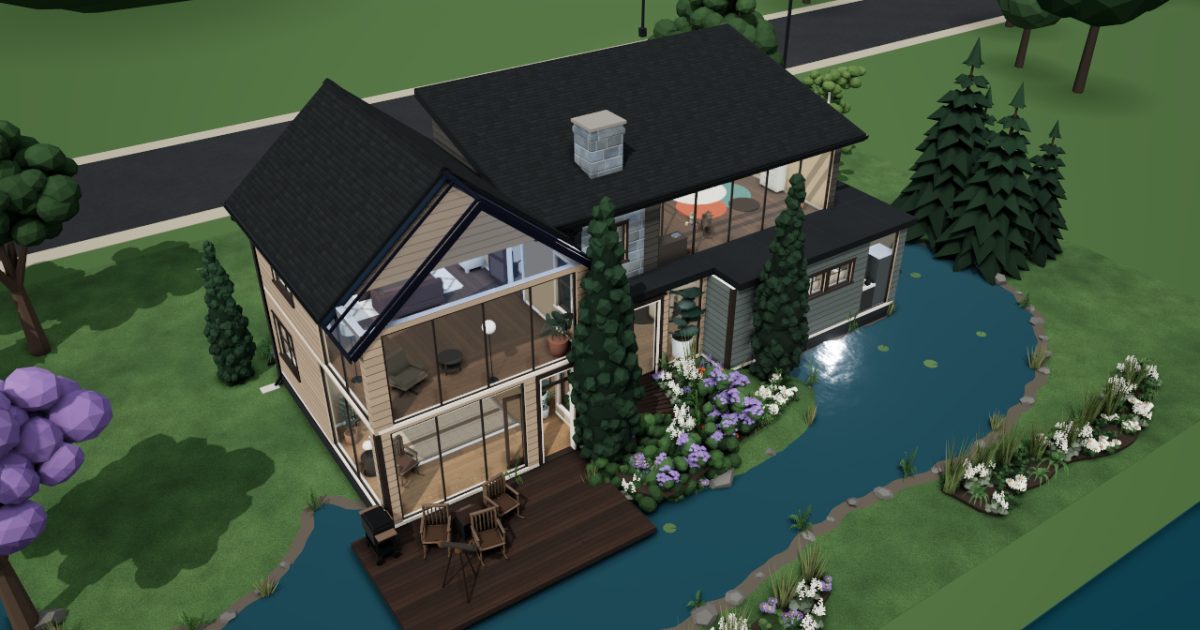
Two parents, one baby and one Companion Core in a house on the lake.
12 Moorhen Bank, Halden Water
 Interactive 3D tour
- Companion OS, Companion Memory and Companion Agents are in beta.
Meet the family
Noor writes code from the study, where the Companion Core sits on her desk. Imran is home with Zara, who is one, and keeps the kitchen. The house stands over a lake.
Noor
BuilderAge 36Study
Backend developer, works from home.
Sparrowhawk is Noor’s OpenClaw agent. Opens Gitea in its own browser and labels the issues Noor lists. Labels issues only. Noor reads every label before it stays.
Rented before, on the Core now
Rented before
- GitHub
- Nest Cam
- Spotify
On the Core now
 OpenClaw WebCLI
 Gitea
 Open WebUI
 Frigate
 KitchenOwl
 Navidrome
-
Zara waves as Noor merges
Zara waves from the doorway as Noor reads her own pull request in Gitea, then merges it. The repository and its history sit on the Core.
Watch this momentGiteareplaces GitHub -
Noor asks about a slow query
A query drags, so Noor asks a model on the Core through Open WebUI. The chat stays on the Core by default, and the fix goes into Gitea.
Watch this momentOpen WebUI -
Thursday's design starts on the easel
Thursday's design for her own project starts as boxes and arrows on the study easel. Then Noor types it into a Gitea issue, so the plan sits with the code.
Watch this momentGiteareplaces GitHub -
Sparrowhawk labels, Noor decides
Monday morning, Noor lists the stale issues. Sparrowhawk opens Gitea in its own browser and labels them. Noor reads every label before it stays.
Giteareplaces GitHubCompanion Agents are in beta.
Watch this moment -
Out on the deck
A camera faces the water
Noor sets an IP camera beside the telescope, aimed at the water. Frigate records its clips on the Core, in the house.
Watch this momentFrigatereplaces Nest Cam -
The living room
Coffee beans join the list
Noor finishes early on Friday and settles on the sofa with her laptop. She adds coffee beans to the KitchenOwl list, and Imran reads the same list in the kitchen.
Watch this momentKitchenOwl -
Imran in the kitchen
Noor starts lunch with a playlist
On her lunch break, Noor starts a playlist in Navidrome at the kitchen counter. The tracks come from the family's own collection, served from the Core.
Watch this momentNavidromereplaces Spotify
Imran
HostAge 38Kitchen
At home with the baby.
Pebble is Imran’s OpenClaw agent. Opens the grocer's website and fills a basket from the KitchenOwl list. Fills the basket only. Imran checks it and places the order.
Rented before, on the Core now
Rented before
- Nest Cam
- Spotify
On the Core now
 Foldergram
- Frigate
- KitchenOwl
- Navidrome
-
Noor in the study
Noor writes Imran a sorting script
On a rainy Saturday, Imran asks Noor for a way to sort Zara's pictures. Noor writes a script, commits it to Gitea and sorts the folders for Foldergram.
Watch this momentFoldergram -
Out on the deck
Imran shows Zara the swans
Swans crossed the water this morning, and Frigate kept the deck camera's clip on the Core. Imran plays it for Zara, then points the telescope at the real swans.
Watch this momentFrigatereplaces Nest Cam -
The living room
Imran opens Zara's year on TV
On Sunday afternoon, Imran opens Zara's folder in Foldergram in the TV's browser. He and Noor scroll the timeline from the sofa, and the Core serves the pictures.
Watch this momentFoldergram -
Dinners are planned a day ahead
Tuesday's order is a day away, so Imran plans the week's dinners in KitchenOwl. Noor opens the same plan from the study, and the shopping list sits beside it.
Watch this momentKitchenOwl -
Imran finds a buttermilk swap
Halfway through the pancakes, the buttermilk is gone. Imran asks Open WebUI, and a model on the Core suggests yoghurt. He adds buttermilk to KitchenOwl for next time.
Watch this momentKitchenOwl -
Imran checks the basket before ordering
A long list waits, so Pebble opens the grocer's website and fills a basket from KitchenOwl. Imran checks every line, then places the order himself.
KitchenOwlOpenClaw reaches websites over your home internet.
Watch this moment -
The delivery arrives a tin short
The grocery delivery arrives a tin short. Imran enters the total at the breakfast bar, and KitchenOwl adds it to the household's expenses beside the lists.
Watch this momentKitchenOwl -
Zara's nursery
Imran picks the nap lullaby
Before the afternoon nap, Imran picks a lullaby from the family's own collection. Navidrome serves it from the Core, not from a music service.
Watch this momentNavidromereplaces Spotify
Zara
BabyAge 1Nursery
-
Imran gives each month its album
Imran drops a month of pictures into Zara's folder on the Core. Foldergram turns the folder into albums and a timeline, so each month has its place.
Watch this momentFoldergram
The home
- 2 storeys
- 228 m²
- 16 rooms
Scroll the plan sideways to see all of it.
Scroll the plan sideways to see all of it.
A diagram of the rooms, drawn from the home’s layout. It leaves out walls, doors and stairs. The pins show the room each person uses, and the small box marks the Companion Core.
What runs on the Core
One Companion Core in the house runs these apps. Each is in the Companion Hub store. Other software is named in text, for what it replaces.
- OpenClaw WebCLIFrom the OpenClaw Foundation
- GiteaReplaces GitHub
- Open WebUI
- Foldergram
- FrigateReplaces Nest Cam
- KitchenOwl
- NavidromeReplaces Spotify
The other apps in these stories are made by other people, most of them open-source projects. Companion Intelligence did not make them. A logo belongs to its project. It shows which app is named beside it.
How it runs
Two pieces do the work. One runs on the Core. The other keeps track of your devices.
Companion Hub
Companion Hub is where you install apps on the Core. Pick one in the Companion Hub store and Hub sets it up. Installing apps uses the internet.
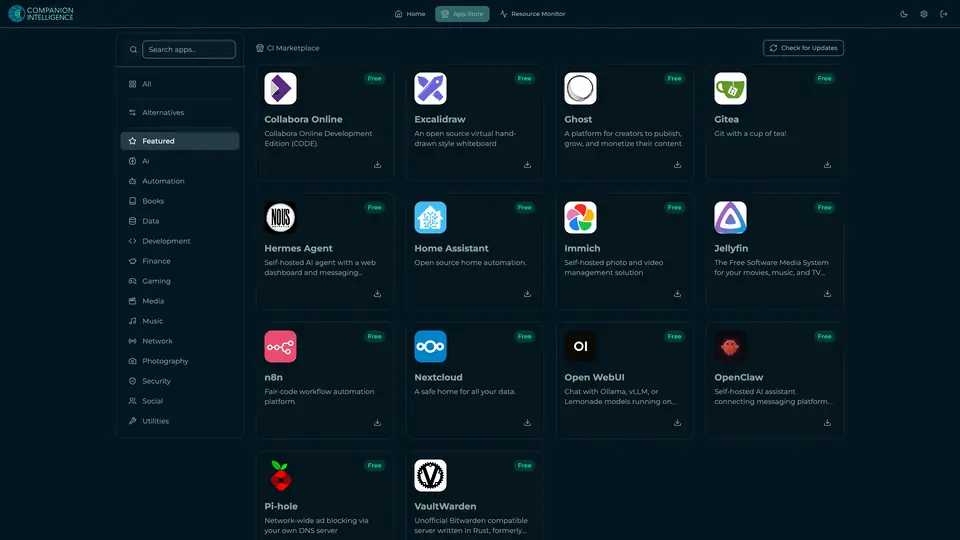
Real screenshot of Companion Hub from a product tutorial capture. Not a recording of this family. 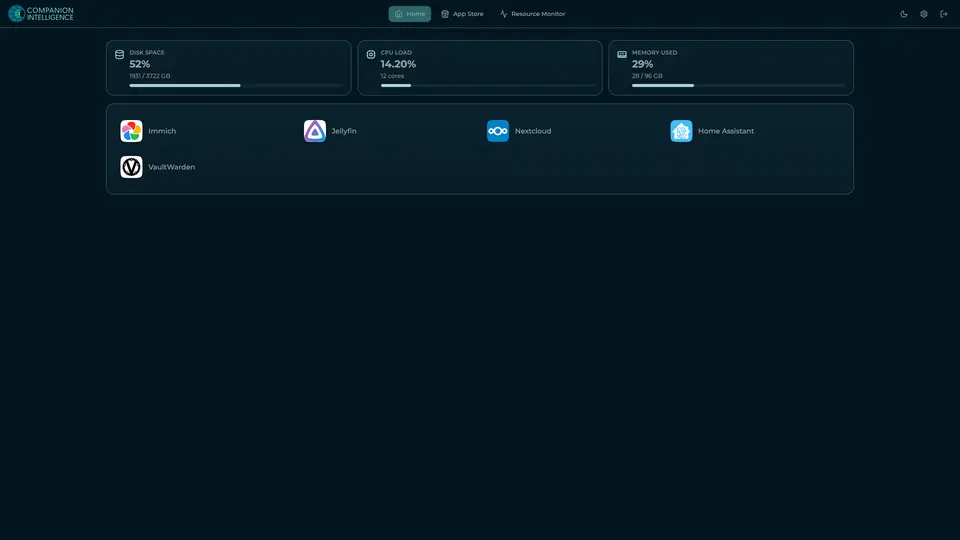
Real screenshot of Companion Hub from a product tutorial capture, with sample data. The disk, CPU and memory figures are the capture machine's, not a Companion Core spec. Not a recording of this family.
Companion account
Your Companion account pairs your devices with the Hub and lists them. The apps and their files stay on the Core.
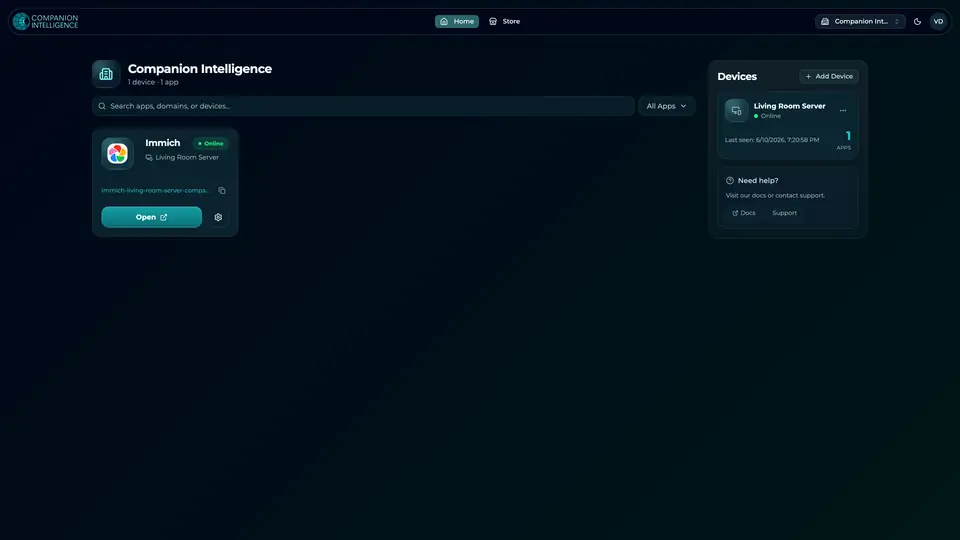
Real screenshot of the Companion account page from a product tutorial capture, with sample data. Not a recording of this family. 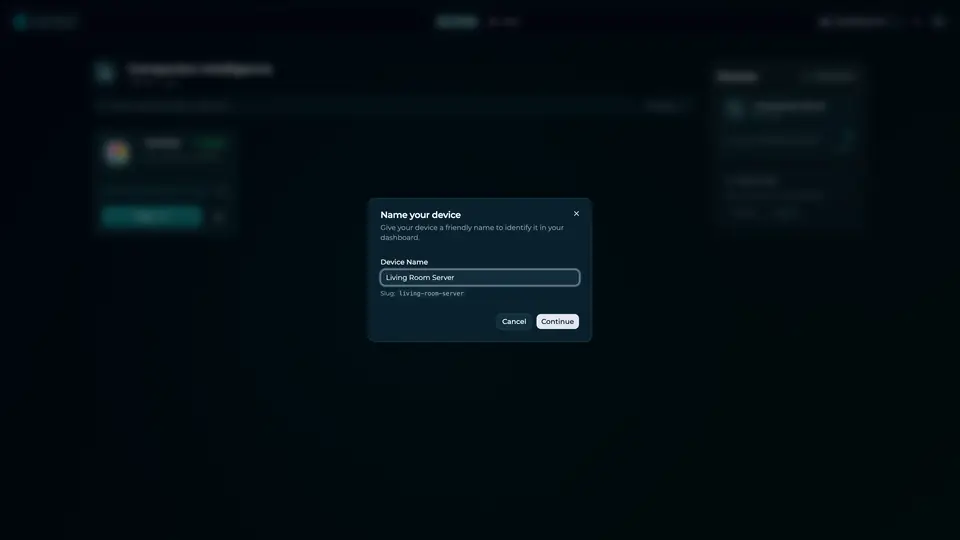
Real screenshot of the Companion account page from a product tutorial capture, with sample data. Not a recording of this family.
How the Core starts
-
Plug it in.
The parcel holds the Companion Core, a power cable, a quick-start guide and a recovery USB drive. Companion OS is already on its drive. Plug it in and press the button.
-
Join its Wi-Fi.
The Core opens its own Wi-Fi network. Join it from a phone, choose your home network from the list and enter its password.
-
Pick your apps and run.
In the Companion Hub store, pick your first agents and apps. Then walk away. Installing apps uses the internet.
Some steps use the internet: installing apps from the Companion Hub store, and any website or messaging service your agent talks to.
UnCloud your life.
Your repositories, your family's music and a baby's first year can sit on a Companion Core at home. Browse the Companion Hub store and pick your first apps.