
Fictional family. Real software.
The Kovacs family
Four rooms of their own, one Companion Core, and a fountain out front.
6 Cypress Court, Ashby Dene
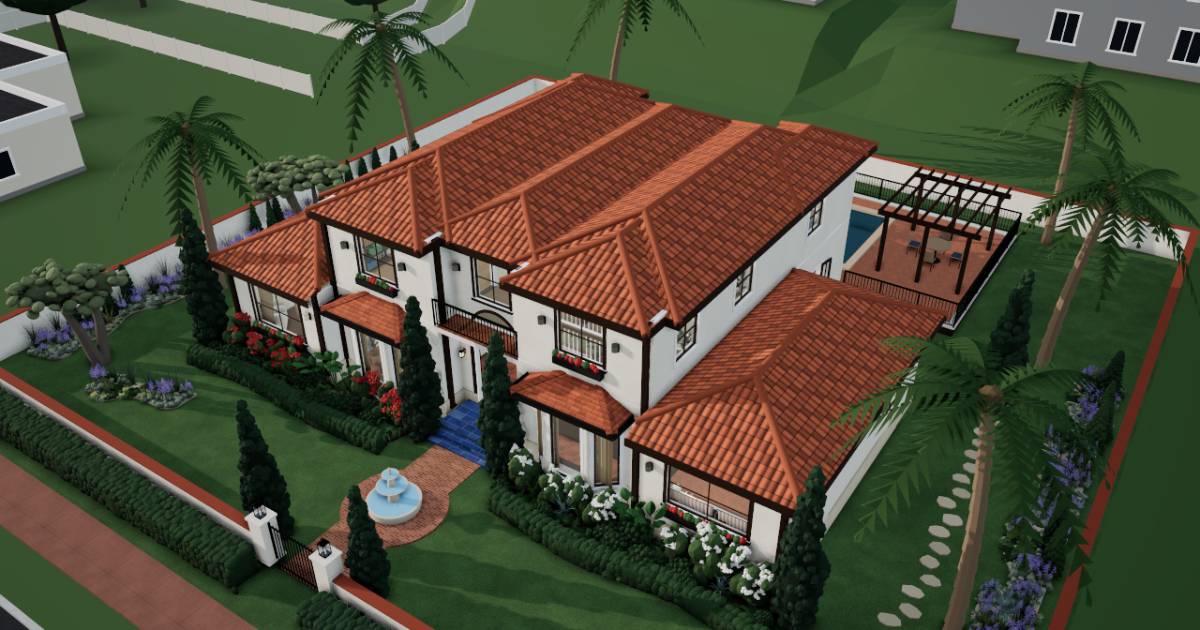 Interactive 3D tour
- Companion OS, Companion Memory and Companion Agents are in beta.
Meet the family
Eszter runs the household from the Salon, and Gabor builds a weather station in the Games Den. Bence, sixteen, has the TV Room, and Reka, thirteen, studies in the West Bedroom. One Companion Core on the Salon shelf serves all four.
Eszter
OrganiserAge 49Salon
School business manager.
Basil is Eszter’s Hermes agent. Drafts Eszter’s letters and replies from the notes she messages it. Drafts only. Eszter reads and sends every reply.
Rented before, on the Core now
Rented before
- Evernote
- Microsoft Office
On the Core now
 Hermes
 Paperless-ngx
 LibreOffice
 Yuvomi
-
Eszter finds the pump invoice
The pool pump coughs on a warm Tuesday, and the installer’s invoice is somewhere in last year’s paper. One word typed into Paperless-ngx on the Core finds the tagged scan.
Watch this momentPaperless-ngxreplaces Evernote -
Eszter writes up the half-term plan
Half-term needs a plan, so Eszter writes it in LibreOffice. It runs on the Core, shows in her browser and saves there.
Watch this momentLibreOfficereplaces Microsoft Office -
Basil drafts the stonemason’s reply
Eszter asks Basil to answer the stonemason’s quote. Basil drafts it on the Core’s local model, using dates she connected to Companion Memory (beta). Eszter reads and sends it herself.
HermesScripted Basil: “Here is the draft reply to the stonemason. Please read it, then send it.”
Messages pass through the chat service you choose.
Watch this moment -
The kitchen
The month’s budget gets sorted
On Sunday afternoon Eszter sorts the month’s spending into Yuvomi’s budget. Gabor reads the same budget, because the household shares one planner on the Core.
Watch this momentYuvomi
Real screenshots of Eszter’s apps
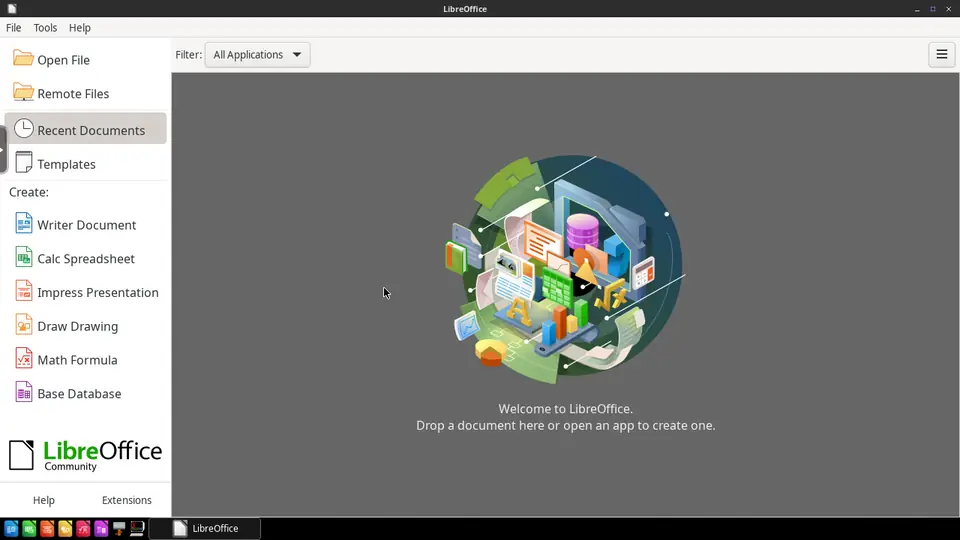
Real screenshot of LibreOffice from a Companion Hub QA run. Not a recording of this family.
Gabor
BuilderAge 51Games den
Embedded software engineer.
Sorrel is Gabor’s Hermes agent. Drafts Gabor’s notes to suppliers from the part names he sends it. Drafts only. Gabor reads and sends every note.
Rented before, on the Core now
Rented before
- NextDNS
- GitHub
On the Core now
 Pi-hole
 Forgejo
 JupyterLab
- Hermes
-
In the Salon
Gabor stops the banner ads
Gabor’s tablet loads a weather forum with fewer banner ads. The router now sends lookups to Pi-hole on the Core, which drops ad and tracker domains for devices using it.
Watch this momentPi-holereplaces NextDNS -
A breeze fools the rain gauge
A breeze fools the rooftop rain gauge, so Gabor opens an issue and merges the fix in Forgejo. The code and issues stay on the Core.
Watch this momentForgejoreplaces GitHub -
Gabor plots a drifting sensor
At the counter with the two stools, Gabor plots a week of rooftop readings and spots a drifting sensor. The JupyterLab notebook runs its code on the Core.
Watch this momentJupyterLab -
Sorrel drafts the supplier enquiry
A sensor board has failed. Gabor messages Sorrel the part name, and Sorrel drafts a supplier note on the Core’s local model. Gabor reads it and sends it himself.
HermesScripted Sorrel: “The supplier note is ready. Read it first, and send it when it looks right.”
Messages pass through the chat service you choose.
Watch this moment
Real screenshots of Gabor’s apps
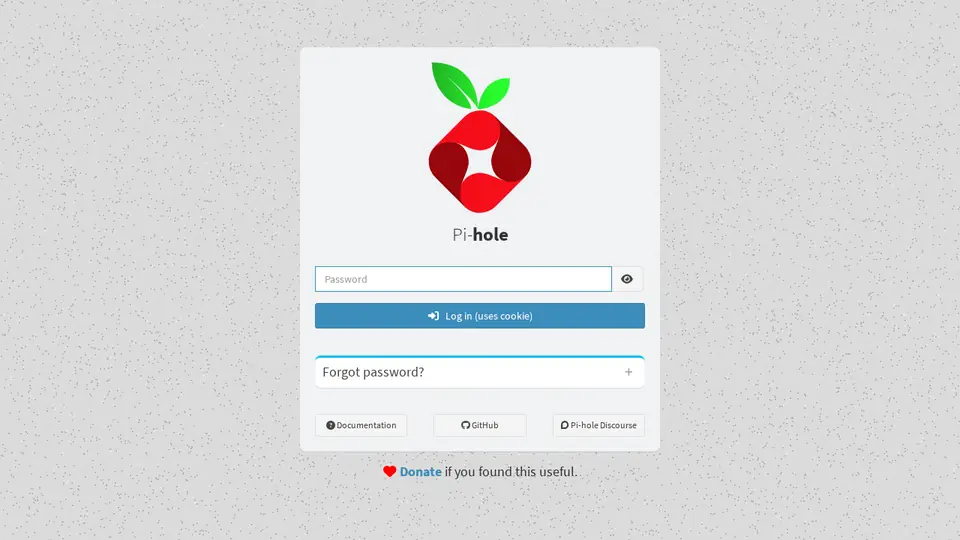
Real screenshot of Pi-hole from a Companion Hub QA run. Not a recording of this family. 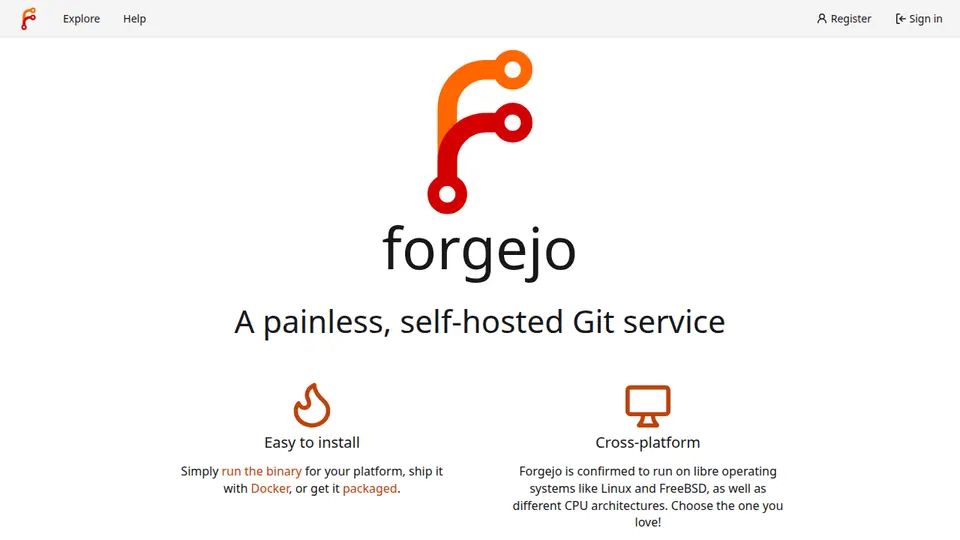
Real screenshot of Forgejo from a Companion Hub QA run. Not a recording of this family.
Bence
GamerAge 16TV room
Secondary school.
Rented before, on the Core now
Rented before
- GeForce Now
- Plex
- Google Photos
- Google Home
On the Core now
 Steam Headless
 Jellyfin
 Immich
- Yuvomi
 Home Assistant
-
A game starts from the sectional
After school, Bence signs in with his own Valve account. Steam Headless runs Steam on the Core, and a browser on the TV shows it.
Steam Headlessreplaces GeForce NowSteam needs a Valve account. A Core may lack the graphics power a game wants.
Watch this moment -
The school concert plays again
Before lunch, Bence puts on the film Gabor made at Reka’s school concert. Jellyfin plays it from the Core to the TV, from the family’s own files.
Watch this momentJellyfinreplaces Plex -
Bence clears a full phone
After the tournament weekend, Bence’s phone says it is full. Immich copies his photos to the Core and sorts them by date, so he can clear space on the phone.
Immichreplaces Google PhotosThe first start takes a while.
Watch this moment -
The kitchen
Goulash moves a day later
Training moves to Thursday, so Bence slides the goulash to Friday in Yuvomi, and the shopping list follows. One planner on the Core keeps the meal plan and the list.
Watch this momentYuvomi -
By the fountain
Bence builds a welcome for cousins
Cousins arrive on Saturday, so Bence builds a welcome scene in Home Assistant. One tap starts the fountain and the hall lantern together, and the Core runs it.
Home Assistantreplaces Google HomeHome Assistant needs no cloud account.
Watch this moment
Real screenshots of Bence’s apps
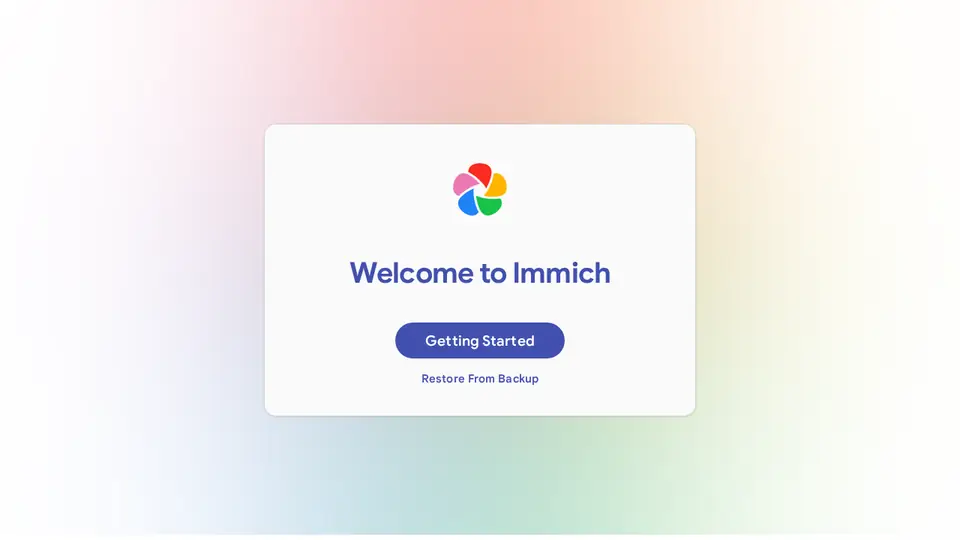
Real screenshot of Immich from a Companion Hub QA run. Not a recording of this family. 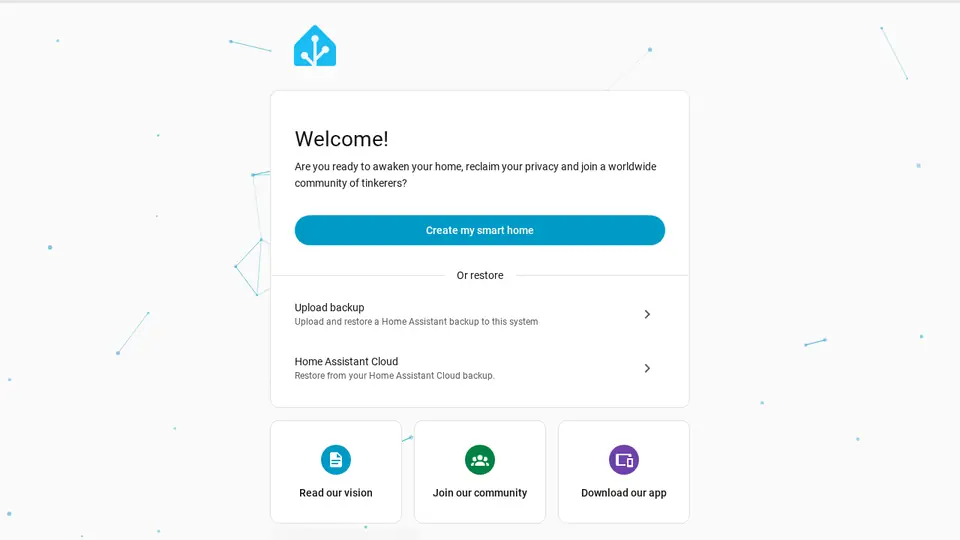
Real screenshot of Home Assistant from a Companion Hub QA run. Not a recording of this family.
Reka
LearnerAge 13West bedroom
Secondary school.
Rented before, on the Core now
Rented before
- Kindle
- Notion
- Google Translate
On the Core now
 BookLore
 Obsidian
 Open WebUI
 LibreTranslate
-
Reka opens the history chapter
Reka’s teacher shared the term’s history reader as a PDF. She reads the next chapter in BookLore, and the file sits on the Core with the family’s books.
BookLorereplaces KindleBookLore fetches covers and details from the internet.
Watch this moment -
Reka writes about a character
On Saturday morning, Reka sits on the canopy bed and writes a character note for her class’s play. Obsidian keeps each note as a file on the Core.
Watch this momentObsidianreplaces Notion -
Reka checks her own working
Reka solves a ratio problem herself, then asks a model on the Core to check her working in Open WebUI. The chat stays on the Core by default.
Watch this momentOpen WebUI -
The kitchen
Reka reads her grandmother’s card
A card from Reka’s grandmother leans by the range, with a German line Reka cannot place. LibreTranslate translates it on the Core, and Reka writes her reply by hand.
LibreTranslatereplaces Google TranslateLanguage models are downloaded once.
Watch this moment
The home
- 2 storeys
- 396 m²
- 17 rooms
Scroll the plan sideways to see all of it.
Scroll the plan sideways to see all of it.
A diagram of the rooms, drawn from the home’s layout. It leaves out walls, doors and stairs. The pins show the room each person uses, and the small box marks the Companion Core.
What runs on the Core
One Companion Core in the house runs these apps. Each is in the Companion Hub store. Other software is named in text, for what it replaces.
- HermesFrom Nous Research
- Paperless-ngxReplaces Evernote
- Pi-holeReplaces NextDNS
- LibreOfficeReplaces Microsoft Office
- ForgejoReplaces GitHub
- JupyterLab
- Steam HeadlessReplaces GeForce Now
- JellyfinReplaces Plex
- ImmichReplaces Google Photos
- BookLoreReplaces Kindle
- ObsidianReplaces Notion
- Open WebUI
- Yuvomi
- LibreTranslateReplaces Google Translate
- Home AssistantReplaces Google Home
The other apps in these stories are made by other people, most of them open-source projects. Companion Intelligence did not make them. A logo belongs to its project. It shows which app is named beside it.
How it runs
Two pieces do the work. One runs on the Core. The other keeps track of your devices.
Companion Hub
Companion Hub is where you install apps on the Core. Pick one in the Companion Hub store and Hub sets it up. Installing apps uses the internet.
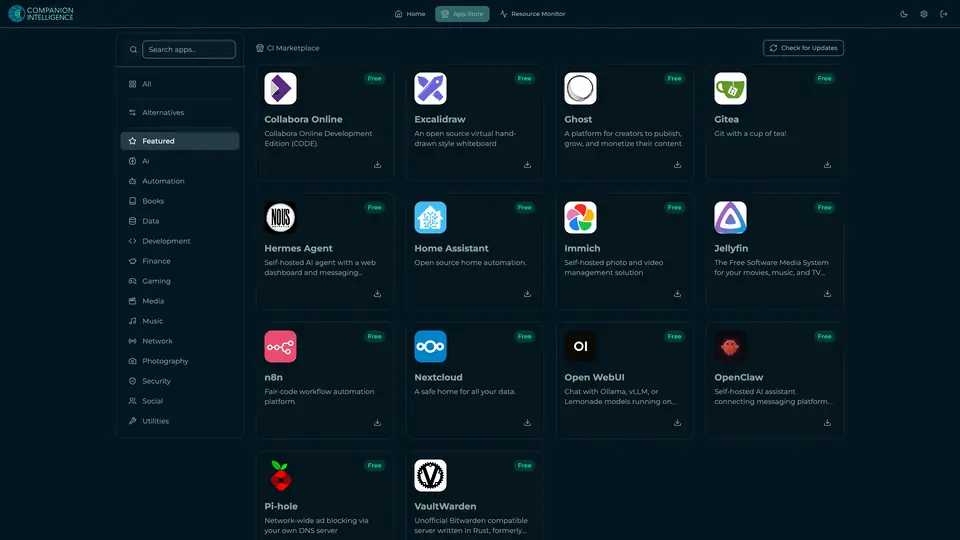
Real screenshot of Companion Hub from a product tutorial capture. Not a recording of this family. 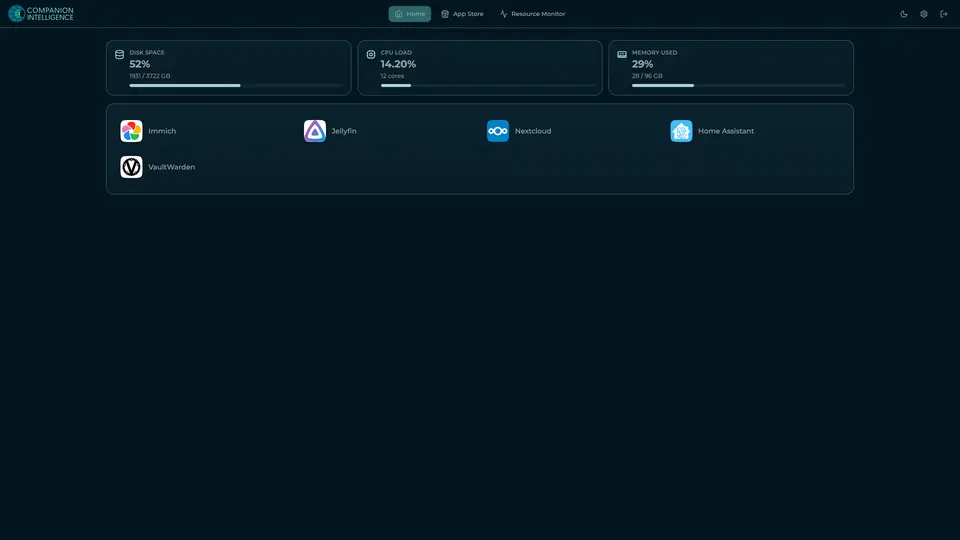
Real screenshot of Companion Hub from a product tutorial capture, with sample data. The disk, CPU and memory figures are the capture machine's, not a Companion Core spec. Not a recording of this family.
Companion account
Your Companion account pairs your devices with the Hub and lists them. The apps and their files stay on the Core.
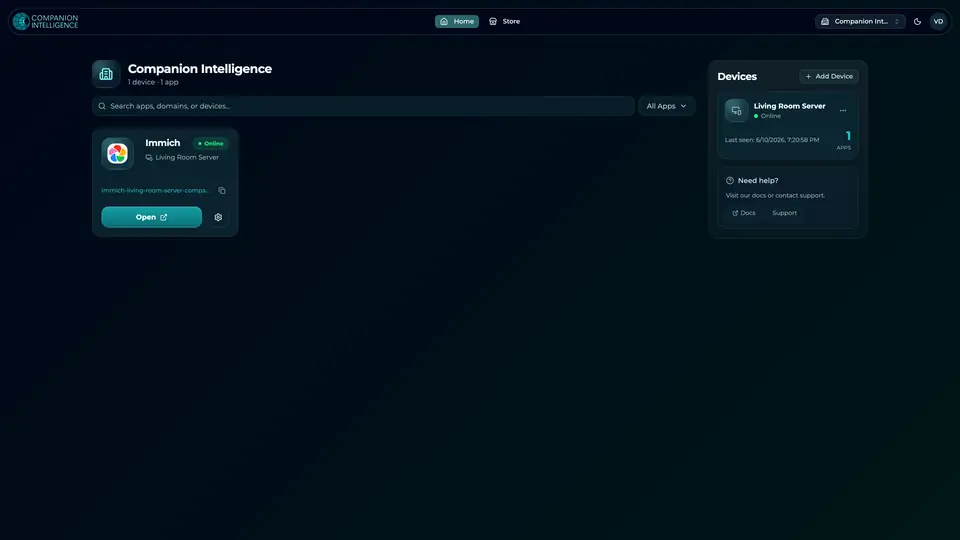
Real screenshot of the Companion account page from a product tutorial capture, with sample data. Not a recording of this family. 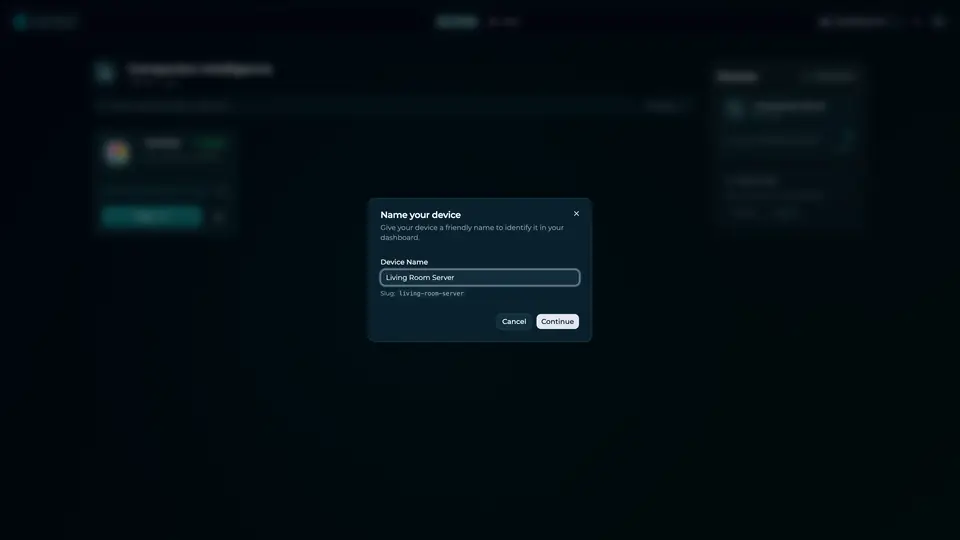
Real screenshot of the Companion account page from a product tutorial capture, with sample data. Not a recording of this family.
How the Core starts
-
Plug it in.
The parcel holds the Companion Core, a power cable, a quick-start guide and a recovery USB drive. Companion OS is already on its drive. Plug it in and press the button.
-
Join its Wi-Fi.
The Core opens its own Wi-Fi network. Join it from a phone, choose your home network from the list and enter its password.
-
Pick your apps and run.
In the Companion Hub store, pick your first agents and apps. Then walk away. Installing apps uses the internet.
Some steps use the internet: installing apps from the Companion Hub store, and any website or messaging service your agent talks to.
UnCloud your life.
Your documents, code, films and homework can run on a Companion Core at home. Browse the Companion Hub store and choose your first apps.