
Fictional family. Real software.
The Adeniran family
A tall lakeside house, four people and one Companion Core on a credenza.
14 Sedgewater Row, Kestrel Bay
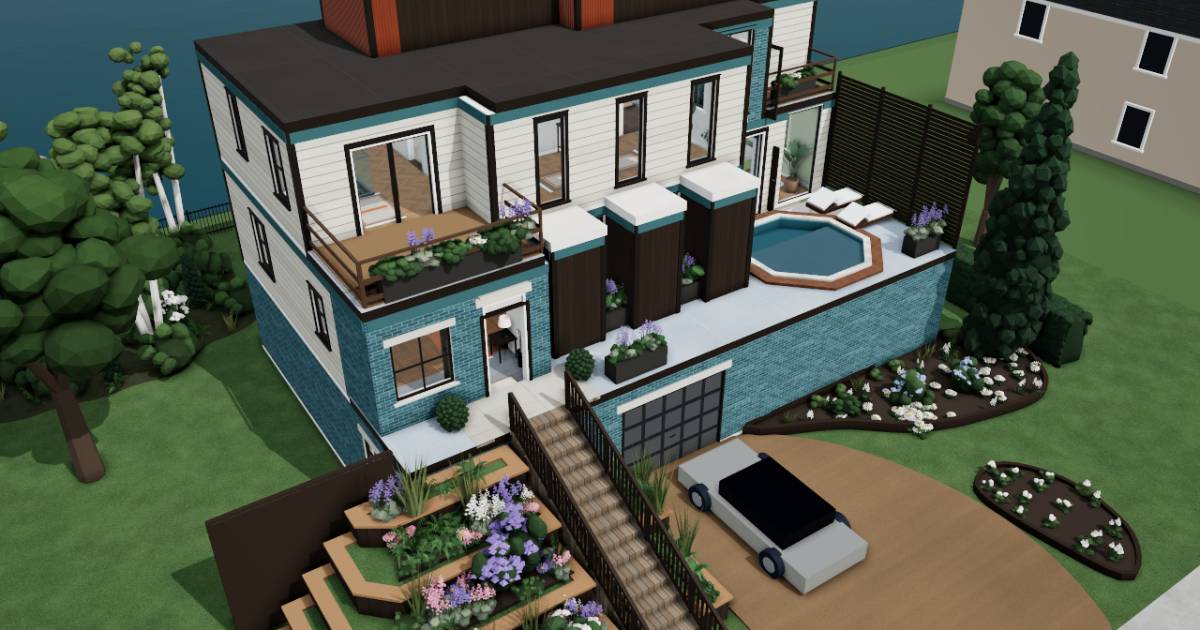 Interactive 3D tour
- Companion OS, Companion Memory and Companion Agents are in beta.
Meet the family
Folake keeps her clients’ books from the living room. Kunle writes firmware at his bench in the garage. Tobi, seventeen, has the loft at the top of the house. Ife, fifteen, has the green bedroom on the main floor. One Companion Core on a credenza is shared by the household.
Folake
OrganiserAge 47Living room
Bookkeeper with her own practice.
Marlow is Folake’s Hermes agent. Drafts reminders and replies to Folake’s clients from the notes she sends. Folake asks for drafts, reads each one and sends it herself.
Rented before, on the Core now
Rented before
- QuickBooks
- Google Drive
On the Core now
 Hermes
 Akaunting
 Paperless-ngx
-
Folake closes the month
Month end is Thursday, so Folake raises her clients’ invoices from the couch. Those books are other people’s, and sit on the Core beside her.
Watch this momentAkauntingreplaces QuickBooks -
Folake empties a shoebox
A client drops off a shoebox of till receipts. Folake scans the stack. Paperless-ngx on the Core reads and tags each page, so she finds one by its words.
Watch this momentPaperless-ngxreplaces Google Drive -
Marlow drafts a client reply
A client asks when the year end figures will be ready. Folake tells Marlow the date, and Marlow drafts the reply. Folake reads it and sends it herself.
HermesScripted Marlow: “Here is the reply. Please read it, then send it yourself.”
Messages pass through the chat service you choose.
Watch this moment -
The kitchen
Kunle hands over a receipt
Over breakfast, Kunle hands Folake the receipt for a new oscilloscope probe. She enters the expense in Akaunting at the kitchen island, against his contract work.
Watch this momentAkauntingreplaces QuickBooks
Kunle
BuilderAge 49Garage
Firmware contractor.
Tilly is Kunle’s Hermes agent. Drafts Kunle’s questions and notes to his client from what he types. Kunle asks for drafts, reads every line and sends it himself.
Rented before, on the Core now
Rented before
- Spotify
- GitHub
- Ring
On the Core now
 Navidrome
 Gitea
- Hermes
 Wingfit
 Frigate
-
The living room
Kunle plays the choir album
Saturday afternoon, Kunle stretches along the couch with his phone. He plays the album Folake’s choir recorded years ago, and Navidrome serves the files from the Core.
Watch this momentNavidromereplaces Spotify -
Kunle files a bug against himself
At the garage bench, Kunle files a bug in his own test script as a Gitea issue. The issue and the code sit together on the Core.
Watch this momentGiteareplaces GitHub -
Tilly drafts a client question
Friday, a test fails twice on the bench. Kunle types what happened to Tilly, and Tilly drafts a short question for the client. Kunle reads it and sends it himself.
HermesScripted Tilly: “The question is drafted. Read it first, then send it yourself.”
Messages pass through the chat service you choose.
Watch this moment -
Kunle logs the morning ride
Back from a lake ride, Kunle leans his bicycle on the wall and enters the distance in Wingfit. Its log of rides runs on the Core.
Watch this momentWingfit -
Out front
Kunle replays the cat clips
A neighbour’s cat keeps crossing the gravel drive at breakfast. Frigate, watching the family’s drive camera, tags the visits, and Kunle plays the clips from the Core.
Watch this momentFrigatereplaces Ring
Tobi
GamerAge 17Loft bedroom
Sixth form.
Rented before, on the Core now
Rented before
- Cozi
- GeForce Now
- Google Photos
On the Core now
 HomeHub
 Steam Headless
 Immich
-
The kitchen
Tobi adds the missing ingredient
At the kitchen island, Tobi opens his gran’s egusi in the HomeHub recipe book. He adds the missing melon seeds to the shopping list, and everyone at home sees it.
Watch this momentHomeHubreplaces Cozi -
Tobi opens Steam on the Core
After lessons, Tobi opens Steam in a browser on his laptop. Steam Headless runs the session on the Core, and his Valve account keeps the library.
Steam Headlessreplaces GeForce NowSteam needs a Valve account.
Watch this moment -
Tobi finds the lake pictures
His aunt asks to see last summer at the lake. Tobi finds the pictures by searching Immich, which sorted them on the Core.
Watch this momentImmichreplaces Google Photos
Real screenshots of Tobi’s apps
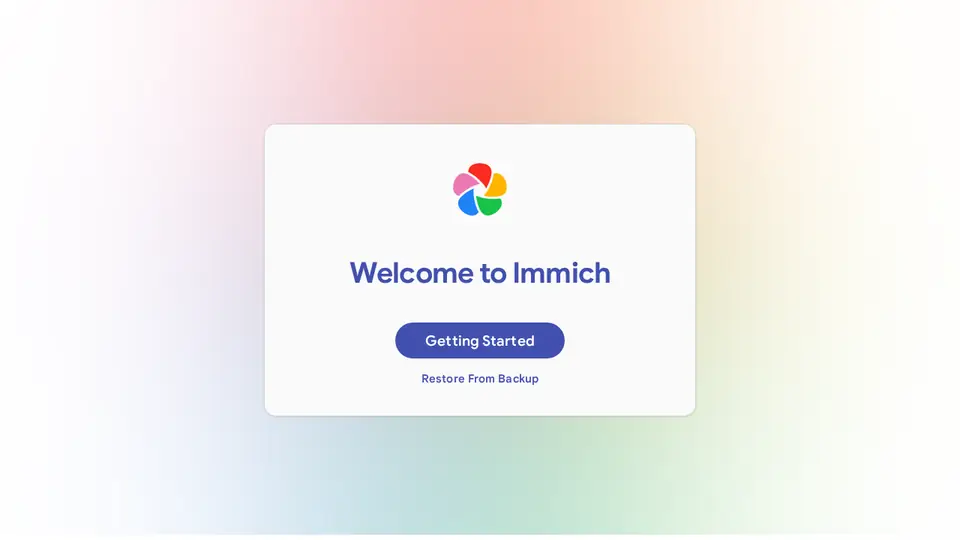
Real screenshot of Immich from a Companion Hub QA run. Not a recording of this family.
Ife
LearnerAge 15Green bedroom
Secondary school.
Rented before, on the Core now
Rented before
- Notion
- Instapaper
- Google Translate
- OurHome
On the Core now
 Obsidian
- Readeck
 LibreTranslate
- HomeHub
 HortusFox
-
Ife gets unstuck in chemistry
Sunday afternoon, Ife keeps one Obsidian note per chemistry topic, as plain files. Stuck on moles, she asks AnythingLLM to explain, and the model answering runs on the Core.
Watch this momentObsidianreplaces Notion -
Ife reads a saved article
Ife saved an article on why the lake rises after rain. At her desk she reads it in Readeck, which keeps it on the Core.
Readeckreplaces Instapaper
Watch this moment -
Ife translates her postcard back
Ife writes a postcard in German, then translates it back in LibreTranslate to see what it says. The models were downloaded once, and the words are translated on the Core.
Watch this momentLibreTranslatereplaces Google Translate -
The kitchen
Ife dates the leftover chicken
A tray of baked chicken goes into the fridge on Tuesday. Ife enters it in the HomeHub expiry tracker, so Wednesday’s lunch gets eaten before it turns.
Watch this momentHomeHubreplaces OurHome -
Out front
Ife waters the lavender
Before school on Wednesday, Ife waters the lavender in the planters by the door. She adds the watering to HortusFox, where the lavender has a care history of its own.
Watch this momentHortusFox
Real screenshots of Ife’s apps
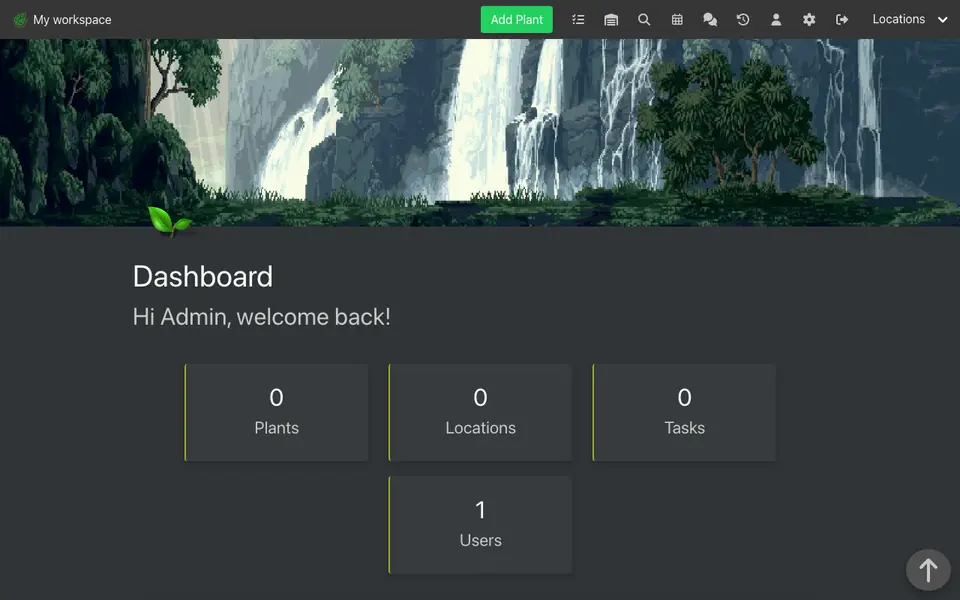
Real screenshot of HortusFox from a Companion Hub QA run. Not a recording of this family.
The home
- 4 storeys
- 432 m²
- 22 rooms
Scroll the plan sideways to see all of it.
Scroll the plan sideways to see all of it.
Scroll the plan sideways to see all of it.
Scroll the plan sideways to see all of it.
A diagram of the rooms, drawn from the home’s layout. It leaves out walls, doors and stairs. The pins show the room each person uses, and the small box marks the Companion Core.
What runs on the Core
One Companion Core in the house runs these apps. Each is in the Companion Hub store. Other software is named in text, for what it replaces.
- HermesFrom Nous Research
- AkauntingReplaces QuickBooks
- NavidromeReplaces Spotify
- Paperless-ngxReplaces Google Drive
- ObsidianReplaces Notion
- ReadeckReplaces Instapaper
- LibreTranslateReplaces Google Translate
- HomeHubReplaces OurHome
- GiteaReplaces GitHub
- Wingfit
- Steam HeadlessReplaces GeForce Now
- ImmichReplaces Google Photos
- FrigateReplaces Ring
- HortusFox
The other apps in these stories are made by other people, most of them open-source projects. Companion Intelligence did not make them. A logo belongs to its project. It shows which app is named beside it.
How it runs
Two pieces do the work. One runs on the Core. The other keeps track of your devices.
Companion Hub
Companion Hub is where you install apps on the Core. Pick one in the Companion Hub store and Hub sets it up. Installing apps uses the internet.
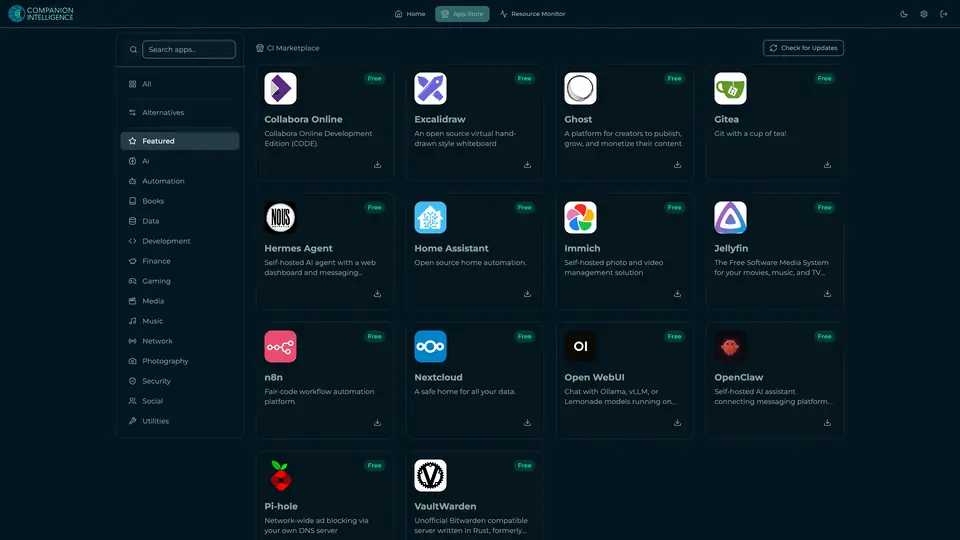
Real screenshot of Companion Hub from a product tutorial capture. Not a recording of this family. 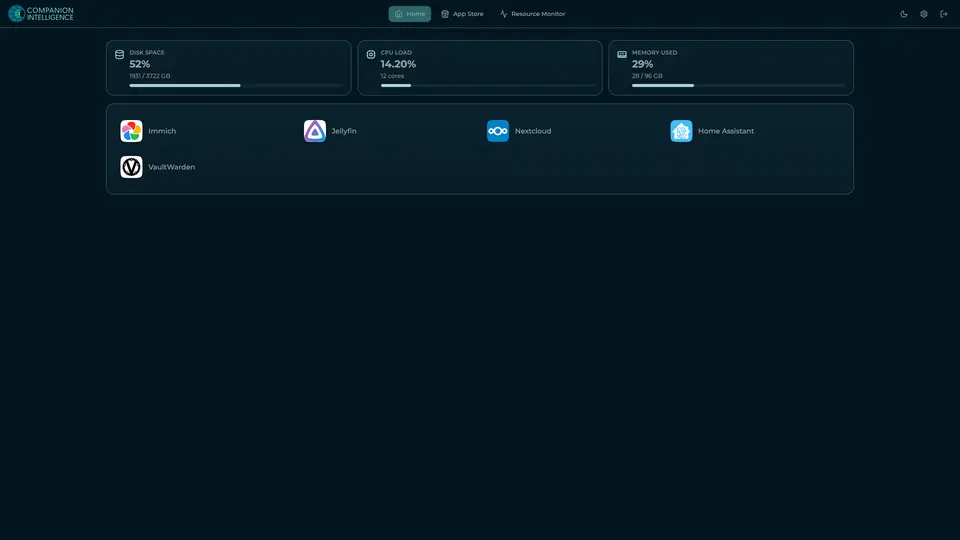
Real screenshot of Companion Hub from a product tutorial capture, with sample data. The disk, CPU and memory figures are the capture machine's, not a Companion Core spec. Not a recording of this family.
Companion account
Your Companion account pairs your devices with the Hub and lists them. The apps and their files stay on the Core.
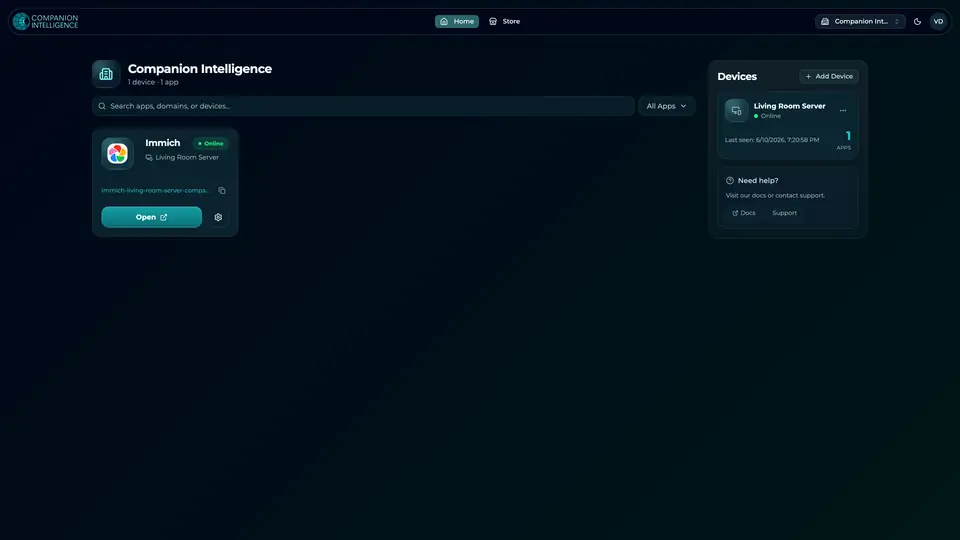
Real screenshot of the Companion account page from a product tutorial capture, with sample data. Not a recording of this family. 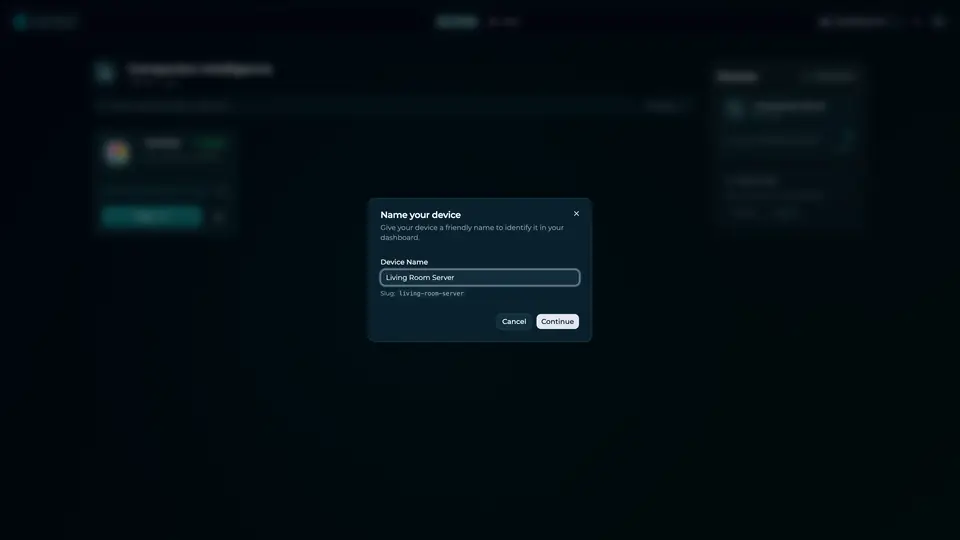
Real screenshot of the Companion account page from a product tutorial capture, with sample data. Not a recording of this family.
How the Core starts
-
Plug it in.
The parcel holds the Companion Core, a power cable, a quick-start guide and a recovery USB drive. Companion OS is already on its drive. Plug it in and press the button.
-
Join its Wi-Fi.
The Core opens its own Wi-Fi network. Join it from a phone, choose your home network from the list and enter its password.
-
Pick your apps and run.
In the Companion Hub store, pick your first agents and apps. Then walk away. Installing apps uses the internet.
Some steps use the internet: installing apps from the Companion Hub store, and any website or messaging service your agent talks to.
UnCloud your life.
Your invoices, code and homework can live on a Companion Core in your own home. Start in the Companion Hub store, and pick your first apps.