
Fictional family. Real software.
The Brennan family
Two studies, a wisteria porch and one Companion Core.
7 Tarnside Lane, Hollin Cross
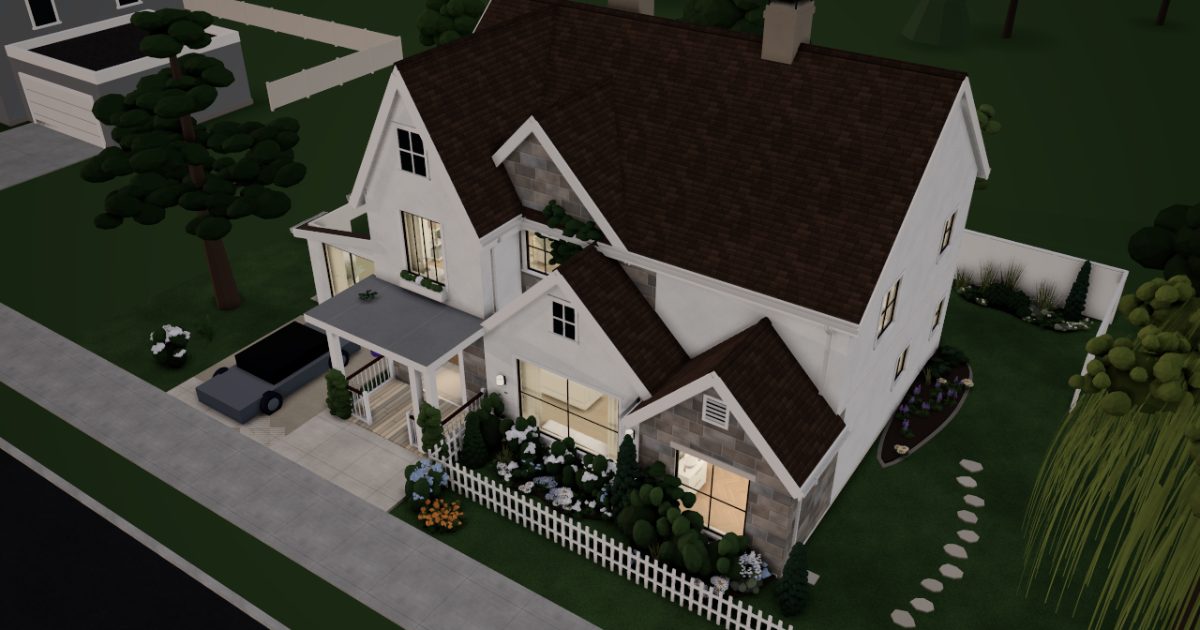 Interactive 3D tour
- Companion OS, Companion Memory and Companion Agents are in beta.
Meet the family
Sally runs her consultancy from the Front Study, and John writes code in the Study, where the Core sits. Steve plays in the living room, and Jean works at her desk upstairs. One Companion Core serves all four.
Sally
OrganiserAge 43Front study
Sally runs a small consultancy from the Front Study and starts most days with a run from the front door. Her client records and papers sit on the Core, and Juniper drafts the chores she approves.
Juniper is Sally’s OpenClaw agent. Opens Twenty in its own browser and adds the follow-ups Sally lists. Drafts only. Sally reads every entry before it stands.
Rented before, on the Core now
Rented before
- Microsoft Office
- Salesforce
- Zapier
- Rocket Money
- Strava
- Airtable
On the Core now
 OpenClaw WebCLI
 LibreOffice
 Twenty
 n8n
 Wallos
- Endurain
 Grist
-
Two desks, one proposal file
A proposal lived on two machines, and Sally mailed herself the newer copy. Now both desks open one LibreOffice file, so there is one version to edit.
LibreOfficealternative to Microsoft OfficeWatch this momentMore about this moment
- Before
- In Microsoft Office, Sally's proposal was a file on one machine, mailed to herself to finish on the other.
- Now
- LibreOffice opens the proposal in her browser at either desk. One file sits on the Core, so there is one version to edit.
What you do
- Draft the proposal in Writer
- Set the fees in Calc
- Open the same file at the other desk
Good to know LibreOffice is an office suite with Writer, Calc and more, running in your browser.
-
Juniper drafts the client's follow-ups
Juniper drafts three follow-ups in the client's record in Twenty, and Sally reads each one. The record sits on the Core, not in a hosted CRM.
Twentyalternative to SalesforceScripted Juniper: “Drafted. Please read each first.”
Companion Agents are in beta.
Watch this momentMore about this moment
- Before
- After each call, Sally typed the follow-ups into a Salesforce record by hand.
- Now
- Juniper opens Twenty in its own browser and drafts the follow-ups from Sally's list. Sally reads each before it stands, and the record stays on the Core.
What you do
- List the follow-ups after the call
- Juniper adds each to the client's record
- Read every entry before it stands
Good to know Twenty keeps customers, deals and custom fields in a CRM you host yourself.
-
A checklist becomes a workflow
The new-client checklist taped to Sally's writing desk is now one n8n workflow Sally built. It runs on the Core, and she starts it for each new client.
n8nalternative to ZapierWatch this momentMore about this moment
- Before
- Sally ran the new-client checklist by hand, and the steps she had automated ran through Zapier.
- Now
- n8n runs the same steps as one workflow on the Core.
What you do
- Sally builds the workflow once
- Sally starts it for a new client
- Check that every step ran
Good to know n8n connects your apps with workflows, with the data staying on your Core.
-
One list of what still renews
A domain renewal nearly slips past Sally, so she lists every tool her practice still pays for. Wallos holds the list and reminds her before each renewal.
Wallosalternative to Rocket MoneyWallos fetches service logos from outside.
Watch this momentMore about this moment
- Before
- Sally's renewals were tracked in Rocket Money, one more service on the list.
- Now
- The list of renewals sits in Wallos on the Core, with a reminder before each one. The tools Sally has not moved yet stay on it.
What you do
- List every tool the practice still pays for
- Add each renewal date
- Read the reminders before they fall due
Good to know Wallos tracks every subscription you pay for and reminds you before it renews.
-
Out front
Runs that start at the door
Every run of Sally's starts at her front door, so each route is a map of home. Endurain keeps the runs on the Core, and syncing out is optional.
Endurainalternative to Strava
Watch this momentMore about this moment
- Before
- Sally's runs went to Strava, route and all, from the front door onwards.
- Now
- A GPX file uploads locally, and Endurain keeps the runs on the Core. Syncing with outside services is optional.
What you do
- Finish the run at the front door
- Upload the GPX file to Endurain
- Leave syncing off
Good to know Endurain tracks runs, rides and gear and shows your fitness stats on your own server.
-
Behind the white fence
A tracker that is one file
In Grist on the Core, Sally reviews the quarter by the pool, with a day-rate formula in Python. The database is one file, and she can copy it.
Gristalternative to AirtableWatch this momentMore about this moment
- Before
- Sally kept the tracker as a base in Airtable.
- Now
- The tracker is a SQLite file on the Core, kept in Grist. It takes real Python formulas, and the file can be copied like any other.
What you do
- Rebuild the tracker's tables in Grist
- Write the day-rate formula in Python
- Copy the file when the quarter closes
Good to know Grist is a spreadsheet-database with real Python formulas, stored as a SQLite file you can copy.
Real screenshots of Sally’s apps
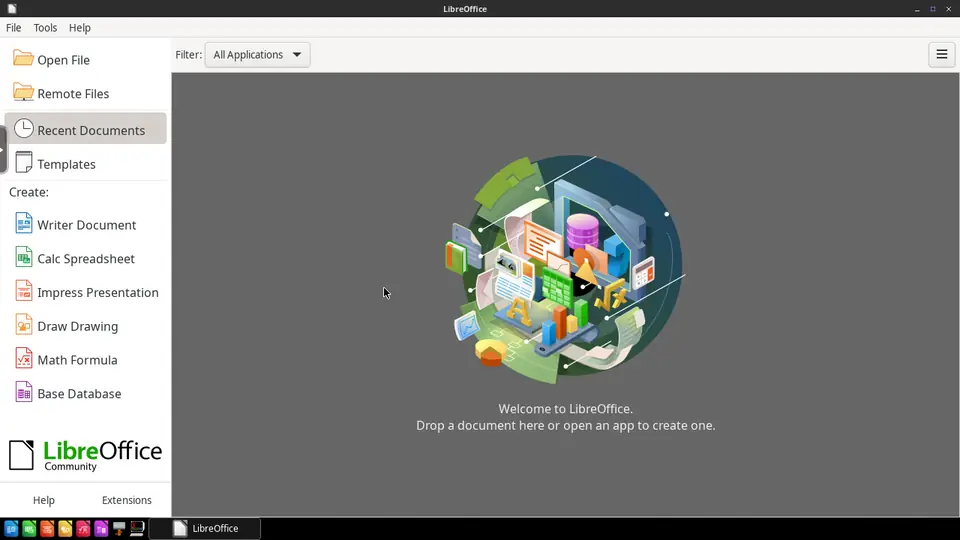
Real screenshot of LibreOffice from a Companion Hub QA run. Not a recording of this family. 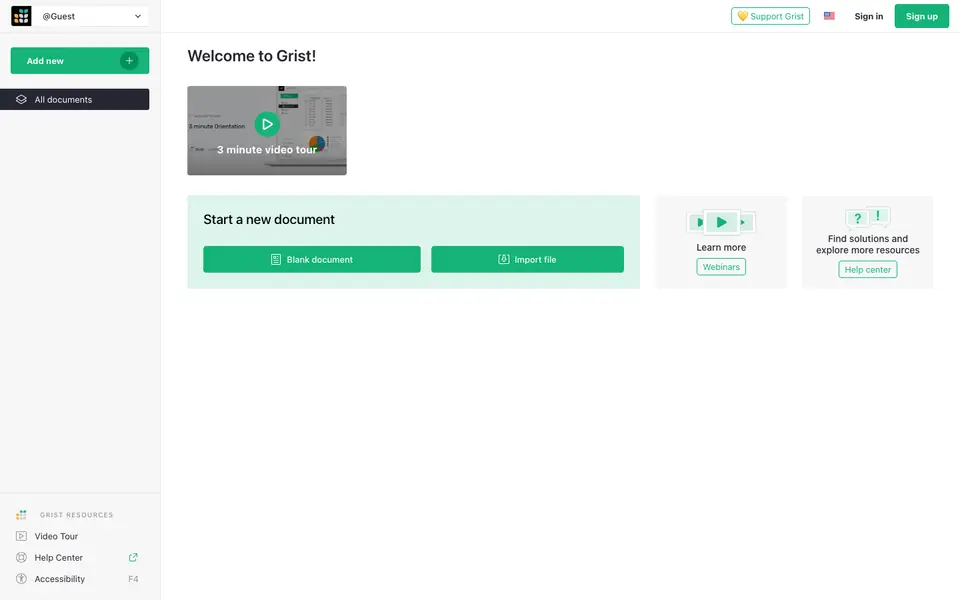
Real screenshot of Grist from a Companion Hub QA run. Not a recording of this family.
John
BuilderAge 45Study
John writes software from the Study, where the Core sits. His editor and repositories run on the Core, and Quill files the issues he lists.
Quill is John’s OpenClaw agent. Opens Forgejo in its own browser and files the issues John lists. Files issues only. John reads each one before it stands.
Rented before, on the Core now
Rented before
- VS Code (Proprietary)
- GitHub
- Trello
- Ring
On the Core now
 Code Server
 Forgejo
 Planka
 Frigate
-
The project left the laptop
John's last laptop died with a side project's only copy on it. Code Server puts VS Code in a browser tab, with the files on the Core.
Code Serveralternative to VS CodeInstalling extensions uses the internet.
Watch this momentMore about this moment
- Before
- John wrote code in VS Code on one laptop, with the project folder on that laptop and nowhere else.
- Now
- Code Server opens the editor in a browser tab. The editor and the project files sit on the Core, so the laptop holds neither.
What you do
- Open the editor in the laptop's browser
- Open the project folder from the Core
- Write code as usual
Good to know Code Server lets you write code in VS Code in your browser, with the editor and your files on your Core.
-
Quill files, John corrects one
John's bug list once became issues on a hosted code service; now Quill files them in Forgejo on the Core. John fixes the second title before it stands.
Forgejoalternative to GitHubScripted Quill: “Three issues are drafted. Please read each before it stands.”
Companion Agents are in beta.
Watch this momentMore about this moment
- Before
- After a test pass, John typed every bug into GitHub himself, one issue at a time.
- Now
- Quill opens Forgejo in its own browser and files each bug from John's list. John reads every issue, fixes what is wrong and lets the rest stand.
What you do
- List the bugs from the test pass
- Quill files each one in Forgejo
- Read every issue before it stands
Good to know Forgejo hosts your own Git repositories, issues and pull requests on your Core.
-
House jobs get one board
House jobs, from the wisteria prune to the fence paint, sat on a Trello board only John opened. One Planka board on the Core holds them now.
Plankaalternative to TrelloWatch this momentMore about this moment
- Before
- House jobs lived on a Trello board that only John opened, so nobody else knew which were done.
- Now
- On the Core, Planka holds the same jobs as cards on a board, and anyone in the house can move one.
What you do
- Copy each job to a card
- Sort the cards into jobs to do and jobs done
- Move a card when the job is finished
Good to know Planka is a real-time Kanban board for a team or a family project.
-
Out front
A neighbour's parcel, found on camera
A neighbour's parcel turns up behind the hydrangea in the porch camera's clip, and John walks it over. Frigate keeps the clip on the Core, not with a camera maker.
Frigatealternative to RingCameras are not part of the Core.
Watch this momentMore about this moment
- Before
- A missing parcel meant opening the Ring app and hunting for the clip.
- Now
- Frigate records John's own camera to the Core and marks what it detects, so the clip is there to open.
What you do
- Open the clip from the porch camera
- Spot the parcel by the picket fence
- Walk it across the lane
Good to know Frigate is a local video recorder with object detection for your IP cameras. The video stays on your Core.
Real screenshots of John’s apps
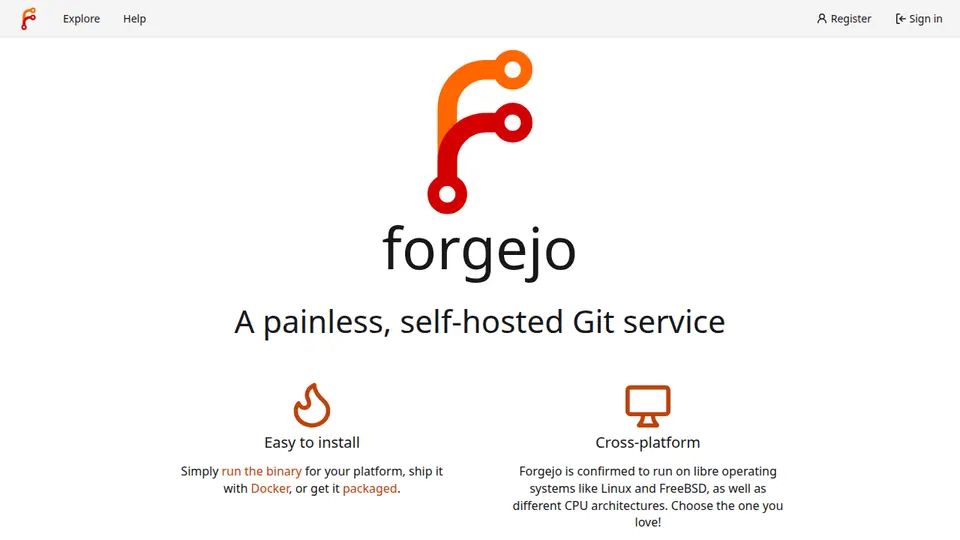
Real screenshot of Forgejo from a Companion Hub QA run. Not a recording of this family.
Steve
GamerAge 16Living room
Steve plays in the living room, with his session running on the Core in the Study. He builds blocky models, plays his father's old demo and checks the car's oil.
Rented before, on the Core now
Rented before
- GeForce Now
- MagicaVoxel
- Apple Music
- Drivvo
On the Core now
 Steam Headless
 Blockbench
- mStream
- LubeLogger
-
A plan ends, the library stays
When Steve cancelled his cloud gaming plan, his library stayed put on his Valve account. Steam Headless now runs the session on the Core in the Study.
Steam Headlessalternative to GeForce NowSteam needs a Valve account.
Watch this momentMore about this moment
- Before
- GeForce Now ran each of Steve's sessions on its own servers and streamed it to the screen he played on.
- Now
- Steam Headless runs the session on the Core in the Study. Valve keeps the account and the library, and the TV shows the stream in a browser.
What you do
- Sign in with his own Valve account
- Start the session on the Core
- Play in a browser on the TV
Good to know Steam Headless runs Steam on your Core and plays it in a browser on a screen in the house.
-
Steve builds the porch in blocks
Steve's model of the wisteria porch sat in a MagicaVoxel file on one PC. Now he builds it block by block in Blockbench, in a browser tab.
Blockbenchalternative to MagicaVoxelWatch this momentMore about this moment
- Before
- Steve's models were files in MagicaVoxel, a program installed on one PC.
- Now
- Blockbench opens in a browser tab served from the Core, so there is nothing to install on the PC.
What you do
- Open Blockbench in a browser tab
- Block out the porch posts and rails
- Add the wisteria last
Good to know Blockbench is a browser editor for low-poly models and blocky art.
-
The kitchen
John's old demo plays at lunch
Steve finds a demo disc from John's college band, music no streaming catalogue carried. Ripped, it plays through mStream in the kitchen, and John hears it from the Study.
mStreamalternative to Apple Music
Watch this momentMore about this moment
- Before
- John's college demo was never on Apple Music, so it sat on a disc in a drawer.
- Now
- From the Core, mStream plays the ripped demo in the kitchen, beside the music the family already keeps.
What you do
- Rip the demo disc to a file
- Add the file to the music folder
- Play it in the kitchen
Good to know mStream streams your own music from your Core to a browser or an app.
-
Out front
Steve logs the oil check
Steve checks the car's oil on the gravel drive, with John beside him, and logs it. LubeLogger keeps every service, fuel stop and reminder where John can read them too.
LubeLoggeralternative to Drivvo
Watch this momentMore about this moment
- Before
- The car's service dates and fuel stops lived in Drivvo, on one phone.
- Now
- LubeLogger keeps the car's service history, fuel log and reminders on the Core, where John and Steve both read them.
What you do
- Check the oil with John
- Add the check to the car's history
- Read the next reminder
Good to know LubeLogger keeps a service history, fuel log and reminders for every vehicle.
Jean
LearnerAge 14Jean's room
Jean studies at her desk and designs in the glass lounge. Her notes are plain files on the Core, and she writes her own quiz questions.
Rented before, on the Core now
Rented before
- Figma
- Notion
On the Core now
 Penpot
 Obsidian
 Mazanoke
- Razzia
-
Jean designs the school fair poster
Jean is on her third poster draft, made in Penpot at the glass lounge's nesting tables. The family hosts Penpot on the Core, so the poster file sits there.
Penpotalternative to FigmaWatch this momentMore about this moment
- Before
- Jean's first posters were Figma files.
- Now
- Penpot is a design tool the family hosts. Jean opens it in a browser, and her design files live on the Core.
What you do
- Open Penpot in a browser tab
- Draw the poster
- Keep the design file on the Core
Good to know Penpot is a web-based design tool you host, for designing and prototyping.
-
Three years of notes, as files
Three years of Jean's school notes leave a hosted notes app for Obsidian. They are plain Markdown files on the Core now.
Obsidianalternative to NotionWatch this momentMore about this moment
- Before
- Three years of Jean's school notes lived as pages inside Notion.
- Now
- Obsidian runs in a browser session on the Core. Her notes are plain Markdown files in a folder, and any text editor opens them.
What you do
- Move the notes into the vault folder
- Open the vault in Obsidian
- Find a note from the first year
Good to know Obsidian is a note app in your browser. Your notes stay as local Markdown files.
-
Sally's front study
Smaller pictures, nothing uploaded
The school portal rejects Jean's art-project photos as too large, so Mazanoke shrinks them in her browser. No compressor site gets them.
MazanokeWatch this momentMore about this moment
- Before
- A photo the portal refused went to an online compressor, which meant uploading it to another website.
- Now
- In the browser, from the Core, Mazanoke resizes and compresses the photos. Nothing is uploaded.
What you do
- Drop the photos into Mazanoke
- Pick the smaller size
- Send the small copies to the school portal
Good to know Mazanoke resizes and compresses images in the browser. Nothing is uploaded.
-
The dining table
Jean writes the family quiz
Jean writes the family quiz herself, one question per fact she keeps missing. Razzia hosts it on the Core, and everyone plays at the dining table.
Razzia
Watch this momentMore about this moment
- Before
- A family quiz meant waiting for someone else to write one.
- Now
- Jean writes one question per fact she keeps missing, and Razzia runs the quiz for the family from the Core.
What you do
- Type the questions for the topic
- Start the quiz at the dining table
- Check the answers together
Good to know Razzia runs a quiz night for a small group on your own Core.
Real screenshots of Jean’s apps
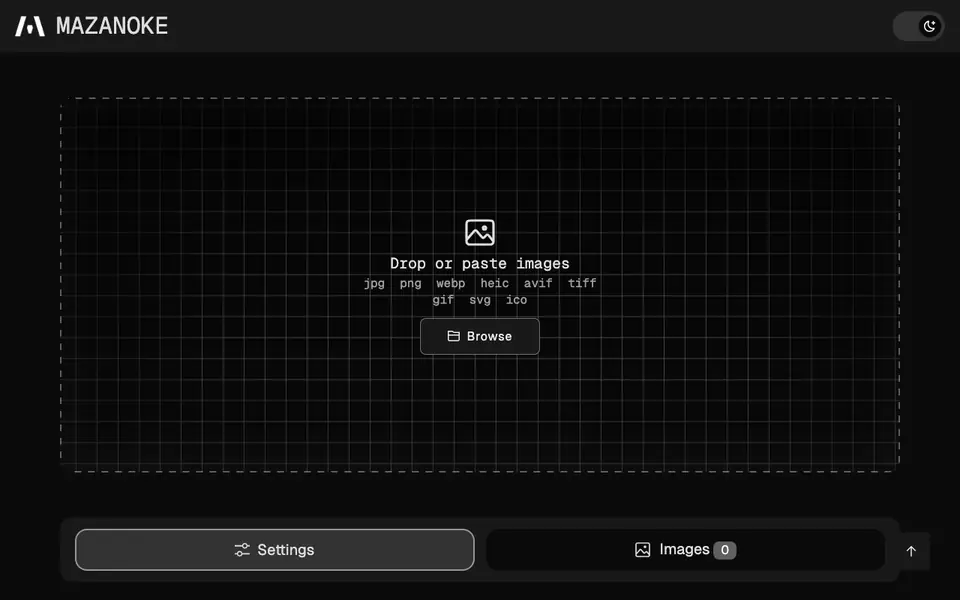
Real screenshot of Mazanoke from a Companion Hub QA run. Not a recording of this family.
Around the house
-
The kitchen
Two studies, one calendar
Yuvomi puts both studies' calls on one calendar, so the whole house can see when to keep quiet. Dinner plans go in the same planner.
 YuvomiWatch this moment
More about this moment
- Before
- Each person kept a calendar of their own, and the house learned of a call when a door closed.
- Now
- Yuvomi keeps one calendar, the task list and the meal plan in a database on the Core, for the whole household.
What you do
- Add the week's calls to the calendar
- Add the week's dinners to the same planner
- Read the day at the kitchen counter
Good to know Yuvomi is a family planner with a shared calendar, tasks, shopping and meals in one app.
A day in the house
One ordinary day, in the order it happens. Each line opens the moment above.
-
Morning
John
John opens the editor in his laptop's browser before his first meeting.
The project left the laptop
-
Midday
Over lunch, the week's calls and dinners are lined up together.
Two studies, one calendar
-
Afternoon
-
After school
-
Weekend
The home
A cottage of white walls and fieldstone, with a tall porch gable, wisteria on the porch and a picket fence. A glass-gabled lounge opens off the side. Behind a white privacy fence, a lap pool runs along the back.
- 2 storeys
- 256 m²
- 19 rooms
Front study
Two desks side by side at the front window.
Study
John's desk, a curved monitor and the Core.
Living room
An L-shaped sectional faces the TV, with a club chair on either side.
Sunroom lounge
Two club chairs face each other under the glass gable.
Porch
Spindle rails, a lantern and wisteria on the posts.
Scroll the plan sideways to see all of it.
Scroll the plan sideways to see all of it.
A diagram of the rooms, drawn from the home’s layout. It leaves out walls, doors and stairs. The pins show the room each person uses, and the small box marks the Companion Core.
What runs on the Core
One Companion Core in the house runs these apps. Each is in the Companion Hub store. Other software is named in text, for what it replaces.
- OpenClaw WebCLIFrom the OpenClaw Foundation
- Steam HeadlessReplaces GeForce Now
- BlockbenchReplaces MagicaVoxel
- PenpotReplaces Figma
- ObsidianReplaces Notion
- Yuvomi
- mStreamReplaces Apple Music
- LibreOfficeReplaces Microsoft Office
- TwentyReplaces Salesforce
- n8nReplaces Zapier
- WallosReplaces Rocket Money
- Mazanoke
- Code ServerReplaces VS Code (Proprietary)
- ForgejoReplaces GitHub
- PlankaReplaces Trello
- Razzia
- EndurainReplaces Strava
- FrigateReplaces Ring
- LubeLoggerReplaces Drivvo
- GristReplaces Airtable
The other apps in these stories are made by other people, most of them open-source projects. Companion Intelligence did not make them. A logo belongs to its project. It shows which app is named beside it.
How it runs
Two pieces do the work. One runs on the Core. The other keeps track of your devices.
Companion Hub
Companion Hub is where you install apps on the Core. Pick one in the Companion Hub store and Hub sets it up. Installing apps uses the internet.
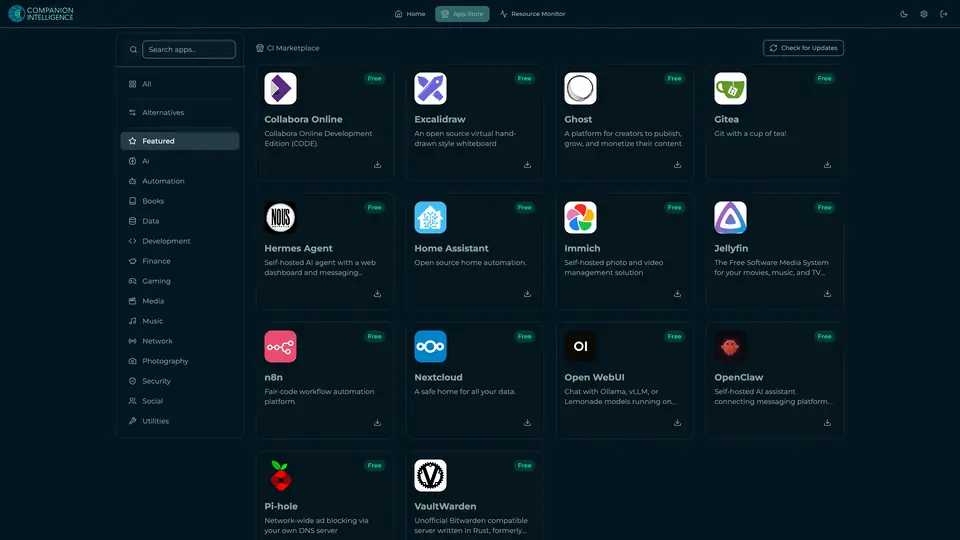
Real screenshot of Companion Hub from a product tutorial capture. Not a recording of this family. 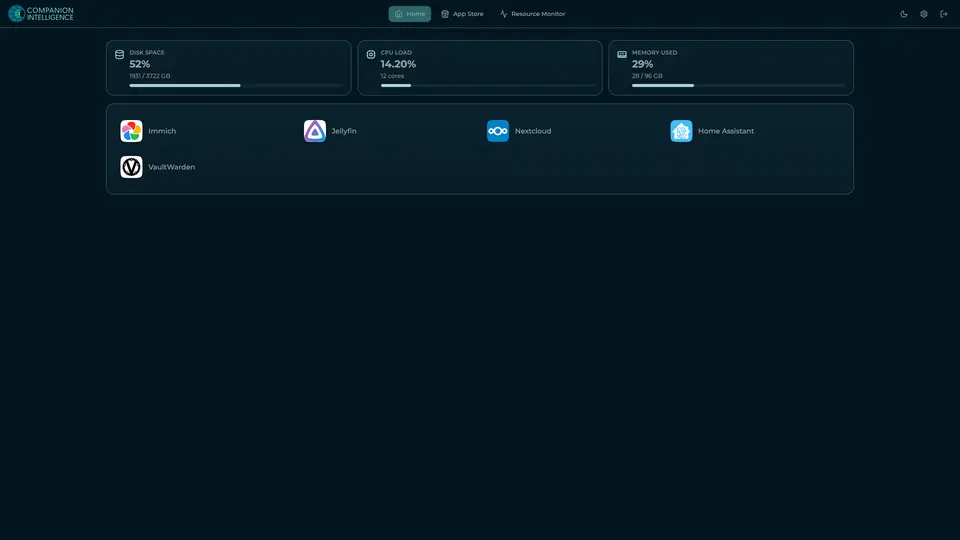
Real screenshot of Companion Hub from a product tutorial capture, with sample data. The disk, CPU and memory figures are the capture machine's, not a Companion Core spec. Not a recording of this family.
Companion account
Your Companion account pairs your devices with the Hub and lists them. The apps and their files stay on the Core.
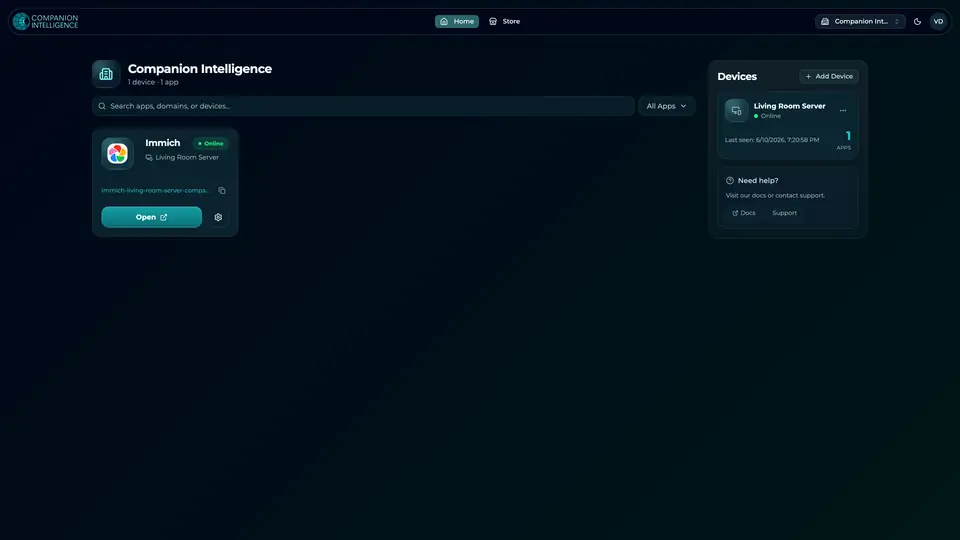
Real screenshot of the Companion account page from a product tutorial capture, with sample data. Not a recording of this family. 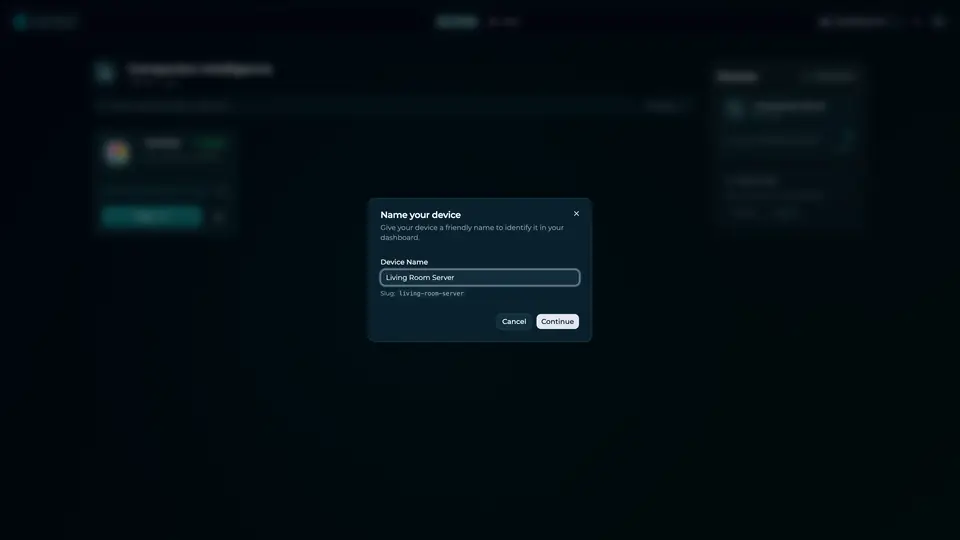
Real screenshot of the Companion account page from a product tutorial capture, with sample data. Not a recording of this family.
How the Core starts
-
Plug it in.
The parcel holds the Companion Core, a power cable, a quick-start guide and a recovery USB drive. Companion OS is already on its drive. Plug it in and press the button.
-
Join its Wi-Fi.
The Core opens its own Wi-Fi network. Join it from a phone, choose your home network from the list and enter its password.
-
Pick your apps and run.
In the Companion Hub store, pick your first agents and apps. Then walk away. Installing apps uses the internet.
Some steps use the internet: installing apps from the Companion Hub store, and any website or messaging service your agent talks to.
UnCloud your life.
Your client records, code and family music can run on a Companion Core at home. Browse the Companion Hub store and pick your first apps.