
Fictional family. Real software.
The Adler family
A design agency, a rover in progress and one Companion Core.
11 Reedmace Row, Meadowfen
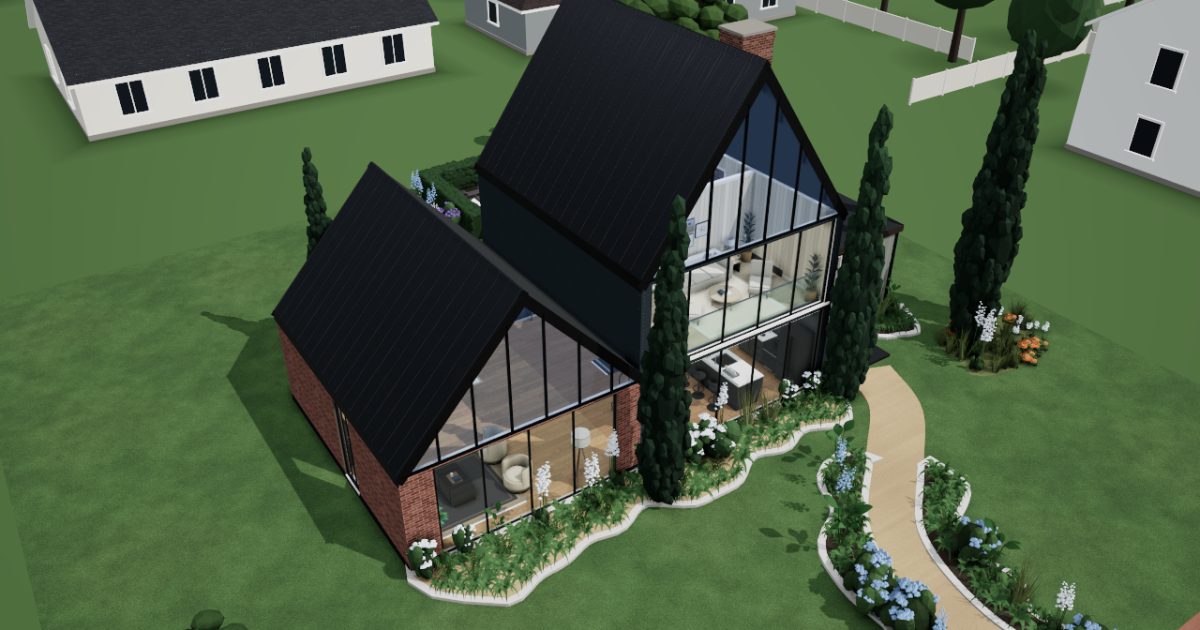 Interactive 3D tour
- Companion OS, Companion Memory and Companion Agents are in beta.
Meet the family
Ruth runs a small design agency from the library lounge, and Noam writes robotics software at a standing desk upstairs. At weekends he builds a rover for the garden. One Companion Core on the credenza serves them both.
Ruth
OrganiserAge 39Library lounge
Runs a small design agency.
Dahlia is Ruth’s Hermes agent. Drafts replies to Ruth’s clients from the short notes she sends it. Drafts only. Ruth reads and sends every message.
Rented before, on the Core now
Rented before
- Spotify
- Salesforce
- Google Drive
- LastPass
- Adobe Acrobat
- Evernote
- Figma
On the Core now
 Hermes
 Navidrome
 EspoCRM
 Nextcloud
 VaultWarden
 Stirling-PDF
 Paperless-ngx
 Yuvomi
 Penpot
 HortusFox
-
The sofa and the Core
The old CDs play again
Sun reaches the rug while Ruth plays albums she ripped from old CDs. Navidrome streams them from the Core to her phone over the home Wi-Fi.
Watch this momentNavidromereplaces Spotify -
Ruth turns down one enquiry
Monday morning, two enquiries arrive and only one fits the month. Ruth quotes one and declines the other. EspoCRM keeps both records on the Core for next time.
Watch this momentEspoCRMreplaces Salesforce -
The bakery’s label files arrive
Before lunch a bakery’s label files arrive, and Ruth files them in Nextcloud. The originals sit on the Core, not in a rented drive.
Watch this momentNextcloudreplaces Google Drive -
Dahlia drafts the delay note
The print shop runs a day late. Ruth messages Dahlia the new date. Dahlia drafts the bakery note on the Core’s local model, and Ruth reads and sends it herself.
HermesScripted Dahlia: “Here is the bakery note. Please read it before you send it.”
Messages pass through the chat service you choose.
Watch this moment -
Ruth lets the vault choose
A client portal wants a new password, so Ruth has VaultWarden make one. It is saved in the household’s vault on the Core and works with the Bitwarden apps.
Watch this momentVaultWardenreplaces LastPass -
The trestle table
Two files become one print file
The print shop wants one file, not two. At the trestle table, Ruth merges the artwork and its spec sheet in Stirling-PDF, on the Core itself.
Watch this momentStirling-PDFreplaces Adobe Acrobat -
The kitchen counter
The oven warranty turns up
Thursday afternoon, Ruth feeds a month of receipts through Paperless-ngx on the Core. Every page is read and tagged, so the oven warranty is one search away.
Watch this momentPaperless-ngxreplaces Evernote -
The kitchen counter
Ruth makes room for a visitor
Noam’s sister visits on Saturday. Ruth adds the visit to the household calendar in Yuvomi. She moves a proof check to Friday, and Noam sees both there.
Watch this momentYuvomi -
Out in the garden
The logo moves to the deck
Afternoon light reaches the deck table, so Ruth takes her laptop out. She reworks a logo in Penpot, saved to the Core in the lounge.
Watch this momentPenpotreplaces Figma -
Out in the garden
The orange daisies get a note
The orange daisies on the front lawn are still in flower. Ruth adds a photo and a note in HortusFox, so next year she knows how long they last.
Watch this momentHortusFox
Real screenshots of Ruth’s apps
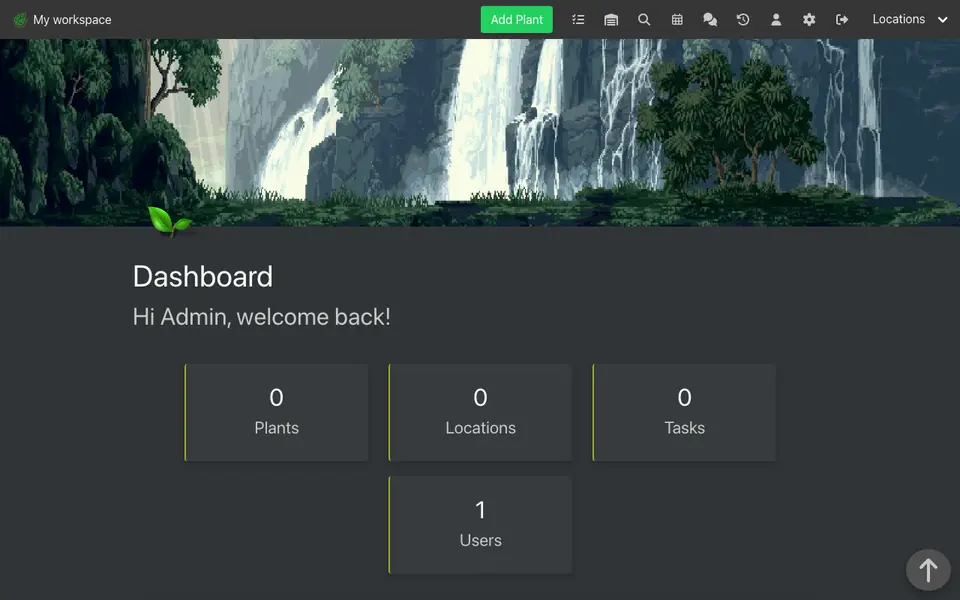
Real screenshot of HortusFox from a Companion Hub QA run. Not a recording of this family.
Noam
BuilderAge 41Upstairs desk
Robotics software engineer.
Lupin is Noam’s OpenClaw agent. Fills in supplier order forms in its own browser from Noam’s parts lists. Fills in the form only. Noam checks it and places the order.
Rented before, on the Core now
Rented before
- AdGuard
- Zapier
- GitHub
- Google Photos
On the Core now
 Pi-hole
 n8n
- Yuvomi
 JupyterLab
 Gitea
 OpenClaw WebCLI
 Immich
-
The sofa and the Core
A slow page loses its banners
A slow weather page is all banners, so Noam points the router’s DNS at Pi-hole. It blocks known ad and tracker domains for devices that use it for DNS.
Watch this momentPi-holereplaces AdGuard -
Ruth in the library lounge
A shortcut for Ruth’s briefs
Ruth copies each new client’s details into a folder by hand, so Noam builds her an n8n workflow. When a brief arrives, it opens the Nextcloud folder on the Core.
Watch this momentn8nreplaces Zapier -
The kitchen counter
The olive oil runs low
Chickpeas simmer on the range and the oil runs low. Noam adds a bottle to the shopping list in Yuvomi, and Ruth sees it on her phone.
Watch this momentYuvomi -
Why does the rover drift left?
The rover drifts left on gravel, so Noam plots its wheel data in JupyterLab. Then he asks a model on the Core why, through Open WebUI.
Watch this momentJupyterLab -
The steering fix goes to Gitea
At the standing desk, Noam pushes a steering fix for his rover to Gitea. The repository sits on the Core, not on a rented code host.
Watch this momentGiteareplaces GitHub -
Lupin fills in the parts order
Noam hands his agent Lupin a list of motor parts. Lupin fills in the supplier’s order form in its own browser. Noam reads it and places the order himself.
OpenClaw
OpenClaw reaches websites over your home internet.
Watch this moment -
Out in the garden
Noam photographs the rover’s wiring
Noam props the rover on the lawn and photographs its wiring. His phone backs the photos up to Immich over the home Wi-Fi, into the household’s library.
Watch this momentImmichreplaces Google Photos
Real screenshots of Noam’s apps
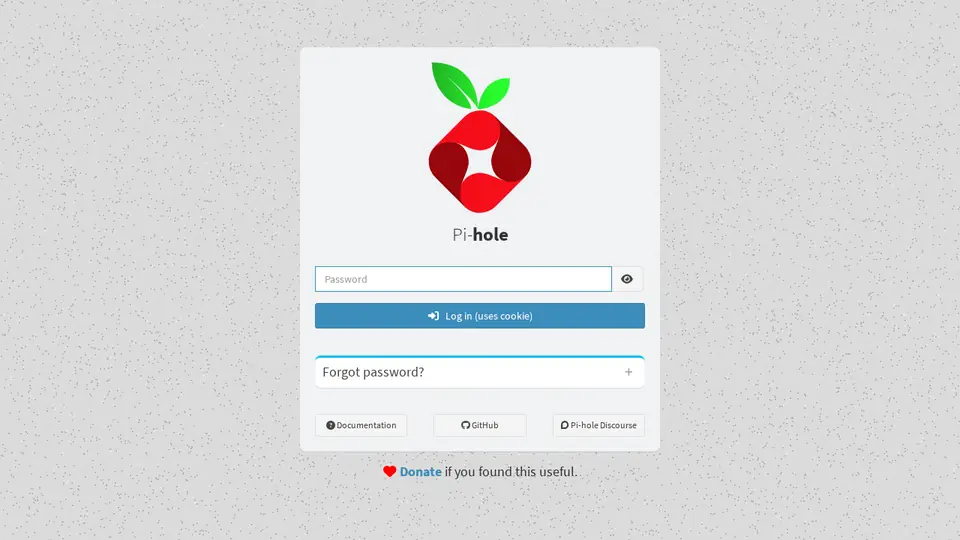
Real screenshot of Pi-hole from a Companion Hub QA run. Not a recording of this family. 
Real screenshot of Immich from a Companion Hub QA run. Not a recording of this family.
The home
- 2 storeys
- 201 m²
- 12 rooms
Scroll the plan sideways to see all of it.
Scroll the plan sideways to see all of it.
A diagram of the rooms, drawn from the home’s layout. It leaves out walls, doors and stairs. The pins show the room each person uses, and the small box marks the Companion Core.
What runs on the Core
One Companion Core in the house runs these apps. Each is in the Companion Hub store. Other software is named in text, for what it replaces.
- HermesFrom Nous Research
- NavidromeReplaces Spotify
- Pi-holeReplaces AdGuard
- EspoCRMReplaces Salesforce
- NextcloudReplaces Google Drive
- n8nReplaces Zapier
- VaultWardenReplaces LastPass
- Stirling-PDFReplaces Adobe Acrobat
- Yuvomi
- Paperless-ngxReplaces Evernote
- JupyterLab
- GiteaReplaces GitHub
- OpenClaw WebCLIFrom the OpenClaw Foundation
- PenpotReplaces Figma
- HortusFox
- ImmichReplaces Google Photos
The other apps in these stories are made by other people, most of them open-source projects. Companion Intelligence did not make them. A logo belongs to its project. It shows which app is named beside it.
How it runs
Two pieces do the work. One runs on the Core. The other keeps track of your devices.
Companion Hub
Companion Hub is where you install apps on the Core. Pick one in the Companion Hub store and Hub sets it up. Installing apps uses the internet.
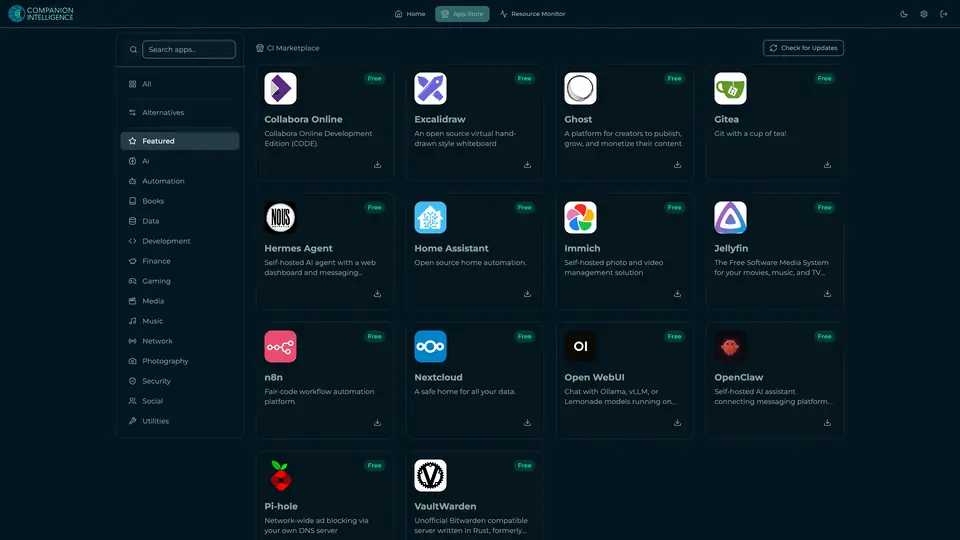
Real screenshot of Companion Hub from a product tutorial capture. Not a recording of this family. 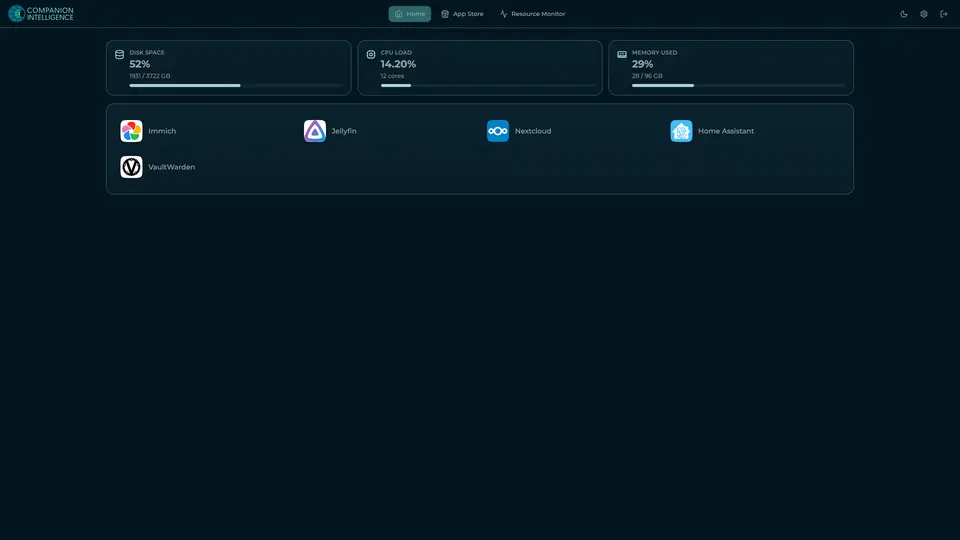
Real screenshot of Companion Hub from a product tutorial capture, with sample data. The disk, CPU and memory figures are the capture machine's, not a Companion Core spec. Not a recording of this family.
Companion account
Your Companion account pairs your devices with the Hub and lists them. The apps and their files stay on the Core.
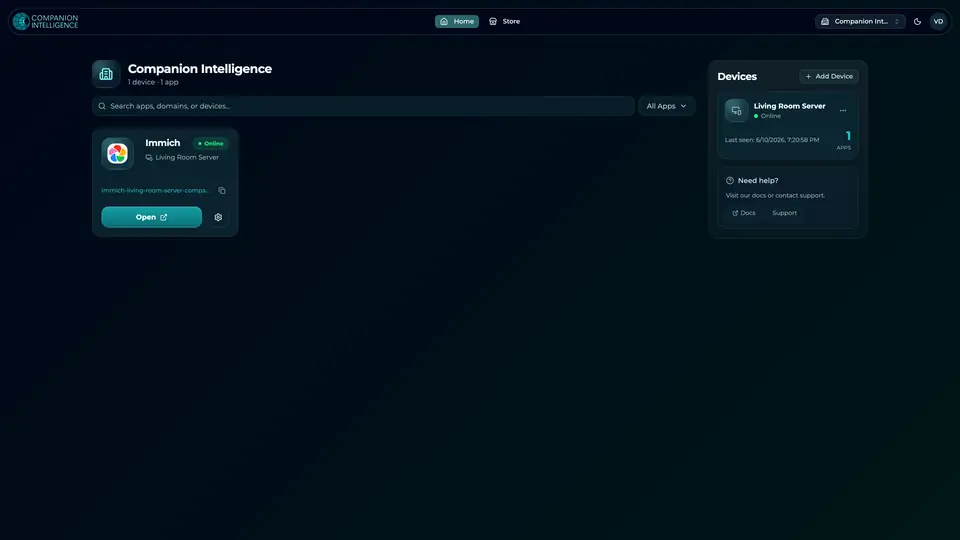
Real screenshot of the Companion account page from a product tutorial capture, with sample data. Not a recording of this family. 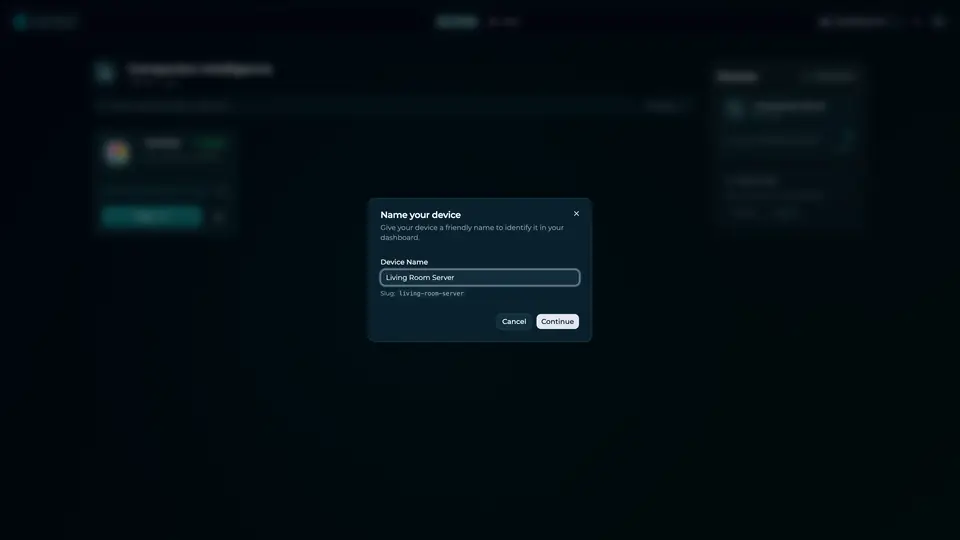
Real screenshot of the Companion account page from a product tutorial capture, with sample data. Not a recording of this family.
How the Core starts
-
Plug it in.
The parcel holds the Companion Core, a power cable, a quick-start guide and a recovery USB drive. Companion OS is already on its drive. Plug it in and press the button.
-
Join its Wi-Fi.
The Core opens its own Wi-Fi network. Join it from a phone, choose your home network from the list and enter its password.
-
Pick your apps and run.
In the Companion Hub store, pick your first agents and apps. Then walk away. Installing apps uses the internet.
Some steps use the internet: installing apps from the Companion Hub store, and any website or messaging service your agent talks to.
UnCloud your life.
Your client files and parts lists can sit on a Companion Core at home. Browse the Companion Hub store and pick your first apps.